
How to Set Up a Vertical Mouse Correctly (Ergonomics Guide)
Step-by-step ergonomics guide to setting up a vertical mouse correctly. Covers desk positioning, DPI settings, button mapping, and wrist alignment for maximum comfort.
Updated 2026-03-22
30-Second Video: How to Set Up a Vertical Mouse Correctly (Ergonomics Guide)
30-second walkthrough for how to set up a vertical mouse correctly (ergonomics guide).
Quick Answer: How to Set Up a Vertical Mouse Correctly (Ergonomics Guide)
> **Featured Snippet:** Setting up a vertical mouse correctly involves five key steps: positioning the mouse at elbow height in line with your shoulder, adjusting DPI sensitivity between 800 and 1600, configuring button mappings for your workflow, training your hand to maintain a neutral wrist angle, and practicing for 15 minutes daily during the first two weeks.
A vertical mouse is only as effective as the way you set it up. Research from the International Journal of Industrial Ergonomics shows that workstation configuration accounts for up to 60% of the ergonomic benefit of any input device. The mouse itself contributes the remaining 40%.
This guide addresses the three most common failure modes — positional failure, sensitivity failure, and behavioral failure — with a systematic, step-by-step approach covering desk and chair positioning, mouse placement, DPI and sensitivity configuration, button mapping, hand position technique, and the two-week adjustment protocol.
For users experiencing wrist pain, a correctly set up vertical mouse combined with proper workstation ergonomics can significantly reduce forearm pronation and carpal tunnel pressure. See our guide on [whether vertical mice help with wrist pain](/articles/do-vertical-mice-help-wrist-pain) for the supporting research.
Bottom line: even a budget vertical mouse set up correctly will outperform a premium model that is poorly positioned. Follow the five-step protocol in this guide to get maximum ergonomic benefit from day one.
Key takeaway: pick the smallest mouse that still supports your palm, then prioritize low click force.
Top Picks Quick Comparison
Fast shortlist for decision-first readers. Full table remains below for complete detail.
| Product | Best For | Price | Rating |
|---|---|---|---|
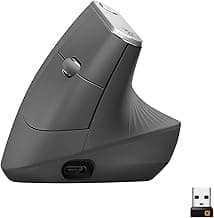
| Logitech MX Vertical | Best overall for ergonomic setup | $$$ | 4.6/5 |
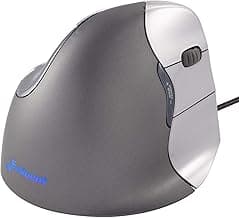
| Evoluent VerticalMouse 4 | Best for maximum customization | $$$ | 4.4/5 |
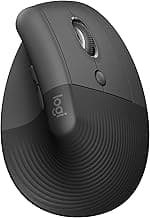
| Logitech Lift | Best for small to medium hands | $$ | 4.5/5 |
| Anker Ergonomic Vertical Mouse | Best budget option | $ | 4.4/5 |
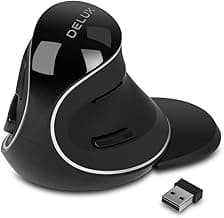
| Delux M618 Plus | Best adjustable grip angle | $$ | 4.3/5 |
Real Product Photos: All Reviewed Models
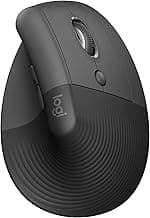
Each image below is a real product listing photo stored locally for faster loads and stable rendering.
Comparison Table: How to Set Up a Vertical Mouse Correctly (Ergonomics Guide)
Key takeaway: comfort fit beats raw specs for long-term productivity.
| Product | Best For | Price Band | Rating | Link |
|---|---|---|---|---|
| Logitech MX Vertical | Best overall for ergonomic setup | $$$ | 4.6/5 | Check on Amazon |
| Evoluent VerticalMouse 4 | Best for maximum customization | $$$ | 4.4/5 | Check on Amazon |
| Logitech Lift | Best for small to medium hands | $$ | 4.5/5 | Check on Amazon |
| Anker Ergonomic Vertical Mouse | Best budget option | $ | 4.4/5 | Check on Amazon |
| Delux M618 Plus | Best adjustable grip angle | $$ | 4.3/5 | Check on Amazon |
Note: Amazon links may be affiliate links and can generate commissions at no extra cost to you.