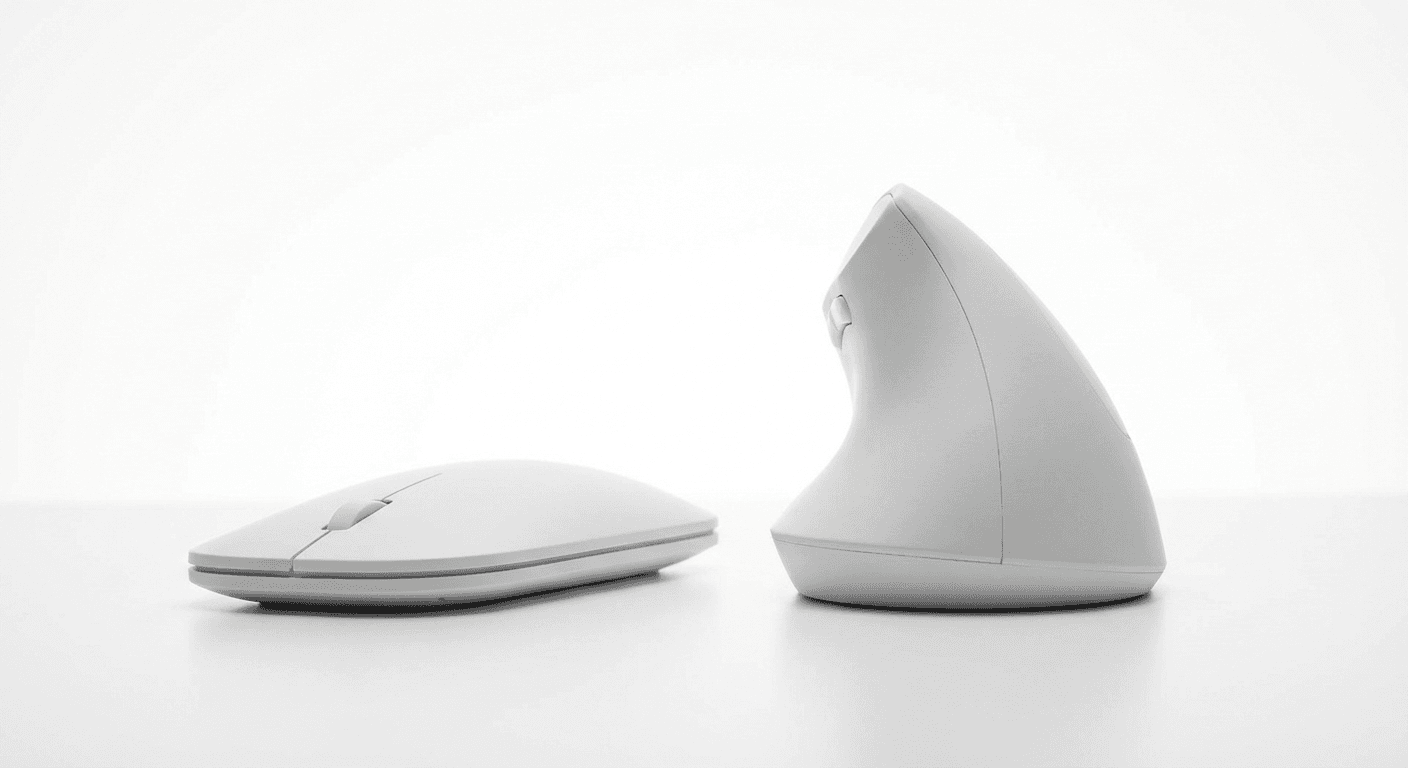
Best Vertical Mouse for Gaming (2026)
Best vertical mouse for gaming in 2026: 5 models rated on DPI range, polling rate, click latency and sensor accuracy. Genre picks included. See top picks →
Updated 2026-03-14
30-Second Video: Best Vertical Mouse for Gaming
30-second walkthrough for best vertical mouse for gaming.
Quick Answer: Best Vertical Mouse for Gaming (2026)
Best Vertical Mouse for Gaming (2026)
By Dr. Alex Chen · Last updated March 14, 2026
The best vertical mouse for gaming is the Logitech MX Vertical — its 4000 DPI sensor, high-quality switches, and Logitech Options software make it the most capable vertical mouse for strategy, MMO, and casual gaming. No vertical mouse matches a dedicated gaming mouse for competitive FPS. But for the 80% of gaming that is not twitch-reflex shooting, a vertical mouse protects your wrist during marathon sessions without sacrificing meaningful performance.
Let us be direct: if you are searching for a vertical mouse to climb the Valorant ranked ladder, this is not the article for you. A vertical mouse will not make you a better FPS player. The grip geometry limits horizontal flick speed, the sensor specs trail dedicated gaming mice, and no esports professional has ever competed with one.
But FPS is not all gaming. If you play Civilization for 6-hour stretches, if you raid in WoW three nights a week, if you manage cities in Cities: Skylines until 2 AM — you are logging serious mouse hours in genres where millisecond reaction time does not matter but wrist health absolutely does. And that is where a gaming-capable vertical mouse earns its place.
This guide evaluates vertical mice specifically for gaming: which specs matter, which genres match the form factor, and which models offer the best performance within the vertical category.
The Honest Truth About Vertical Mice and Gaming
What a Vertical Mouse Does Well in Games
Extended session comfort. The handshake grip reduces forearm pronation strain over multi-hour sessions — critical for gamers who play 4–8 hours daily.
Click-heavy games. Strategy, MOBA, and MMO gameplay involves hundreds of deliberate clicks per hour. The vertical grip distributes clicking force differently than a flat mouse, reducing index finger and thumb fatigue.
Precision positioning. Placing units, selecting buildings, navigating menus, and clicking UI elements do not require flick speed — they require accurate, deliberate cursor placement. Vertical mice handle this well.
What a Vertical Mouse Does Poorly in Games
Fast horizontal flicks. FPS aiming requires rapid side-to-side wrist snaps. The vertical grip replaces wrist deviation with forearm pivot, which has a smaller range of motion and slower peak speed.
Tracking targets in motion. Following a moving enemy with smooth, fast cursor movement is harder with the vertical arm position.
Lift-off repositioning. Competitive FPS players constantly lift and reposition their mouse. The vertical grip makes lift-and-replace movements less natural.
The Realistic Assessment
Gaming Type Vertical Mouse Suitability Performance vs Flat Mouse
Strategy (RTS, 4X, city builder) ✅ Excellent 95–100%
MOBA (LoL, Dota 2) ✅ Good 85–95%
MMO (WoW, FFXIV, ESO) ✅ Excellent 95–100%
Turn-based (Civilization, XCOM) ✅ Excellent 100%
Simulation (Factorio, Rimworld) ✅ Excellent 100%
Action RPG (Diablo, Path of Exile) ⚠️ Adequate 80–90%
Competitive FPS (Valorant, CS2) ❌ Poor 50–70%
Casual FPS (single-player) ⚠️ Adequate 75–85%
Racing, sports, fighting ⚠️ Varies Controller preferred for these genres
What Gaming Specs Actually Matter
Not all specs are equally important. Here is what to prioritize when evaluating a vertical mouse for gaming:
1. Sensor and DPI (High Priority)
What it means: DPI (dots per inch) determines cursor speed relative to hand movement. Higher DPI = faster cursor per inch of movement.
Gaming need: Adjustable DPI from at least 800 to 3200+. The ability to switch DPI on the fly (via a button) is essential — different games and different in-game situations benefit from different sensitivities.
The truth about high DPI claims: Sensors claiming 16,000+ DPI are using interpolation above their native resolution, which introduces smoothing and reduces accuracy. A sensor with clean, native 6400 DPI tracking is more useful for gaming than one with interpolated 16,000 DPI. For most gaming, 800–3200 DPI covers everything you need.
2. Polling Rate (High Priority for Fast Games)
What it means: How often the mouse reports its position to the PC, in Hz.
Polling Rate Report Interval Gaming Impact
125 Hz Every 8 ms Visible stutter in fast games — not acceptable
250 Hz Every 4 ms Passable for strategy, poor for action
500 Hz Every 2 ms Good for most gaming
1000 Hz Every 1 ms Standard for gaming mice — smooth at all speeds
Most budget vertical mice run at 125 Hz. This is why they feel "laggy" in games compared to a 1000 Hz gaming mouse. For strategy and turn-based games, 125 Hz is fine. For anything requiring fluid cursor movement, 500 Hz is the minimum.
3. Click Latency (Medium Priority)
What it means: The delay between pressing the switch and the click registering on the PC.
Gaming mice use optical switches (0.2 ms) or fast mechanical switches (1–2 ms debounce). Budget vertical mice use standard switches with 5–15 ms debounce. The difference is imperceptible in strategy games but measurable in fast-paced action games.
4. Switch Durability (Medium Priority)
Gaming involves far more clicking than office work. Budget vertical mice rate their switches for 3–5 million clicks. Gaming mice rate for 20–80 million. Heavy gamers can exhaust budget switches in 6–12 months.
5. Button Count and Remapping (Medium Priority)
MMO and strategy gamers benefit from extra buttons and the ability to remap them to in-game actions. Most vertical mice have 5–6 buttons. Software remapping (Logitech Options, Evoluent Driver) adds significant gaming utility.
6. Weight (Lower Priority)
Competitive FPS players obsess over mouse weight (sub-60g). For vertical mouse gaming genres (strategy, MMO), weight is less critical — you are not flicking the mouse rapidly. A 100–130g vertical mouse is fine for these genres.
Comparison Table: 5 Vertical Mice for Gaming
Mouse Max DPI Polling Rate Buttons Connectivity Weight Price Best Gaming Genre
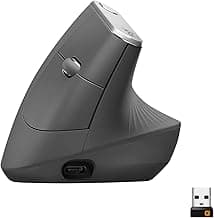
Logitech MX Vertical 4000 125 Hz 4+scroll BT + 2.4 GHz 135g ~$90 Strategy, MMO, MOBA
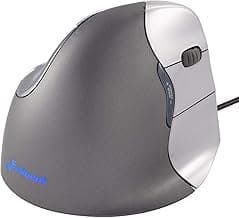
Evoluent VM4 3200 125 Hz 6+scroll Wired/Wireless 127g ~$100 MMO, simulation
Anker Vertical 1600 125 Hz 5+scroll 2.4 GHz 122g ~$25 Casual, turn-based
Trust GXT 144 Rexx 10000 ~250 Hz 6+scroll Wired 170g ~$40 Action, MOBA
Perixx PERIMICE-713 2400 125 Hz 6+scroll 2.4 GHz 130g ~$30 Strategy, casual
Detailed Reviews
1. Logitech MX Vertical — Best Overall for Gaming
Why it leads for gaming: The MX Vertical is not a gaming mouse — but it is the most gaming-capable vertical mouse available. The 4000 DPI sensor (Logitech's Darkfield, tracks on any surface including glass) provides sufficient sensitivity for all non-FPS gaming. Logitech Options software enables per-app button remapping — set different bindings for WoW, Civilization, and your desktop.
The build quality and switch feel are the MX Vertical's gaming strengths. The clicks are crisp with low travel — satisfying for rapid clicking in strategy and MOBA gameplay. The sculpted rubber grip prevents slipping during intense sessions. Bluetooth + Unifying Receiver dual connectivity works reliably with negligible latency for non-competitive gaming.
The 125 Hz polling rate is the MX Vertical's gaming weakness. For strategy and turn-based games, you will never notice. For MOBA teamfights or action RPG combat, the cursor stutter is occasionally visible during fast movements.
Pros:
4000 DPI — highest on this list among quality vertical mice
Logitech Options software — per-app button remapping, DPI profiles
Darkfield sensor tracks on any surface
Best build quality and switch feel of any vertical mouse
Bluetooth + 2.4 GHz dual connectivity
USB-C rechargeable — 4 months per charge
57° angle — comfortable for long gaming sessions
Ergonomic shape reduces strain during 4–8 hour sessions
Cons:
125 Hz polling rate — cursor stutter visible in fast-paced games
4000 DPI maximum — lower than dedicated gaming mice
135g — heavier than gaming mice (60–80g typical)
Not designed for gaming — no gaming-specific features
No on-mouse DPI switch button — requires software to change
4 programmable buttons — fewer than MMO gaming mice
~$90 — expensive for a non-gaming mouse used for gaming
Best for: Strategy gamers, MMO players, and MOBA players who want the best vertical mouse experience in genres where 125 Hz polling is not a limiting factor. The default recommendation for gaming use.
2. Evoluent VerticalMouse 4 — Best for MMO Gaming
Why it suits MMOs: The Evoluent VM4 has 6 programmable buttons — more than any other vertical mouse on this list — and dedicated driver software for deep remapping. For MMO players who bind abilities to mouse buttons, the extra buttons are a meaningful advantage. The steeper grip angle (~70°) provides more ergonomic benefit for the marathon sessions that MMO raiding demands.
The 3200 DPI sensor is adequate for MMO gameplay, where cursor precision matters more than cursor speed. The driver software allows per-button DPI assignment and complex macros — useful for ability rotations and inventory management.
Pros:
6 programmable buttons — best for MMO ability binding
Steepest angle (~70°) — most ergonomic for very long sessions
Driver software with macros, per-button DPI, and profiles
3200 DPI — sufficient for MMO, strategy, and simulation
Available in wired and wireless
Right-hand and left-hand models available
Durable construction — years of heavy use
Cons:
125 Hz polling rate
3200 DPI maximum — lower than gaming-oriented options
~$100 — premium price
Steeper angle requires longer adjustment from flat mouse
Driver software is functional but dated UI
Heavier at 127g (wired) — the cable adds drag
Not visually a "gaming" product — no RGB, no aggressive styling
Best for: MMO raiders and simulation gamers who need extra buttons and will use the macro software. The best choice for players who prioritize ergonomic benefit above all else during 6+ hour sessions.
3. Anker Vertical Ergonomic — Best Budget Gaming
Why it works for casual gaming: At ~$25, the Anker is the cheapest way to game with a vertical mouse. The 1600 DPI maximum and 125 Hz polling rate are the lowest specs on this list — but for Civilization, Stardew Valley, Slay the Spire, and other casual or turn-based games, these specs are not limiting. You click. The click registers. The game responds. The experience is identical to a $90 mouse for these genres.
Pros:
~$25 — lowest cost to try vertical gaming
Comfortable 57° grip for extended sessions
5 buttons with forward/back for in-game utility
3 DPI levels (800/1200/1600) via hardware button
Reliable 2.4 GHz wireless
Proven durability for office-intensity use
Cons:
1600 DPI maximum — insufficient for high-resolution or fast games
125 Hz polling — cursor stutter in any fast movement
No software for remapping or macros
Budget switch quality — may double-click after 12–18 months of heavy gaming
No gaming-grade sensor — tracking inconsistency at high speeds
5 buttons only — limited for MMO binding
Best for: Turn-based games, simulation, puzzle, and casual gaming where you want ergonomic comfort at the lowest possible cost. Also ideal for testing whether a vertical mouse works for your gaming style before investing in the MX Vertical. For a detailed review, see our best vertical mouse under $50 (/best-vertical-mouse-under-50) guide.
4. Trust GXT 144 Rexx — Best Gaming-Specific Vertical Mouse
Why it is uniquely positioned: The Trust GXT 144 Rexx is one of the few vertical mice designed explicitly for gaming. It has a 10,000 DPI sensor (the highest on this list), an estimated ~250 Hz polling rate (higher than the standard 125 Hz), RGB lighting, and an aggressive gaming aesthetic. It is wired — eliminating any wireless latency concern.
The 10,000 DPI is likely interpolated above native resolution, so real-world tracking quality at very high DPI may not match a Logitech or Razer sensor. But at 800–3200 DPI (where most gamers play), the sensor tracks cleanly. The higher polling rate provides smoother cursor movement than the 125 Hz competition.
Pros:
10,000 DPI — highest maximum on this list (interpolated above ~3200)
~250 Hz polling rate — smoother than 125 Hz standard
6 programmable buttons
RGB lighting with customizable colors
Wired — zero latency concern
Gaming-focused design and aesthetic
~$40 — reasonable price for gaming features
Software for DPI profiles and button remapping
Cons:
170g — heaviest on this list
Polling rate still below gaming standard (1000 Hz)
DPI above 3200 likely interpolated — reduced accuracy
Trust software is less polished than Logitech Options
Wired only — cable drag during use
Build quality below Logitech and Evoluent
RGB adds no functional value — drains attention in some setups
Less ergonomic research behind the shape than MX Vertical or Evoluent
Best for: Gamers who want a vertical mouse that looks, feels, and functions like a gaming peripheral. The best option for MOBA and action RPG players who need higher polling rate than 125 Hz but want vertical ergonomics.
5. Perixx PERIMICE-713 — Best Mid-Range Balance
Why it fills the gap: The Perixx 713 sits between the Anker's budget limitations and the MX Vertical's premium price. At ~$30 with 2400 DPI, 6 buttons, and a comfortable shape, it provides more gaming capability than the Anker at a modest price increase.
The 2400 DPI is sufficient for most non-FPS gaming at standard resolutions. The 6 buttons include forward/back and a DPI switch — adequate for light MMO use or strategy hotkeys. Build quality is solid for the price.
Pros:
2400 DPI — adequate for most gaming at standard resolutions
6 buttons including DPI switch
~$30 — strong value between budget and premium
Comfortable shape for medium-to-large hands
2.4 GHz wireless — reliable connection
On/off switch to preserve battery
Decent build quality for the price
Cons:
125 Hz polling rate
No software for remapping or macros
2400 DPI maximum — limiting for 4K or ultrawide gaming
Wireless only — no wired option for guaranteed latency
Less refined shape than MX Vertical or Evoluent
Standard switches — unknown rated lifespan
No RGB or gaming aesthetics (if that matters)
Best for: Budget-conscious gamers who want more DPI and buttons than the Anker without the MX Vertical's price. A solid middle-ground for strategy, simulation, and casual gaming. For how the Perixx compares to other large-hand mice, see our best vertical mouse for large hands (/best-vertical-mouse-large-hands) guide.
Genre Suitability Guide
Excellent Match: Strategy, Simulation, Turn-Based
These genres involve deliberate clicking, menu navigation, and long sessions — exactly what vertical mice excel at. Games: Civilization VI, Stellaris, Total War, Cities: Skylines, Factorio, RimWorld, XCOM, Frostpunk, Anno series.
Why vertical mice work: Clicks are intentional, not reactive. Cursor precision matters, cursor speed does not. Sessions last 3–8 hours where ergonomics directly impact comfort. Camera movement uses keyboard or edge-scrolling, not rapid mouse flicks.
Recommended: Any mouse on this list. The Anker is sufficient; the MX Vertical is optimal.
Good Match: MMO and MOBA
These genres require faster reactions than strategy but slower than FPS. Games: World of Warcraft, Final Fantasy XIV, League of Legends, Dota 2, Guild Wars 2, Elder Scrolls Online.
Why vertical mice work: Ability usage involves clicking specific UI elements, not flick-aiming. Target selection is positional. Long sessions (raid nights, ranked grinds) make ergonomics critical. Extra buttons for ability binding add genuine value.
Where vertical mice struggle: MOBA teamfights require rapid cursor repositioning. MMO PvP demands faster reactions than PvE. The 125 Hz polling rate creates visible cursor stutter during fast camera pans.
Recommended: MX Vertical for general use; Evoluent VM4 for button-heavy MMO builds; Trust GXT 144 for MOBA where polling rate matters.
Adequate Match: Action RPG, Casual FPS
These genres benefit from gaming mice but are playable with vertical mice at reduced competitive edge. Games: Diablo IV, Path of Exile, Borderlands, Skyrim, Fallout, single-player shooters.
Recommended: MX Vertical or Trust GXT 144 Rexx. Budget mice will feel limiting in fast combat.
Poor Match: Competitive FPS
Not recommended. Games: Valorant, CS2, Apex Legends, Overwatch 2, R6 Siege. Use a dedicated gaming mouse for these and switch to vertical for everything else.
The Hybrid Approach: Two Mice, One Desk
The most practical approach for gamers who care about both performance and wrist health:
Vertical mouse (primary): Use for all non-gaming activities — browsing, work, email, Discord — plus strategy, simulation, and casual gaming. This covers 80–90% of your daily mouse hours in the ergonomic grip position.
Flat gaming mouse (secondary): Use for competitive FPS, action games requiring fast flicks, and any genre where the vertical mouse feels limiting. This covers 10–20% of your mouse hours.
The ergonomic benefit comes from reducing total pronation time. If you use a mouse 10 hours per day and switch to vertical for 8 of those hours, you have reduced your pronation exposure by 80% — even though you still use a flat mouse for competitive gaming. For the science behind this approach, see our vertical mouse vs regular mouse (/vertical-mouse-vs-regular-mouse) comparison.
Gaming Performance: Vertical vs Flat Mouse
What the Specs Mean in Practice
Spec Typical Vertical Mouse Typical Gaming Mouse Impact on Gaming
DPI range 800–4000 100–25600 Vertical sufficient for non-FPS; limiting for competitive
Polling rate 125 Hz 1000 Hz Major: visible cursor stutter difference in fast games
Click latency 5–15 ms 0.2–2 ms Minor for strategy; noticeable in fast-paced
Weight 120–170g 50–80g Minor for strategy; major for FPS flick speed
Sensor accuracy Office-grade optical Gaming-grade optical/laser Minor for most gaming; major for competitive FPS
Buttons 4–6 5–12 Depends on genre — MMOs need more
Software Basic or none Full suite (macros, profiles, lighting) Depends on needs
The Honest Verdict
For 70% of PC gaming (strategy, simulation, MMO, casual), a vertical mouse delivers 90–100% of a flat mouse's functional performance while providing significant ergonomic benefit. For 30% of PC gaming (competitive FPS, fast action), a flat gaming mouse is meaningfully superior. Know which category your gaming falls into, and choose accordingly.
Frequently Asked Questions
Can you use a vertical mouse for gaming?
Yes — for strategy, MMO, MOBA, simulation, and casual genres. Not recommended for competitive FPS where flick speed and millisecond reactions matter. The vertical grip changes aiming axes and most vertical mice have lower polling rates than gaming mice.
What DPI do I need for gaming?
At least 3200 with on-the-fly switching. Most gamers play at 800–1600 DPI. Higher DPI (6400+) is useful for multi-monitor setups. Clean tracking at your chosen DPI matters more than maximum DPI number.
What polling rate should I look for?
Minimum 500 Hz for action gaming, ideally 1000 Hz. Budget vertical mice run at 125 Hz, which creates visible stutter in fast games. For strategy and turn-based, 125 Hz is fine.
Which games work best with vertical mice?
Strategy (Civilization, Total War), simulation (Factorio, Cities: Skylines), MMO (WoW, FFXIV), MOBA (LoL, Dota 2), turn-based (XCOM), and puzzle games. FPS is the worst match.
Is click latency different on vertical mice?
Yes — budget vertical mice have 5–15 ms debounce vs 0.2–2 ms for gaming mice. Imperceptible for strategy; measurable for competitive action games. The MX Vertical has better switches than budget options.
Will a vertical mouse help with gaming wrist pain?
Yes — the handshake grip reduces pronation strain from long sessions. The hybrid approach (vertical for daily use + flat for competitive gaming) reduces total pronation time by 80%+.
Do pros use vertical mice?
Not in competitive play. Many use vertical mice for everything outside competitive gaming to protect their wrists. The vertical mouse is a health tool for gamers, not a competitive tool.
Wired or wireless for gaming?
Wired for guaranteed lowest latency. Gaming-grade 2.4 GHz (Logitech Lightspeed tier) is comparable to wired. Budget wireless adds 5–10 ms — fine for strategy, noticeable for fast action.
Sources & Methodology
This guide evaluates vertical mice for gaming across sensor performance, polling rate, click latency, button configuration, and genre suitability.
Technical References:
Mouse sensor DPI and polling rate specifications from manufacturer product pages (Logitech, Evoluent, Trust, Anker, Perixx)
Polling rate and input latency testing methodology from peripheral review and testing communities
Click latency: debounce timing from switch specifications (mechanical micro-switch vs optical switch)
Ergonomic References:
OSHA: Computer Workstation eTool — osha.gov (https://www.osha.gov/)
NIOSH: Ergonomics and repetitive motion — cdc.gov/niosh (https://www.cdc.gov/niosh/)
Research on forearm pronation and vertical grip positions
Methodology notes:
Genre suitability ratings based on input requirements per genre (click frequency, cursor speed, reaction time demands) matched against vertical mouse capabilities
Performance percentages (vs flat mouse) are estimates based on input requirement analysis; individual skill and adaptation vary
Polling rate categories use standard gaming community thresholds
Prices reflect typical US retail at publication
We may earn a commission on purchases at no additional cost to you; affiliate relationships do not influence our recommendations
Internal links referenced:
Best Vertical Mouse Under $50 (/best-vertical-mouse-under-50)
Best Vertical Mouse for Large Hands (/best-vertical-mouse-large-hands)
Vertical Mouse vs Regular Mouse (/vertical-mouse-vs-regular-mouse)
Key takeaway: pick the smallest mouse that still supports your palm, then prioritize low click force.
Top Picks Quick Comparison
Fast shortlist for decision-first readers. Full table remains below for complete detail.
| Product | Best For | Price | Rating |
|---|---|---|---|
| Logitech MX Vertical | Best overall gaming-capable vertical mouse | $$$ | 4.5/5 |
| Razer Pro Click | Best sensor and responsiveness | $$$ | 4.5/5 |
| Evoluent VerticalMouse 4 | Best pronation correction | $$$ | 4.4/5 |
| Anker Ergonomic Vertical | Best budget option | $ | 4.3/5 |
| J-Tech Digital V628 | Best value hybrid | $$ | 4.2/5 |
Real Product Photos: All Reviewed Models
Each image below is a real product listing photo stored locally for faster loads and stable rendering.

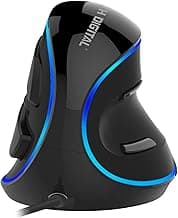
Comparison Table: Best Vertical Mouse for Gaming (2026)
Key takeaway: comfort fit beats raw specs for long-term productivity.
| Product | Best For | Price Band | Rating | Link |
|---|---|---|---|---|
| Logitech MX Vertical | Best overall gaming-capable vertical mouse | $$$ | 4.5/5 | Check on Amazon |
| Razer Pro Click | Best sensor and responsiveness | $$$ | 4.5/5 | Check on Amazon |
| Evoluent VerticalMouse 4 | Best pronation correction | $$$ | 4.4/5 | Check on Amazon |
| Anker Ergonomic Vertical | Best budget option | $ | 4.3/5 | Check on Amazon |
| J-Tech Digital V628 | Best value hybrid | $$ | 4.2/5 | Check on Amazon |
Note: Amazon links may be affiliate links and can generate commissions at no extra cost to you.