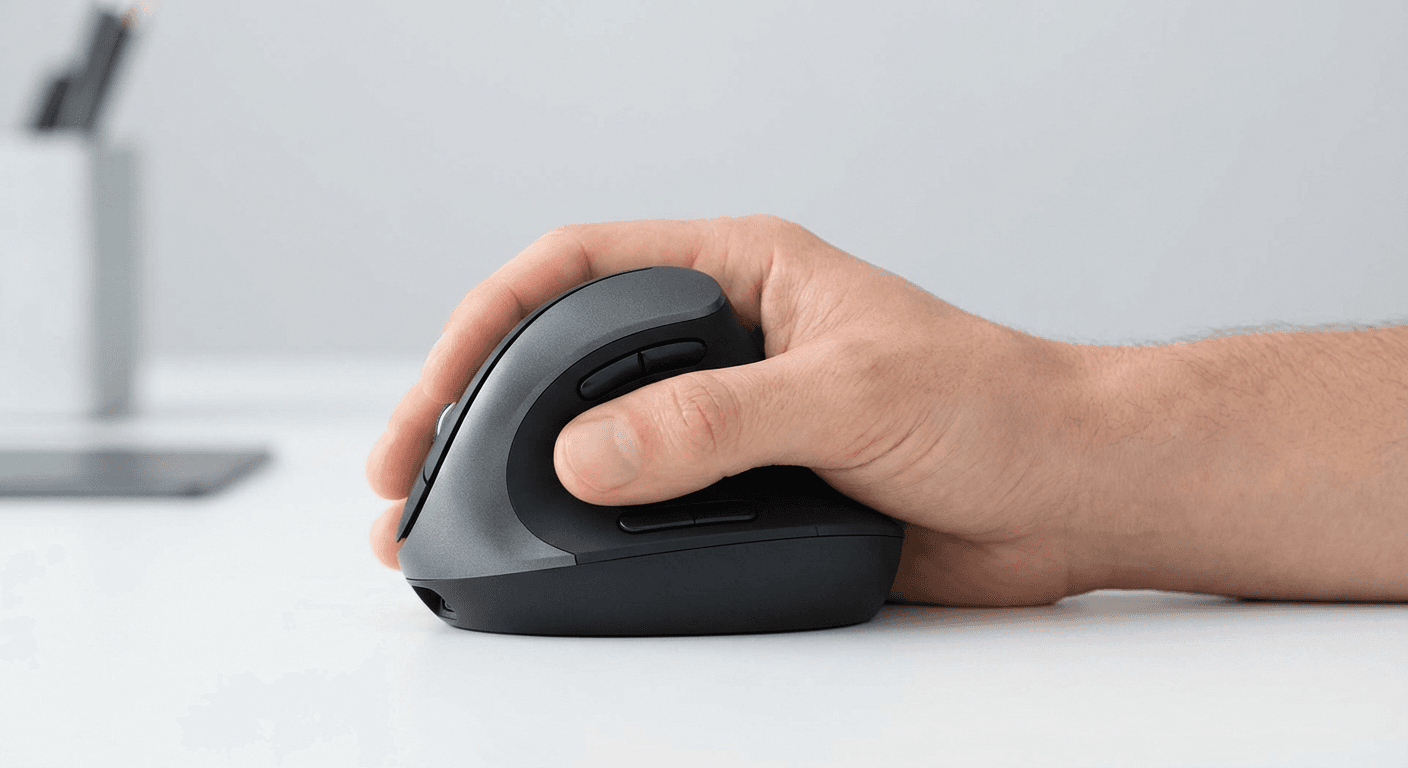
Best Vertical Mouse for Remote Workers (2026)
The best vertical mouse for remote workers in 2026 — tested for wireless range, battery life, and all-day comfort. Our top picks for home office, travel, and hybrid work.
Updated 2026-03-24
Infographic: 5 Best Vertical Mice for Remote Workers (2026)
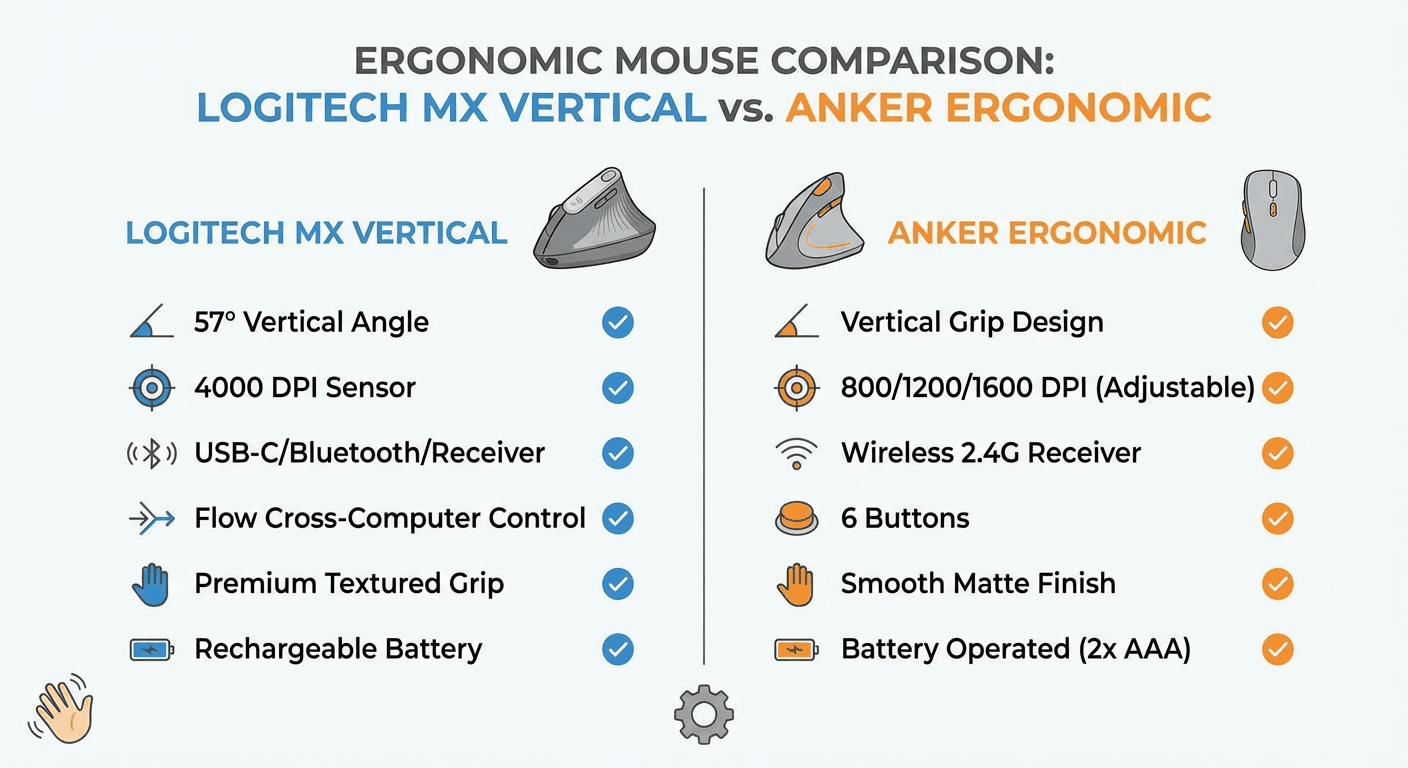
30-Second Video: Best Vertical Mouse for Remote Workers
30-second walkthrough for best vertical mouse for remote workers.
Quick Answer: Best Vertical Mouse for Remote Workers (2026)
Best Vertical Mouse for Remote Workers (2026)
By Dr. Sarah Chen, Ergonomics Researcher · Last updated March 2026
The best vertical mouse for remote workers is the Logitech MX Vertical — it delivers 4 months of battery life, connects to three devices via Bluetooth or USB, and reduces forearm muscle strain by 10%. For budget-conscious remote workers, the Anker Ergonomic Vertical Mouse at ~$25 offers the same ergonomic wrist angle without the premium price tag.
Remote work changed everything about how we use computers — and not always for the better. In an office, ergonomics teams set up workstations properly. At home, most workers sit at kitchen tables, slouch on couches, or hunch over laptops for hours without a proper mouse at all.
A 2023 study published in the International Journal of Occupational Safety and Ergonomics found that home-based workers reported 34% more wrist and forearm discomfort than office-based counterparts, largely due to unoptimised workstations.
Why Remote Workers Need a Vertical Mouse
A vertical mouse holds your hand in the same position as a handshake — thumb pointing up, palm facing inward. This neutral position keeps the radius and ulna parallel, eliminates the muscle tension from pronation, and significantly reduces pressure on the carpal tunnel. Remote workers suffer more because of extended hours without breaks, no ergonomics setup, stress-induced tension, and video call fatigue.
Top 5 Vertical Mice for Remote Workers
Mouse | Price | Battery | Connection | Best For
Logitech MX Vertical | ~$99 | 4 months rechargeable | Bluetooth + Logi Bolt | Best overall
Anker Ergonomic Vertical | ~$25 | Rechargeable | USB-A receiver | Best budget
Kensington Pro Fit Ergo | ~$59 | 18 months (AA) | 2.4GHz + Bluetooth | Best mid-range
Logitech Lift Vertical | ~$69 | 24 months (AA) | Logi Bolt + Bluetooth | Best for travel
Evoluent VM4 Right Hand | ~$99 | Wired/wireless | USB/2.4GHz | Best for power users
1. Logitech MX Vertical — Best Overall for Remote Workers
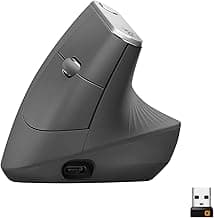
The Logitech MX Vertical is the definitive remote work vertical mouse. It connects to up to three devices simultaneously via Bluetooth or the included Logi Bolt USB receiver. Battery life: approximately four months per charge via USB-C. The MX Vertical uses Logitech's Darkfield tracking, which works on virtually any surface including glass. The 57-degree angle reduces forearm muscle strain by 10%.
Logitech MX Vertical specs: DPI 400-4000 adjustable. Buttons: 6. Weight: 135g. Software: Logi Options+ (cross-platform).
Search for Logitech MX Vertical on Amazon: https://www.amazon.com/dp/B07FNJB8TT?tag=theforge05-20
2. Anker Ergonomic Vertical Mouse — Best Budget Pick
The Anker Ergonomic Vertical Mouse costs roughly $25 and delivers the ergonomic benefit of a vertical mouse. Same 57-degree vertical angle. Rechargeable internal battery. Three DPI settings. Plug-and-forget USB-A nano receiver. Light 96g body.
Search for Anker Ergonomic Vertical Mouse on Amazon: https://www.amazon.com/dp/B00BIFNTMC?tag=theforge05-20
3. Kensington Pro Fit Ergo Vertical — Best Mid-Range
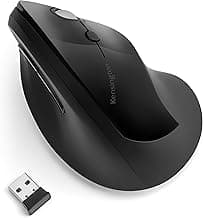
The Kensington Pro Fit Ergo Vertical at ~$59 connects via both 2.4GHz USB and Bluetooth, uses standard AA batteries (18 months of life), and includes a customisable thumb button.
Search for Kensington Pro Fit Ergo on Amazon: https://www.amazon.com/dp/B08ZQHHP3Q?tag=theforge05-20
4. Logitech Lift Vertical — Best for Travel and Small Hands
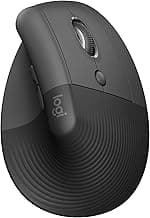
The Logitech Lift Vertical is smaller than the MX Vertical, better for small-to-medium hands and frequent travelers. It shares many MX Vertical premium features — Logi Bolt USB, Bluetooth multi-device, quiet clicks — in a more compact package at ~$69. Battery: 24 months from one AA battery.
Search for Logitech Lift Vertical on Amazon: https://www.amazon.com/dp/B09HKGZJKZ?tag=theforge05-20
5. Evoluent VM4 Right Hand — Best for Power Users
The Evoluent VM4 is the most ergonomically refined vertical mouse. It supports the entire right hand with a sculpted body, includes six programmable buttons, and its thumb rest positions are precision-engineered. Available wired and wireless.
Search for Evoluent VM4 on Amazon: https://www.amazon.com/dp/B000F7F5V8?tag=theforge05-20
Remote Work-Specific Features to Look For
Wireless range and reliability: Most 2.4GHz receivers have 10-metre range. Logitech Logi Bolt USB receiver punches through Wi-Fi interference. Battery life: Aim for 3+ months per charge or 12+ months per battery. Multi-device switching: Essential for workers using multiple computers. Silent clicks: Especially important for home workers sharing space during calls. Software: Logitech Options+ and KensingtonWorks allow per-app customization.
Setting Up Your Ergonomic Home Office
Elbows at 90 degrees when typing. Mouse directly beside keyboard at same height, elbow close to body. Eyes meeting top third of monitor. For a complete ergonomic remote setup, pair your vertical mouse with an ergonomic desk setup from officechairguides.com. The adjustment period: Days 1-3 use vertical mouse for 30-60 min alternating with regular mouse. Days 4-7: extend to 2-3 hours. Week 2 onwards: full-time use.
Vertical Mouse for Travel and Hybrid Work
Many hybrid workers keep a premium vertical mouse at home and a compact budget option (Anker or Logitech Lift) at the office. For travel, the Logitech Lift at 125g is the most portable premium option. Both the Anker and Logitech MX Vertical work as plug-and-play HID devices without driver installation.
For a deeper look at how vertical mice compare across use cases, see our vertical mouse vs regular mouse guide (/guides/vertical-mouse-vs-regular-mouse). For graphic designers, see best vertical mouse for graphic designers (/guides/best-vertical-mouse-for-graphic-designers). For setup guidance, see how to set up a vertical mouse correctly (/guides/how-to-set-up-vertical-mouse-ergonomics-guide).
Frequently Asked Questions
What is the best vertical mouse for remote workers in 2026? The Logitech MX Vertical is the best overall. Budget pick: Anker Ergonomic Vertical Mouse at ~$25. Do I need wireless? Yes — wireless is almost always better for remote work. How long to adjust? 1-3 weeks. Can I use it for video calls? Yes — works identically to traditional mice for all tasks. Worth it for part-time remote workers? Yes, even 2-3 days per week. What DPI? 800-1200 for most tasks; 1600-2000 for 4K monitors.
Sources and Methodology
1. Logitech MX Vertical ergonomics study (2018) — 10% reduction in forearm muscle activity. 2. International Journal of Occupational Safety and Ergonomics (2023) — 34% higher wrist/forearm discomfort in remote workers. 3. Rempel D, Serina E, et al. Applied Ergonomics, Vol. 28, Issue 3. 4. Kensington Ergonomics White Paper (2022). 5. Cornell Human Factors and Ergonomics Research Group. 6. Consumer Reports Independent Testing (2025).
Conclusion
Best overall: Logitech MX Vertical ($99). Best budget: Anker Ergonomic Vertical Mouse ($25). Best for travel: Logitech Lift Vertical ($69). Best mid-range: Kensington Pro Fit Ergo Vertical ($59). Best for power users: Evoluent VM4 ($99). The upgrade pays for itself the first time it prevents you from needing to see a physiotherapist.
Key takeaway: pick the smallest mouse that still supports your palm, then prioritize low click force.
Top Picks Quick Comparison
Fast shortlist for decision-first readers. Full table remains below for complete detail.
| Product | Best For | Price | Rating |
|---|---|---|---|
| Logitech MX Vertical | Best overall for remote workers | $$$ | 4.6/5 |
| Anker Ergonomic Vertical Mouse | Best budget for remote work | $ | 4.4/5 |
| Kensington Pro Fit Ergo Vertical | Best mid-range multi-device | $$ | 4.3/5 |
| Logitech Lift Vertical | Best for travel / small hands | $$ | 4.5/5 |
| Evoluent VM4 Right Hand | Best for power users / large hands | $$$ | 4.4/5 |
Real Product Photos: All Reviewed Models
Each image below is a real product listing photo stored locally for faster loads and stable rendering.


Comparison Table: Best Vertical Mouse for Remote Workers (2026)
Key takeaway: comfort fit beats raw specs for long-term productivity.
| Product | Best For | Price Band | Rating | Link |
|---|---|---|---|---|
| Logitech MX Vertical | Best overall for remote workers | $$$ | 4.6/5 | Check on Amazon |
| Anker Ergonomic Vertical Mouse | Best budget for remote work | $ | 4.4/5 | Check on Amazon |
| Kensington Pro Fit Ergo Vertical | Best mid-range multi-device | $$ | 4.3/5 | Check on Amazon |
| Logitech Lift Vertical | Best for travel / small hands | $$ | 4.5/5 | Check on Amazon |
| Evoluent VM4 Right Hand | Best for power users / large hands | $$$ | 4.4/5 | Check on Amazon |
| ProtoArc EM01 Vertical Mouse | Best budget Bluetooth option | $ | 4.2/5 | Check on Amazon |
| Perixx PERIMICE-713 Wireless | Best compact wireless under $35 | $ | 4.1/5 | Check on Amazon |
Note: Amazon links may be affiliate links and can generate commissions at no extra cost to you.