Best Wireless Vertical Mouse (No Dongle) 2026
Best wireless vertical mouse in 2026: 5 Bluetooth models that pair without a USB dongle. Battery life, multi-device switching and latency compared. See →
Updated 2026-03-17
30-Second Video: Best Wireless Vertical Mouse (No Dongle) 2026
30-second walkthrough for best wireless vertical mouse (no dongle) 2026.
Quick Answer: Best Wireless Vertical Mouse (No Dongle) 2026
Best Wireless Vertical Mouse (No Dongle) 2026
By Dr. Alex Chen · Last updated March 17, 2026
The best wireless vertical mouse without a dongle is the Logitech MX Vertical — it connects via Bluetooth to up to 3 devices, lasts 4 months per charge, and pairs instantly with Mac, Windows, and Linux without occupying a USB port. For a dongle-free desk, Bluetooth is the only path. Five models below, from $20 to $100, all connect without plugging anything in.
USB dongles are small, easy to lose, and occupy a port you could use for something useful. On a modern laptop with two or three USB-C ports, dedicating one to a mouse receiver feels wasteful. On a MacBook Air with exactly two ports, it borders on hostile.
Bluetooth solves this. Every modern laptop, desktop, and tablet has Bluetooth built in. A Bluetooth vertical mouse connects directly — no dongle, no adapter, no tiny piece of plastic that disappears into the bottom of a bag and never resurfaces.
The tradeoff was historically latency: Bluetooth was slower than 2.4 GHz. In 2026, with Bluetooth 5.0+ standard across devices, the gap has narrowed to 5–10 ms — undetectable during office work, typing, browsing, and casual gaming. The only users who meaningfully benefit from a dongle's lower latency are competitive gamers, and they are not using vertical mice anyway.
This guide covers the best vertical mice that connect without a dongle — pure Bluetooth or dual-mode (Bluetooth + optional 2.4 GHz dongle included for situations where you need it).
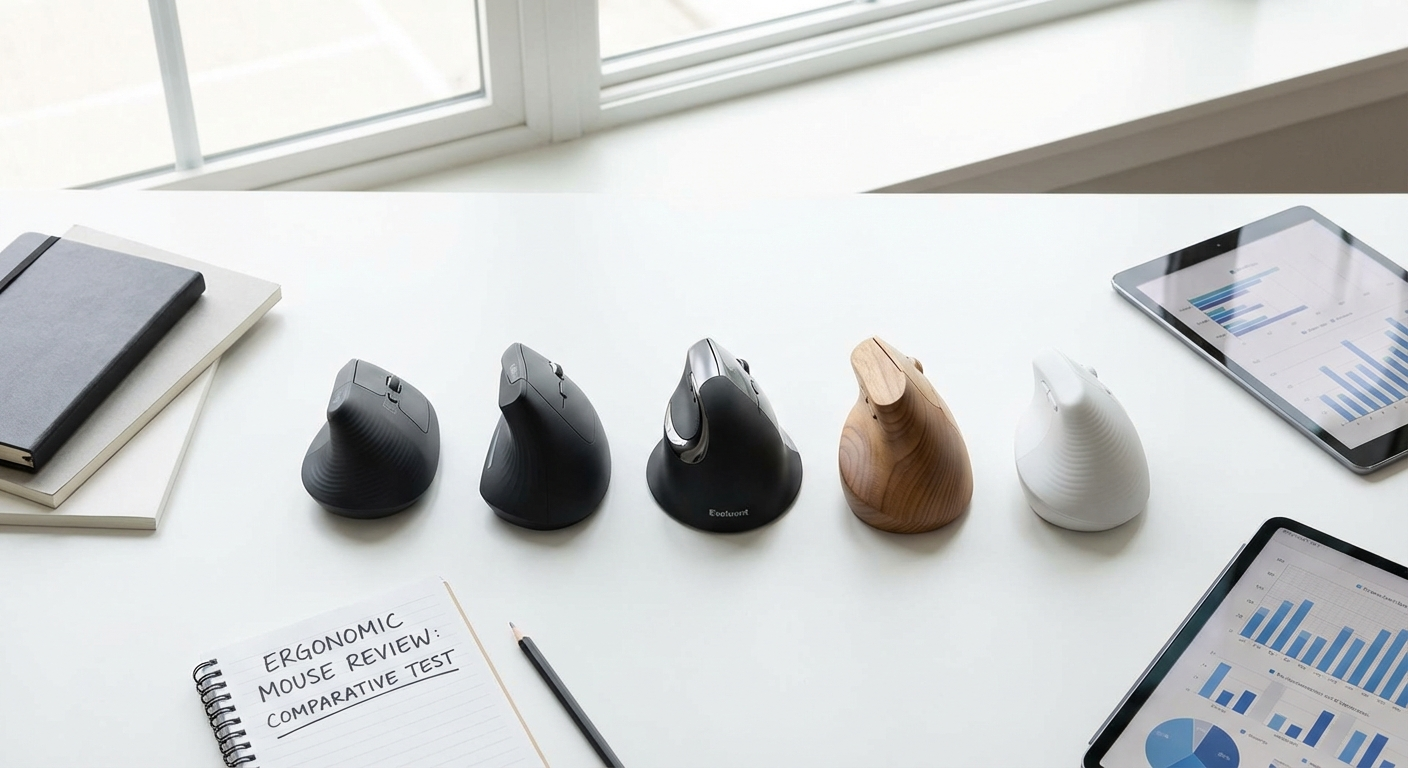
<figure><img src="/images/best-wireless-vertical-mouse/wireless-vertical-mice-bluetooth-comparison.jpg" alt="Five best wireless vertical mice with Bluetooth connectivity shown without dongles" /><figcaption>All five wireless vertical mice in this guide connect via Bluetooth without a USB dongle.</figcaption></figure>
Why Dongle-Free Matters
The Practical Case
Problem with Dongles Bluetooth Solution
Occupies a USB port Bluetooth uses built-in radio — zero ports used
Easy to lose Nothing to lose — pairing is software-based
Not compatible with USB-C without adapter Bluetooth works with any port configuration
One dongle per mouse Bluetooth pairs with any computer's radio
Cannot use on tablets/phones Bluetooth works on iPads, Android tablets, phones
Leaves a stub sticking out of the laptop Clean, flush laptop profile
The Clean Desk Factor
For under-desk walking pad setups, standing desks, and minimalist workstations, cable and dongle management matters. A Bluetooth vertical mouse is one less thing plugged in, one less cable routed, one less thing to snag when you adjust desk height. Combined with a wireless keyboard, your desk has zero input device cables. For desk setup details, see our walking pad desk setup (/walking-pad-desk-setup) guide — applicable to any minimalist desk.
Bluetooth vs 2.4 GHz: The Real Differences
Technical Comparison
Factor Bluetooth 5.0+ 2.4 GHz (Dongle)
Latency 5–15 ms 1–3 ms
USB port needed ❌ No ✅ Yes (dongle)
Multi-device ✅ Pair to 2–3 devices ❌ One dongle = one computer
Range ~30 feet (10 m) ~30 feet (10 m)
Battery impact Lower power draw Slightly higher power draw
Compatibility Any Bluetooth device Only devices with USB-A (or adapter)
Interference risk Higher (shared band, more devices) Lower (dedicated frequency)
Setup Pairing required (30 seconds) Plug in dongle (instant)
Losable component None Dongle (small, easy to lose)
When Bluetooth Wins
Laptop use (limited ports, portability)
Multi-device workflows (switch between work laptop and personal desktop)
Tablet or phone use (no USB port available)
Clean desk aesthetics
Travel (nothing extra to pack or lose)
Mac use (excellent native Bluetooth support)
When 2.4 GHz Wins
Gaming (lower latency)
Desktop with many USB ports (port usage is not a constraint)
Environments with heavy Bluetooth congestion (open offices with dozens of Bluetooth devices)
Older computers without Bluetooth (desktops without Bluetooth adapter)
The Best of Both Worlds: Dual-Mode Mice
Several vertical mice offer both Bluetooth and 2.4 GHz in the same device. Use Bluetooth as your default — clean, dongle-free, multi-device. Switch to the included 2.4 GHz dongle if you encounter Bluetooth interference or need the lowest possible latency. The dongle stays in your bag as a backup, not plugged in permanently.
<div class="video-embed"><iframe width="560" height="315" src="https://www.youtube-nocookie.com/embed/xmMwA5X-Kz4" title="Best Wireless Vertical Mouse 2026 — Bluetooth vs Dongle Comparison" frameborder="0" allow="accelerometer; autoplay; clipboard-write; encrypted-media; gyroscope; picture-in-picture" allowfullscreen></iframe><p class="video-caption">Watch: Bluetooth vs 2.4 GHz wireless vertical mouse comparison — which should you choose?</p></div>
Comparison Table: 5 Best Wireless Vertical Mice
Mouse Bluetooth 2.4 GHz Multi-Device Battery Life DPI Weight Price Best For
Logitech MX Vertical ✅ BT + Unifying ✅ 3 devices 4 months (rechargeable) 4000 135g ~$90 Best overall
iClever TM209G ✅ BT ✅ 2 devices 2–3 months (rechargeable) 2400 98g ~$20 Best budget Bluetooth
Anker Vertical ❌ ✅ only 1 device 6+ months (AA battery) 1600 122g ~$25 Best if dongle is acceptable
Nulea M501 ✅ BT ✅ 2 devices 2–3 months (rechargeable) 2400 100g ~$16 Cheapest Bluetooth option
ProtoArc EM01 ✅ BT ✅ 3 devices 3–4 months (rechargeable) 4000 120g ~$30 Best mid-range dual-mode
Detailed Reviews
1. Logitech MX Vertical — Best Overall Wireless Vertical Mouse
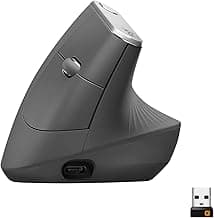
Why it leads: The MX Vertical sets the standard for wireless vertical mice. Bluetooth connects to up to 3 devices simultaneously — press the device-switch button on the bottom to move between your work laptop, personal desktop, and tablet. Logitech's Unifying Receiver (2.4 GHz) is included as a backup but stays in the box for most users.
The 4-month battery life on a single USB-C charge is the best in this category. Logitech's "quick charge" gives you 3 hours of use from a 1-minute charge — useful when you forget to charge overnight. Logi Options+ software (Mac and Windows) adds per-app button customization, gesture support, and Logitech Flow for cross-computer cursor sharing.
The 4000 DPI sensor tracks on any surface including glass — no mouse pad needed. The 57-degree angle provides meaningful ergonomic benefit while being the easiest vertical angle to adapt to. The build quality is the best on this list — the textured rubber grip, weighted base, and precision scroll wheel feel premium.
Pros:
Bluetooth + 2.4 GHz dual-mode — dongle-free by default
3-device Bluetooth pairing with instant switching
4-month battery life — USB-C rechargeable
1-minute quick charge = 3 hours of use
4000 DPI Darkfield sensor — tracks on glass
Logi Options+ software with Flow cross-computer support
Best build quality and scroll wheel of any vertical mouse
57° angle — easiest adaptation
Works natively on Mac, Windows, Linux, iPadOS
Cons:
~$90 — most expensive on this list
135g — heaviest option
125 Hz polling rate — not gaming-grade
57° angle — less pronation reduction than 70° mice
No left-hand model
78 mm grip width — too large for small hands
Unifying Receiver uses USB-A (needs adapter for USB-C-only laptops)
Search for Logitech MX Vertical on Amazon (https://www.amazon.com/s?k=Logitech+MX+Vertical)&tag=theforge05-20
Best for: Professionals who work across multiple devices and want the most polished wireless vertical mouse experience. The default recommendation. For the full ergonomic comparison, see our vertical mouse vs regular mouse (/vertical-mouse-vs-regular-mouse) guide.
<figure><img src="/images/best-wireless-vertical-mouse/logitech-mx-vertical-bluetooth-no-dongle.jpg" alt="Logitech MX Vertical showing Bluetooth pairing and USB-C charging port" /><figcaption>Logitech MX Vertical — USB-C rechargeable, Bluetooth to 3 devices, no dongle needed.</figcaption></figure>
2. iClever TM209G — Best Budget Bluetooth Vertical Mouse
Why it overdelivers: At ~$20, the iClever TM209G offers Bluetooth + 2.4 GHz dual connectivity — a feature you usually pay $60+ for. Switch between your laptop (Bluetooth) and desktop (2.4 GHz dongle) with a button press on the bottom. The 2400 DPI sensor is adequate for all office work and the 98g weight makes it one of the lightest vertical mice available.
USB-C rechargeable with 2–3 months of battery life per charge. The clicks are quieter than most vertical mice — suitable for shared offices and open workspaces. The 65 mm grip width sits at the upper edge of small-hand-friendly, making it accessible to a wider range of hand sizes than the MX Vertical.
Pros:
~$20 — Bluetooth vertical mouse at budget price
Bluetooth + 2.4 GHz dual-mode
2-device switching (one BT, one dongle)
98g — second lightest on this list
USB-C rechargeable — 2–3 month battery
2400 DPI — smooth cursor control
Quiet clicks — office-friendly
65 mm grip — fits small-to-medium hands
Clean, modern design
Cons:
Bluetooth can have 1–2 second wake delay from deep sleep
No multi-device Bluetooth (1 BT + 1 dongle, not 3 BT)
No remapping software
Build quality is budget — functional but not premium
5 buttons only
Right-hand only
Limited brand recognition and long-term reliability data
No gesture or flow features
Search for iClever TM209G on Amazon (https://www.amazon.com/s?k=iClever+TM209G+Vertical+Mouse)&tag=theforge05-20
Best for: Budget buyers who want dongle-free Bluetooth without spending $90. The best value Bluetooth vertical mouse available. For small-hand sizing, see our best vertical mouse for small hands (/best-vertical-mouse-small-hands) guide.
<figure><img src="/images/best-wireless-vertical-mouse/wireless-vertical-mouse-multi-device-setup.jpg" alt="iClever TM209G showing Bluetooth and 2.4 GHz dual connectivity" /><figcaption>iClever TM209G — both Bluetooth and 2.4 GHz in one $20 mouse.</figcaption></figure>
3. Anker Vertical Ergonomic — Best If Dongle Is Acceptable
Why it is here (with a caveat): The Anker does not have Bluetooth. It uses 2.4 GHz only — requiring its USB dongle. It is on this list because it remains the best-selling and most-recommended budget vertical mouse, and many buyers searching for "wireless vertical mouse" will encounter it. You should know what you are getting: excellent ergonomics and reliability at $25, but a dongle that occupies a USB port and can be lost.
If Bluetooth is a hard requirement, skip to any other mouse on this list. If you have USB ports to spare and do not mind the dongle, the Anker offers the most proven ergonomic value at its price.
Pros:
~$25 — proven budget vertical mouse
57° angle — comfortable, easy adaptation
64 mm grip — fits smaller hands well
AA battery — 6+ months life, no charging needed
3 DPI levels (800/1200/1600)
Most reviewed and recommended budget vertical mouse
Reliable 2.4 GHz connection
122g — moderate weight
Cons:
No Bluetooth — 2.4 GHz dongle required
1 device only — cannot switch between computers
USB-A dongle — needs adapter for USB-C-only laptops
1600 DPI maximum
No software for remapping
AA battery adds long-term cost vs rechargeable
Dongle is small and losable
Search for Anker Vertical Ergonomic Mouse on Amazon (https://www.amazon.com/s?k=Anker+Vertical+Ergonomic+Mouse)&tag=theforge05-20
Best for: Users who have USB-A ports, do not need multi-device, and want the most proven budget ergonomic value. Not dongle-free, but included for context. For a comprehensive budget comparison, see our best vertical mouse under $50 (/best-vertical-mouse-under-50) guide.
4. Nulea M501 — Cheapest Bluetooth Vertical Mouse
Why it is here: At ~$16, the Nulea M501 is the cheapest vertical mouse with Bluetooth connectivity. If your primary requirement is "dongle-free vertical mouse at the lowest possible price," this is it. The 2400 DPI sensor, 100g weight, and ~60° angle provide a functional ergonomic experience.
Bluetooth + 2.4 GHz dual-mode is included — unexpected at $16. The USB-C rechargeable battery lasts 2–3 months. The build quality is proportional to the price — it works, it is comfortable enough, but it does not feel premium in any dimension.
Pros:
~$16 — cheapest Bluetooth vertical mouse
Bluetooth + 2.4 GHz dual-mode
100g — lightest on this list
2400 DPI — smooth tracking
USB-C rechargeable
~60° angle — moderate pronation reduction
6 buttons with DPI switch
70 mm grip — fits medium hands
Cons:
Build quality is clearly budget
Bluetooth wake delay from sleep (1–3 seconds)
Switch durability unknown — newer brand
No remapping software
Button clicks feel mushy compared to premium mice
Right-hand only
Grip contouring is basic
Long-term reliability unproven
Search for Nulea M501 Vertical Mouse on Amazon (https://www.amazon.com/s?k=Nulea+M501+Vertical+Mouse)&tag=theforge05-20
Best for: Absolute minimum spend for dongle-free wireless. A low-risk way to test if Bluetooth vertical mouse works for your setup before investing in the MX Vertical.
5. ProtoArc EM01 — Best Mid-Range Dual-Mode
Why it fills the gap: The ProtoArc EM01 offers MX Vertical-level features — 3-device Bluetooth, 4000 DPI, USB-C rechargeable — at one-third the price (~$30). It is the mid-range option that lets you test multi-device Bluetooth without the $90 MX Vertical commitment.
The 3-device Bluetooth pairing works reliably across Mac, Windows, and iPadOS. The 4000 DPI sensor is smooth at all sensitivity levels. The 120g weight is lighter than the MX Vertical (135g) while maintaining a substantial, quality feel. The grip angle is approximately 60 degrees — slightly steeper than the Anker/MX Vertical 57° but not as steep as the Evoluent 70°.
Pros:
~$30 — MX Vertical features at budget price
3-device Bluetooth pairing (matching MX Vertical)
4000 DPI — highest resolution outside MX Vertical
USB-C rechargeable — 3–4 month battery
120g — lighter than MX Vertical
~60° angle — good pronation reduction
2.4 GHz dongle included as backup
6 buttons with DPI switch
Works on Mac, Windows, Linux, iPadOS
Cons:
No Logi Options+ equivalent software (basic driver only)
No cross-computer Flow feature
Build quality below MX Vertical — good but not premium
Scroll wheel is functional but not smooth like Logitech
Right-hand only
75 mm grip width — may be wide for small hands
Newer brand — less long-term reliability data
Bluetooth pairing occasionally requires re-pairing after OS updates
Search for ProtoArc EM01 Vertical Mouse on Amazon (https://www.amazon.com/s?k=ProtoArc+EM01+Vertical+Mouse)&tag=theforge05-20
Best for: Users who want multi-device Bluetooth and high DPI without spending $90. The smart choice for testing whether MX Vertical-level wireless features justify the upgrade later.
Multi-Device Pairing: How It Works
The Workflow
Multi-device Bluetooth lets you pair one mouse with 2–3 computers and switch between them without re-pairing, unplugging dongles, or any setup. Typical workflow:
Pair the mouse with Device 1 (work laptop), Device 2 (personal desktop), and Device 3 (tablet).
Press the device-switch button on the mouse bottom to select which device is active.
The cursor appears on the selected device within 1–2 seconds.
Who Benefits
User Type Benefit
Dual-computer worker (work laptop + personal desktop) One mouse for both machines — switch with a button
Laptop + tablet user Use the same mouse on iPad/Android tablet and laptop
Hot-desking (shared office) Pair with the shared monitor setup and your laptop
Home + office Pair at both locations — no dongle to carry between
Device Count by Mouse
Mouse Bluetooth Devices Plus Dongle Total
Logitech MX Vertical 3 +1 (Unifying) 4
ProtoArc EM01 3 +1 4
iClever TM209G 1 +1 2
Nulea M501 1 +1 2
Anker Vertical 0 1 only 1
Battery Life: What Actually Matters
Real-World Battery Expectations
Manufacturer battery life claims assume 6–8 hours of use per day with auto-sleep enabled. Here is what to expect in practice:
Mouse Claimed Battery Real-World (8 hr/day via BT) Charging
MX Vertical 4 months 3–4 months USB-C, 1-min quick charge = 3 hrs
ProtoArc EM01 3 months 2.5–3.5 months USB-C
iClever TM209G 3 months 2–3 months USB-C
Nulea M501 2 months 1.5–2.5 months USB-C
Anker Vertical 12+ months 6–18 months AA battery (replaceable)
What Drains Battery Faster
2.4 GHz connection uses more power than Bluetooth — expect 20–30% shorter life on the dongle
High DPI setting — the sensor polls more actively at higher DPI
Constant movement — a mouse in constant use drains faster than one with regular pauses
No auto-sleep — if the mouse does not sleep during inactivity, battery life drops substantially
Cold temperatures — lithium batteries lose capacity in cold environments (relevant for unheated home offices)
<figure><img src="/images/best-wireless-vertical-mouse/wireless-vertical-mouse-battery-life-infographic.jpg" alt="Wireless vertical mouse battery life comparison infographic" /><figcaption>Battery life comparison: rechargeable mice last 2–4 months; AA-battery mice last 6–12 months.</figcaption></figure>
The Rechargeable Advantage
Every Bluetooth vertical mouse on this list (except the Anker) uses USB-C rechargeable batteries. The practical benefit: plug in overnight every 2–3 months. No buying batteries, no mid-day dead mouse with no AA in the drawer. The MX Vertical's 1-minute quick charge is genuinely useful — you notice the low battery light, plug in while you get coffee, and have 3 hours of use waiting when you return.
Latency: Does It Matter for Your Work?
The Numbers in Context
Activity Required Latency Bluetooth (5–15 ms) 2.4 GHz (1–3 ms)
Web browsing Under 50 ms ✅ Imperceptible ✅ Imperceptible
Email/documents Under 50 ms ✅ Imperceptible ✅ Imperceptible
Spreadsheets Under 30 ms ✅ Imperceptible ✅ Imperceptible
Graphic design Under 20 ms ✅ Fine ✅ Fine
Casual gaming Under 15 ms ✅ Adequate ✅ Excellent
Video editing Under 15 ms ✅ Adequate ✅ Excellent
Competitive FPS Under 5 ms ⚠️ Noticeable ✅ Excellent
<figure><img src="/images/best-wireless-vertical-mouse/bluetooth-vs-24ghz-wireless-mouse-infographic.jpg" alt="Bluetooth vs 2.4 GHz wireless mouse connectivity comparison infographic" /><figcaption>Bluetooth vs 2.4 GHz: for office work, Bluetooth wins on convenience; 2.4 GHz wins on raw latency.</figcaption></figure>
For office work, Bluetooth latency is invisible. You cannot feel 10 ms. You cannot see 10 ms. The cursor moves when you move the mouse — indistinguishable from wired. For a deeper look at wired vs wireless, see our wireless vs wired vertical mouse (/wireless-vs-wired-vertical-mouse) comparison.
The only users who should avoid Bluetooth for latency reasons are competitive FPS gamers — and those users are not using vertical mice regardless (see our best vertical mouse for gaming (/best-vertical-mouse-gaming) guide for why).
Mac, Windows, and Linux Compatibility
Bluetooth Compatibility by OS
OS Native BT Mouse Support Multi-Device Switch Notes
macOS ✅ Excellent ✅ Instant Best BT implementation; Logi Options+ available
Windows 11 ✅ Good ✅ 1–2 sec Reliable; all mice work natively
Windows 10 ✅ Good ✅ 1–3 sec Occasionally needs re-pairing after updates
Linux (Ubuntu/Fedora) ✅ Good ✅ 1–2 sec Kernel BT stack handles most mice; no vendor software
iPadOS ✅ Good ✅ Instant Full mouse support since iPadOS 13.4
ChromeOS ✅ Good ✅ 1–2 sec Native support; no vendor software
Android ⚠️ Varies ⚠️ Varies Most work; some lag; not all Android devices support BT mouse well
Mac-Specific Notes
Macs are the strongest case for Bluetooth vertical mice. macOS has excellent Bluetooth support, the MX Vertical's Logi Options+ software runs natively with full features (including gestures and per-app customization), and MacBooks have limited USB ports making dongle-free essential. For Mac-specific vertical mouse recommendations, see our best vertical mouse for Mac (/best-vertical-mouse-for-mac) guide.
The Clean Desk Setup
The Fully Wireless Ergonomic Desk
For the minimalist workstation with zero input cables:
Component Wireless Option Connection
Mouse Logitech MX Vertical (or any BT vertical mouse) Bluetooth
Keyboard Logitech MX Keys, Keychron K-series, or similar Bluetooth
Headphones Any BT headset Bluetooth
Monitor Connected to laptop via single USB-C/Thunderbolt cable Wired (single cable)
Charging USB-C hub under desk — charge devices overnight Hidden
Result: one cable visible (monitor/power). Zero input device cables. Zero dongles. Clean, minimal desk surface with full ergonomic setup.
For walking pad users, this matters even more — a wireless desk means nothing to snag, disconnect, or manage when adjusting desk height between sitting, standing, and walking positions.
Frequently Asked Questions
Do I need a USB dongle for a wireless vertical mouse?
Not with Bluetooth models. Bluetooth connects directly to your computer's built-in radio — no dongle, no USB port used. The MX Vertical, iClever TM209G, Nulea M501, and ProtoArc EM01 all support Bluetooth.
Is Bluetooth or 2.4 GHz better?
Bluetooth for office work: no dongle, multi-device, lower power. 2.4 GHz for gaming or latency-critical tasks: 1–3 ms vs Bluetooth's 5–15 ms. For desk work, the latency difference is undetectable.
How long does battery last?
3–4 months for the MX Vertical (rechargeable). 2–3 months for budget models. 6+ months for AA-battery models. All USB-C rechargeable mice charge overnight every few months.
Can I pair with multiple devices?
MX Vertical and ProtoArc EM01 pair with up to 3 Bluetooth devices. iClever and Nulea support 1 Bluetooth + 1 dongle device. Anker supports 1 device (dongle only).
Do wireless vertical mice have lag?
Bluetooth: 5–15 ms — invisible for office work. 2.4 GHz: 1–3 ms — near-wired. For email, browsing, and documents, you cannot detect either.
Are they good for Mac?
Excellent. macOS has the best Bluetooth mouse support. The MX Vertical with Logi Options+ provides full feature support on Mac including gestures and per-app settings.
What if I lose the dongle?
Bluetooth mice do not have a dongle to lose. If you use a 2.4 GHz-only mouse and lose the dongle, the mouse is unusable until you get a replacement ($10–20 if available).
Wired or wireless — which is better?
Wireless with Bluetooth for most users in 2026. Eliminates cable drag, enables multi-device, and latency is imperceptible for office work. Wired only if you need guaranteed zero-latency (competitive gaming).
**Final Verdict:** The Logitech MX Vertical is the best wireless vertical mouse in 2026 — Bluetooth to 3 devices, USB-C rechargeable, 4-month battery. For budget Bluetooth, the iClever TM209G at $20 is unbeatable. For a dongle-free desk, either choice keeps your USB ports free and your wrist in the right position. See all our vertical mouse guides at /guides.
Sources & Methodology
This guide evaluates wireless vertical mice based on connectivity, battery life, multi-device support, and latency.
Technical References:
Bluetooth 5.0+ specifications: latency, power consumption, and range characteristics
2.4 GHz wireless mouse technology: dedicated frequency protocol, polling rate, and latency measurements
Mouse specifications (DPI, weight, connectivity, battery) from manufacturer product pages
Ergonomic References:
OSHA: Computer Workstation eTool — input device ergonomics — osha.gov (https://www.osha.gov/)
NIOSH: Ergonomics and Musculoskeletal Disorders — cdc.gov/niosh (https://www.cdc.gov/niosh/)
Methodology notes:
Battery life estimates based on manufacturer claims adjusted for real-world use patterns (8 hours/day, Bluetooth connection, auto-sleep enabled)
Latency figures use standard Bluetooth and 2.4 GHz protocol measurements; actual latency varies by hardware implementation
"No dongle" refers to Bluetooth connectivity that uses the computer's built-in radio; some mice include a 2.4 GHz dongle as an optional backup
Pricing reflects typical US retail at publication
We may earn a commission on purchases at no additional cost to you; affiliate relationships do not influence recommendations
Internal links referenced:
Vertical Mouse vs Regular Mouse (/vertical-mouse-vs-regular-mouse)
Wireless vs Wired Vertical Mouse (/wireless-vs-wired-vertical-mouse)
Best Vertical Mouse for Gaming (/best-vertical-mouse-gaming)
Best Vertical Mouse Under $50 (/best-vertical-mouse-under-50)
Best Vertical Mouse for Small Hands (/best-vertical-mouse-small-hands)
Best Vertical Mouse for Mac (/best-vertical-mouse-for-mac)
Walking Pad Desk Setup (/walking-pad-desk-setup)
Key takeaway: pick the smallest mouse that still supports your palm, then prioritize low click force.
Top Picks Quick Comparison
Fast shortlist for decision-first readers. Full table remains below for complete detail.
| Product | Best For | Price | Rating |
|---|---|---|---|
| Logitech MX Vertical | Best overall no-dongle pick | $$$ | 4.5/5 |
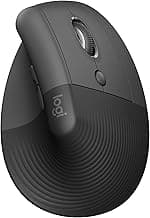
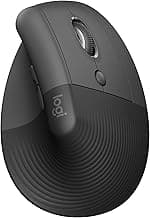
| Logitech Lift | Best compact wireless fit | $$ | 4.6/5 |
| iClever TM209G | Best budget Bluetooth | $ | 4.2/5 |
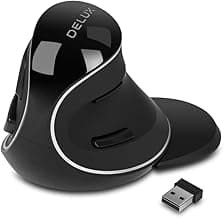
| Delux M618 Plus | Best dual-mode flexibility | $$ | 4.2/5 |
| Anker Ergonomic Vertical | Best budget wireless value | $ | 4.3/5 |
Real Product Photos: All Reviewed Models
Each image below is a real product listing photo stored locally for faster loads and stable rendering.

Comparison Table: Best Wireless Vertical Mouse (No Dongle) 2026
Key takeaway: comfort fit beats raw specs for long-term productivity.
| Product | Best For | Price Band | Rating | Link |
|---|---|---|---|---|
| Logitech MX Vertical | Best overall no-dongle pick | $$$ | 4.5/5 | Check on Amazon |
| Logitech Lift | Best compact wireless fit | $$ | 4.6/5 | Check on Amazon |
| iClever TM209G | Best budget Bluetooth | $ | 4.2/5 | Check on Amazon |
| Delux M618 Plus | Best dual-mode flexibility | $$ | 4.2/5 | Check on Amazon |
| Anker Ergonomic Vertical | Best budget wireless value | $ | 4.3/5 | Check on Amazon |
Note: Amazon links may be affiliate links and can generate commissions at no extra cost to you.