
How to Set Up a Vertical Mouse (2026 Guide)
Step-by-step ergonomics guide: correct desk height, elbow angle, DPI settings, and software configuration for your vertical mouse.
Updated 2026-03-14
Quick Answer: How to Set Up a Vertical Mouse (2026 Guide)
Most people plug in a vertical mouse and hope for the best. The ergonomic benefit only arrives when the entire workstation is dialled in — desk height, chair position, elbow angle, and DPI all aligned.
This guide gives you the complete setup protocol: five specific steps that turn a vertical mouse from a gadget purchase into genuine wrist relief.
Whether you are switching because of wrist pain, prevention, or simply better posture, correct setup is what separates results from disappointment.
Key takeaway: pick the smallest mouse that still supports your palm, then prioritize low click force.
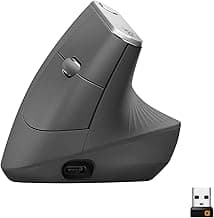
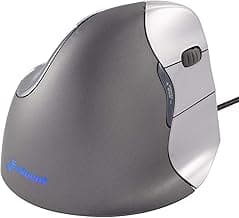
Real Product Photos: All Reviewed Models
Each image below is a real product listing photo stored locally for faster loads and stable rendering.



Comparison Table: How to Set Up a Vertical Mouse (2026 Guide)
Key takeaway: comfort fit beats raw specs for long-term productivity.
| Product | Best For | Price Band | Rating | Link |
|---|---|---|---|---|
| Logitech MX Vertical | Best overall vertical mouse for correct setup | $$$ | 4.6/5 | Check on Amazon |
| Logitech Lift Vertical | Best mid-range for ergonomic setup | $$ | 4.5/5 | Check on Amazon |
| Anker Ergonomic Vertical Mouse | Best budget pick for testing setup | $ | 4.4/5 | Check on Amazon |
| Evoluent VerticalMouse 4 | Best for clinical ergonomic setup | $$$ | 4.4/5 | Check on Amazon |
| Kensington Pro Fit Ergo | Best conservative vertical angle | $$ | 4.2/5 | Check on Amazon |
Note: Amazon links may be affiliate links and can generate commissions at no extra cost to you.