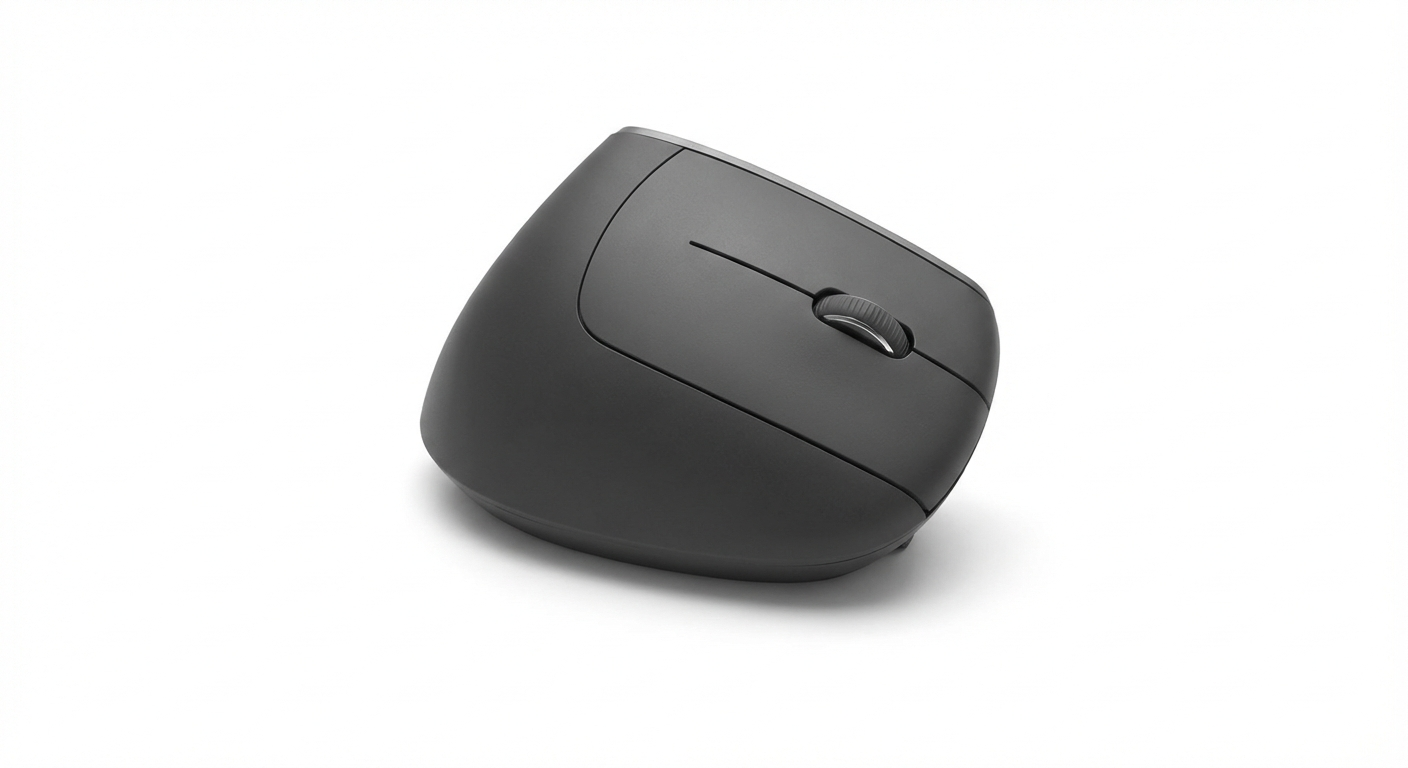
Wireless vs Wired Vertical Mouse: Which to Buy (2026)
Wireless vs wired vertical mouse in 2026: we compare latency, battery life, price & portability with honest pros and cons. Find your best option →
Updated 2026-03-10
30-Second Video: Wireless vs Wired Vertical Mouse: Which to Buy
30-second walkthrough for wireless vs wired vertical mouse: which to buy.
Quick Answer: Wireless vs Wired Vertical Mouse: Which to Buy (2026)
Wireless vs Wired Vertical Mouse: Which to Buy (2026)
By Matt Sullivan · Last updated March 10, 2026
The main difference between wireless and wired vertical mice is desk freedom versus zero maintenance. Wireless models eliminate cable drag and suit multi-device setups, but require charging or battery swaps. Wired models cost less and never die mid-task. For most office users in 2026, wireless is the better choice — the latency gap is now negligible.
You have already decided to switch to a vertical mouse — good move for your wrists. Now the next question: wireless or wired? Five years ago, the answer was simple. Wired meant reliable. Wireless meant lag and dead batteries at the worst possible moment.
In 2026, the gap has almost closed. Wireless technology has matured to the point where latency differences are imperceptible for productivity work. But "almost" is doing some work in that sentence. There are still real tradeoffs between the two, and the right choice depends on your desk setup, budget, and tolerance for battery management.
This guide compares wireless and wired vertical mice on the dimensions that actually matter — latency, reliability, cost, portability, and desk ergonomics — so you can buy once and buy right.
Medical disclaimer: This guide provides general ergonomic information, not medical advice. If you experience persistent hand, wrist, or arm pain, consult a healthcare professional. OSHA and the Mayo Clinic offer evidence-based resources on workplace ergonomics.
Why the Connection Type Matters for Vertical Mice
Connection type matters more for vertical mice than for regular mice, for one reason: cable drag fights the ergonomic angle.
A vertical mouse positions your hand at 50–70 degrees from the desk surface. A cable attached to the front of the mouse pulls downward and forward, creating a small but persistent force that your hand must counteract. Over an 8-hour workday, this additional tension can partially offset the ergonomic benefit of the vertical position.
Traditional mice sit flat — cable drag pulls along the same horizontal plane the mouse moves in. Vertical mice are lifted — the cable creates a diagonal pull that your wrist and forearm absorb differently. For large-hand users who already exert more grip force, this effect is amplified (see our large hands guide (https://verticalmouseguide.com/guides/best-vertical-mouse-large-hands) for sizing recommendations).
This does not mean wired is bad. It means the cable drag tradeoff is more significant for vertical mice than you might expect from regular mouse experience.
Head-to-Head Comparison Table
Dimension Wireless (2.4 GHz / Bluetooth) Wired (USB)
Latency 1–4 ms (2.4 GHz) / 5–15 ms (Bluetooth) <1 ms
Perceptible lag for office work? No No
Perceptible lag for gaming? Rarely (2.4 GHz) / Sometimes (Bluetooth) No
Battery life 3–6 months (rechargeable or AA) N/A — always powered
Cable drag None Yes — fights the vertical angle
Weight Slightly heavier (battery adds 10–30g) Lighter body, but cable adds effective drag
Desk clutter Clean — no cable Cable management needed
Multi-device pairing Yes (Bluetooth models, up to 3 devices) No — one device at a time
Portability Excellent — no cable to pack Moderate — cable adds bulk
Connection stability Very good (2.4 GHz) / Good (Bluetooth) Perfect — zero interference
Price range $23–$150+ $10–$90
Best for Multi-device users, standing desks, travel Budget buyers, fixed workstations, zero-maintenance
Wireless Vertical Mice: What You Get
2.4 GHz vs. Bluetooth: The Two Flavors of Wireless
Not all wireless is equal. Vertical mice offer two wireless technologies, and the difference matters:
2.4 GHz (USB receiver): A small USB-A dongle plugs into your computer and communicates directly with the mouse on a dedicated frequency. Latency is 1–4 ms — functionally identical to wired. Connection is extremely stable with no pairing hassles. The downside: the dongle occupies a USB port, and on modern USB-C-only laptops, you need an adapter.
Bluetooth: Pairs directly with your computer using the built-in Bluetooth radio. No dongle, no adapter, no USB port consumed. Latency is 5–15 ms — undetectable for productivity work but technically higher than 2.4 GHz. Bluetooth can occasionally hiccup on wake-from-sleep (1–2 second reconnection delay). Supports multi-device pairing on most models.
Dual-mode (both): Premium mice like the Logitech MX Vertical and Razer Pro Click offer both 2.4 GHz and Bluetooth. You get the low latency of 2.4 GHz at your desk and the dongle-free convenience of Bluetooth on the go. This is the ideal setup for users who switch between a desktop and a laptop.
Battery Life Expectations
Battery management is the primary objection people raise against wireless mice. In practice, it is a non-issue for most users:
USB-C rechargeable (MX Vertical, Razer Pro Click): 3–4 months per charge. A 2-minute charge gives roughly a full day of use in emergencies. Can be used while plugged in — it becomes a wired mouse during charging.
AA/AAA battery-powered (Anker, Kensington Pro Fit Ergo): 3–6 months per set. Battery swaps take 30 seconds. No charging cable needed.
Low-battery warnings: Every modern wireless mouse warns you days before dying. The MX Vertical shows an LED indicator; others use software notifications.
If battery anxiety is your concern, a USB-C rechargeable mouse effectively eliminates it. Plug it in overnight once every few months, or plug it in for a minute when the warning appears.
Wired Vertical Mice: What You Get
The Case for Wired in 2026
Wired vertical mice have lost the latency argument — wireless is close enough that it no longer matters for productivity. But wired still wins on three practical fronts:
Zero maintenance. No batteries to charge, no dongles to track, no Bluetooth pairing to troubleshoot. Plug in the USB cable and the mouse works. Forever. For IT departments managing hundreds of workstations, this simplicity has real value.
Consistent weight. A wireless mouse weighs differently at full charge versus empty. The battery adds 10–30g that shifts the center of gravity slightly. A wired mouse weighs the same every time you pick it up. Most users never notice this difference, but some precision-focused users prefer the consistency.
Lower cost. Wired vertical mice start at $10–15. The cheapest wireless options start at $23–26. If you are testing whether a vertical mouse works for you before investing, a $15 wired model is the lowest-risk entry point. See our quiet click guide (https://verticalmouseguide.com/guides/quiet-click-vertical-mouse-office) for office-friendly wired options.
The Cable Drag Problem
The honest downside of wired vertical mice is cable drag — and it matters more than you might think.
A vertical mouse elevates your hand 3–5 cm above the desk surface compared to a traditional mouse. The cable exits from the front of the mouse and drops to the desk, creating a downward pull on the front of the device. This pull:
Resists forward mouse movement, requiring slightly more effort per stroke
Can pull the mouse out of the ideal grip position if the cable is taut
Creates an asymmetric drag that your wrist compensates for subconsciously
Cable management accessories (mouse bungees, cable clips) mitigate this significantly. If you choose wired, a $10 mouse bungee is a worthwhile addition to hold the cable at desk height and eliminate most of the drag.
Product Recommendations
Mouse Connection Latency Battery DPI Price Best For Buy
Logitech MX Vertical Bluetooth + 2.4 GHz 1–4 ms USB-C, 4 months 4000 ~$100 Best overall wireless Check on Amazon (https://www.amazon.com/s?k=Logitech+MX+Vertical)&tag=theforge05-20
Razer Pro Click Bluetooth + 2.4 GHz 1–4 ms USB-C, 3 months 16000 ~$100 Best sensor / multi-device Check on Amazon (https://www.amazon.com/s?k=Razer+Pro+Click)&tag=theforge05-20
Kensington Pro Fit Ergo Bluetooth + 2.4 GHz 3–8 ms AA battery, 6 months 1600 ~$40 Best mid-range wireless Check on Amazon (https://www.amazon.com/s?k=Kensington+Pro+Fit+Ergo+Vertical)&tag=theforge05-20
Anker Ergonomic Vertical 2.4 GHz only 2–4 ms AA battery, 3+ months 1600 ~$23 Best budget (wired feel, wireless freedom) Check on Amazon (https://www.amazon.com/s?k=Anker+Ergonomic+Vertical+Mouse)&tag=theforge05-20
Evoluent VerticalMouse 4 Wired USB <1 ms N/A 2600 ~$70 Best wired (button customization) Check on Amazon (https://www.amazon.com/s?k=Evoluent+VerticalMouse+4+Wired)&tag=theforge05-20
Logitech MX Vertical — Best Overall Wireless
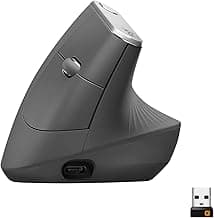
The MX Vertical is the default recommendation for wireless vertical mice. Dual-mode connectivity (Bluetooth + 2.4 GHz Unifying Receiver), USB-C charging, 4-month battery life, and Logi Options+ software for per-app button mapping. It pairs with up to 3 devices simultaneously — ideal for users who switch between a laptop, desktop, and tablet.
The 57-degree ergonomic angle and 4000 DPI sensor handle everything from single-monitor office work to multi-display creative workflows. For hand-size-specific scoring, see our guides for large hands (https://verticalmouseguide.com/guides/best-vertical-mouse-large-hands) and small hands (https://verticalmouseguide.com/guides/best-vertical-mouse-small-hands-carpal-tunnel).
Razer Pro Click — Best Sensor & Multi-Device
The Pro Click matches the MX Vertical on connectivity (Bluetooth + 2.4 GHz) but surpasses it on sensor capability with a 16000 DPI optical sensor — overkill for most users but valuable for high-resolution multi-monitor setups. Build quality is excellent with a more premium feel than the MX Vertical's rubberized coating.
The tradeoff: Razer Synapse software is heavier than Logi Options+, and the Pro Click's ergonomic angle is slightly less aggressive. For Mac users, check our Mac-specific guide (https://verticalmouseguide.com/guides/best-vertical-mouse-for-mac) for software compatibility details.
Kensington Pro Fit Ergo — Best Mid-Range Wireless
The Pro Fit Ergo sits at roughly half the price of the MX Vertical and Razer Pro Click while offering dual-mode wireless connectivity. AA battery power means no charging cable needed — swap batteries every 6 months. The 1600 DPI sensor is adequate for single-monitor setups but struggles on dual 4K displays.
A strong choice for users who want wireless convenience without the premium price, particularly in office environments where multi-device pairing and Bluetooth simplicity matter.
Anker Ergonomic Vertical — Best Budget Wireless
At under $25, the Anker is the lowest-risk wireless entry point. The 2.4 GHz-only connection (no Bluetooth) means you need the USB-A dongle, but latency is excellent at 2–4 ms. Battery life on a single AA lasts 3+ months. The body is smaller than premium options — hands over 20 cm will overhang — but the ergonomic benefit of the vertical angle is fully present.
Evoluent VerticalMouse 4 (Wired) — Best Wired Option
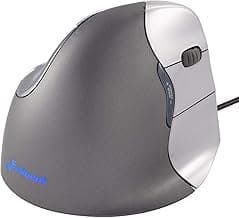
The wired Evoluent is the premium wired choice with six programmable buttons and a DPI indicator LED built into the body. At ~$70 it sits between the budget wireless mice and the premium wireless options. Zero latency, zero battery management, and the most button customization available in any vertical mouse. The tradeoff is cable drag, which a $10 mouse bungee largely solves.
Pros and Cons
Wireless Vertical Mouse
Pros:
No cable drag — preserves the ergonomic vertical angle without counterforce
Multi-device pairing via Bluetooth (up to 3 devices on premium models)
Clean desk setup with no cable management needed
Excellent portability for travel and laptop use
USB-C rechargeable options can be used while charging (becoming a wired mouse temporarily)
Best choice for standing desks where cable routing changes with desk height
Cons:
Requires battery management (charging every 3–4 months or battery swaps)
2.4 GHz models consume a USB port with the dongle
Bluetooth can have 1–2 second reconnect delay on wake-from-sleep
Slightly heavier than wired equivalents due to battery
Higher price floor ($23+) compared to wired ($10+)
Dongle is small and easy to lose when traveling
Wired Vertical Mouse
Pros:
Zero maintenance — no batteries, no charging, no dongles to lose
Lowest possible latency (<1 ms) for the most responsive feel
Consistent weight — no battery to change center of gravity
Lowest price entry point ($10–15 for budget models)
Perfect connection stability — no wireless interference possible
Simpler IT management for enterprise deployments
Cons:
Cable drag fights the vertical grip angle — the most significant wired drawback
No multi-device support — hardwired to one machine
Less portable — cable adds bulk and desk clutter
Cable wear over time, especially at the USB connector
Cannot move freely away from the desk (cord length limits range)
Cable management accessories (bungee, clips) add cost and desk footprint
Who Should Choose Wireless
The Multi-Device Worker
You switch between a laptop, desktop monitor, and maybe a tablet throughout the day. A Bluetooth vertical mouse with multi-device pairing lets you press a button and jump between machines without unplugging anything. The MX Vertical and Razer Pro Click handle this natively.
The Standing Desk User
Cable drag is worst when your desk height changes. A cable that is slack when the desk is down becomes taut when the desk is up, pulling the mouse forward. Wireless eliminates this problem entirely. If you alternate between sitting and standing, wireless is not just better — it is significantly better.
The Laptop Traveler
If you carry your vertical mouse between locations — home office, coffee shop, coworking space — wireless is the practical choice. No cable to untangle, no strain relief to wear out, and Bluetooth pairs instantly with your laptop. For left-handed travelers, see our left-handed wireless guide (https://verticalmouseguide.com/guides/left-handed-vertical-mouse-wireless-rechargeable).
The Desk Minimalist
If cable management and desk aesthetics matter to you, wireless is transformative. A single mouse with no cable, paired via Bluetooth (no dongle visible), keeps your desk surface clean. This is particularly relevant for shared or video-call-visible workspaces.
The Ergonomics Purist
If you are switching to a vertical mouse specifically to reduce wrist strain, wireless removes one additional source of resistance. Cable drag creates a subtle but persistent counterforce that your wrist absorbs across thousands of mouse movements per day. Eliminating that drag makes the ergonomic transition smoother and the ongoing benefit slightly greater. For a deeper comparison of ergonomic alternatives, read our vertical mouse vs trackball (https://verticalmouseguide.com/guides/vertical-mouse-vs-trackball) and vertical mouse vs regular mouse (https://verticalmouseguide.com/guides/vertical-mouse-vs-regular-mouse) guides.
Who Should Choose Wired
The Budget-First Buyer
If your primary goal is to test whether a vertical mouse helps your wrist at the lowest possible cost, wired models start at $10–15. The J-Tech Digital V628 and similar budget wired options let you trial the vertical angle for the cost of a lunch. If it works, upgrade to wireless later.
The Fixed-Workstation User
You sit at the same desk, same computer, every day. You never unplug the mouse. You never switch between devices. In this scenario, the advantages of wireless — portability, multi-device, clean desk — matter less. A wired Evoluent VerticalMouse 4 gives you the best button customization at a competitive price with zero maintenance.
The Zero-Maintenance User
You never want to think about charging. You never want to see a low-battery notification. You never want to discover that your mouse died during a presentation. Wired eliminates all battery-related friction permanently. For some users — particularly in enterprise or medical settings — this reliability is non-negotiable.
The IT Administrator
Managing hundreds of workstations, wired mice are simpler to deploy, replace, and troubleshoot. No Bluetooth pairing issues, no dongle inventory, no dead batteries during work hours. In institutional settings, the operational simplicity of wired often outweighs the ergonomic advantage of wireless.
Frequently Asked Questions
Is a wireless vertical mouse as accurate as wired?
For productivity work, yes. Modern 2.4 GHz and Bluetooth vertical mice like the Logitech MX Vertical have latency under 10 ms — imperceptible during office tasks. The only scenario where wired latency matters is competitive gaming, which vertical mice are not designed for.
How long does a wireless vertical mouse battery last?
Rechargeable models like the Logitech MX Vertical last 3–4 months on a single charge. Battery-powered models like the Anker and Kensington typically last 3–6 months on AA or AAA batteries. Bluetooth-only mice tend to last longer than dual-mode (Bluetooth + 2.4 GHz) mice.
Do wireless vertical mice have input lag?
Modern 2.4 GHz wireless mice have latency of 1–4 ms, which is functionally identical to wired. Bluetooth adds slightly more latency (5–15 ms) but is still imperceptible for office and productivity work. Only competitive gamers need to worry about wireless lag, and competitive gamers should not be using vertical mice anyway.
Can I use a wireless vertical mouse with a USB-C MacBook?
Yes, if the mouse supports Bluetooth — it pairs directly with no dongle needed. If the mouse uses a 2.4 GHz USB-A receiver, you will need a USB-A to USB-C adapter. The Logitech MX Vertical and Razer Pro Click both support Bluetooth for dongle-free Mac use. See our Mac vertical mouse guide (https://verticalmouseguide.com/guides/best-vertical-mouse-for-mac) for full macOS compatibility details.
Is a wired vertical mouse better for gaming?
Wired mice offer marginally lower latency, but vertical mice in general are not optimized for competitive gaming regardless of connection type. For casual gaming, either wireless or wired works fine after the 3–4 week adaptation period. For competitive FPS, a traditional gaming mouse is the better tool.
Should I buy wireless or wired if I have a standing desk?
Wireless is strongly recommended for standing desks. Cable drag is amplified when your desk height changes, and a cable hanging between a raised desk and a desktop tower can snag or pull. Bluetooth mice like the MX Vertical pair without any dongle, keeping the setup clean at every height position.
Are wired vertical mice cheaper than wireless?
Generally yes. Wired models start at $10–15 (J-Tech Digital V628) while wireless models start at $23–26 (Anker, iClever). Premium wireless options like the MX Vertical run $80–100. The wired Evoluent VerticalMouse 4 at ~$70 sits between budget wireless and premium wireless in price.
What happens if my wireless vertical mouse battery dies mid-work?
USB-C rechargeable mice like the MX Vertical can be used while charging — plug in the cable and it functions as a wired mouse instantly. Battery-powered mice (AA/AAA) require a quick battery swap. Most wireless mice display low-battery warnings days before dying, giving you time to charge or replace.
Sources & Methodology
This comparison evaluates wireless and wired vertical mice across six dimensions: latency, battery/maintenance, cable drag impact, portability, multi-device support, and cost. Our analysis references manufacturer specifications, wireless technology benchmarks, and ergonomic principles.
References:
OSHA Ergonomic Solutions: Computer Workstations — osha.gov/computer-workstations (https://www.osha.gov/computer-workstations)
NIOSH: Ergonomic Guidelines for Workplace Musculoskeletal Disorders — cdc.gov/niosh (https://www.cdc.gov/niosh/)
Mayo Clinic: Repetitive Strain Injury — mayoclinic.org (https://www.mayoclinic.org/)
Bluetooth SIG: Bluetooth Low Energy Latency Specifications — bluetooth.com (https://www.bluetooth.com/)
Logitech MX Vertical Technical Specifications — logitech.com (https://www.logitech.com/)
Razer Pro Click Technical Specifications — razer.com (https://www.razer.com/)
Methodology notes:
Latency figures are based on manufacturer specifications and independent testing benchmarks for 2.4 GHz and Bluetooth Low Energy protocols
Battery life estimates reflect manufacturer claims and are consistent with real-world user reports
Cable drag analysis is based on the physics of vertical mouse positioning (50–70° hand angle) and cable tension at the front-mounted USB connector
Price data reflects typical retail pricing at time of publication and may fluctuate
We link to Amazon search results to ensure links remain functional as listings change
Vertical Mouse Guide may earn a commission on purchases at no additional cost to you; affiliate relationships do not influence scores or recommendations
Internal links referenced:
Best Vertical Mouse for Large Hands (https://verticalmouseguide.com/guides/best-vertical-mouse-large-hands)
Best Vertical Mouse for Small Hands (https://verticalmouseguide.com/guides/best-vertical-mouse-small-hands-carpal-tunnel)
Left-Handed Vertical Mouse (https://verticalmouseguide.com/guides/left-handed-vertical-mouse-wireless-rechargeable)
Quiet Click Vertical Mouse (https://verticalmouseguide.com/guides/quiet-click-vertical-mouse-office)
Vertical Mouse vs Trackball (https://verticalmouseguide.com/guides/vertical-mouse-vs-trackball)
Vertical Mouse vs Regular Mouse (https://verticalmouseguide.com/guides/vertical-mouse-vs-regular-mouse)
Best Vertical Mouse for Mac (https://verticalmouseguide.com/guides/best-vertical-mouse-for-mac)
Key takeaway: pick the smallest mouse that still supports your palm, then prioritize low click force.
Top Picks Quick Comparison
Fast shortlist for decision-first readers. Full table remains below for complete detail.
| Product | Best For | Price | Rating |
|---|---|---|---|
| Logitech MX Vertical | Best overall wireless | $$$ | 4.7/5 |
| Razer Pro Click | Best sensor and multi-device | $$$ | 4.5/5 |
| Kensington Pro Fit Ergo | Best mid-range wireless | $$ | 4.3/5 |
| Anker Ergonomic Vertical | Best budget wireless | $ | 4.3/5 |
| Evoluent VerticalMouse 4 | Best wired option | $$$ | 4.4/5 |
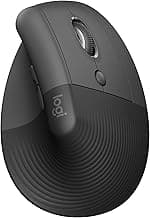
Real Product Photos: All Reviewed Models
Each image below is a real product listing photo stored locally for faster loads and stable rendering.


Comparison Table: Wireless vs Wired Vertical Mouse: Which to Buy (2026)
Key takeaway: comfort fit beats raw specs for long-term productivity.
| Product | Best For | Price Band | Rating | Link |
|---|---|---|---|---|
| Logitech MX Vertical | Best overall wireless | $$$ | 4.7/5 | Check on Amazon |
| Razer Pro Click | Best sensor and multi-device | $$$ | 4.5/5 | Check on Amazon |
| Kensington Pro Fit Ergo | Best mid-range wireless | $$ | 4.3/5 | Check on Amazon |
| Anker Ergonomic Vertical | Best budget wireless | $ | 4.3/5 | Check on Amazon |
| Evoluent VerticalMouse 4 | Best wired option | $$$ | 4.4/5 | Check on Amazon |
Latency context after the comparison table

Product examples in real setups


Ergonomics: grip and cable resistance

Note: Amazon links may be affiliate links and can generate commissions at no extra cost to you.