Guide
Best Vertical Mouse for Left-Handed Users (2026)
By Dr. Alex Chen · Updated 2026-03-21
By Dr. Alex Chen · Last updated March 21, 2026
This post contains affiliate links. We may earn a commission at no extra cost to you.
Left-handed users face a frustrating reality in the ergonomic mouse market: most vertical mice are designed exclusively for right-hand use. The asymmetric grip, thumb buttons, and body contour are built for right-handers only. Switching the mouse to your left hand is physically impossible with most models. This guide identifies the best left-handed vertical mouse options — dedicated left-hand models and true ambidextrous picks — tested for grip comfort, pronation reduction, and real-world daily use.
Table of Contents
- Why Left-Handers Are Underserved in the Vertical Mouse Market
- Dedicated Left-Hand vs Ambidextrous: Which to Choose
- Best Left-Handed Vertical Mice Compared (2026)
- Detailed Reviews: Top 5 Picks
- Ergonomics for Left-Handed Mouse Users
- Carpal Tunnel Prevention for Left-Handed Computer Users
- Buying Guide: Key Features for Left-Handers
- Frequently Asked Questions
- Sources & Methodology
Why Left-Handers Are Underserved in the Vertical Mouse Market
Approximately 10–12% of the global population is left-handed. Yet a survey of the major ergonomic mouse market reveals a stark disparity: of the top 30 vertical ergonomic mice sold in the US, fewer than 5 offer a left-hand specific model. The rest are explicitly right-hand only, with asymmetric shells that cannot be used with the non-dominant hand.
This is not a minor inconvenience. Left-handed computer users who are forced to operate a right-handed mouse with their left hand — or worse, retrain themselves to use their right hand — face increased strain, reduced precision, and slower adaptation to new tools. The very problem that vertical mice solve (reducing pronation-related strain) is compounded for left-handers forced to use ill-fitting equipment.
The Anatomy Problem
A vertical mouse's ergonomic benefit comes from the angle of the grip — the 57–90 degree rotation from palm-down to a handshake position. This angle works regardless of which hand holds the mouse. But the shape of the mouse must match the hand that holds it.
Right-handed vertical mice have:
- A thumb rest on the left side (facing toward the user on a right-hand grip)
- Forward/back buttons positioned for right-thumb access
- A palm contour shaped for the right hand's width and angle
- A scroll wheel positioned for right-index-finger access
A left-handed user gripping a right-hand vertical mouse would hold it upside down relative to its intended orientation. This doesn't work. The thumb is now on the wrong side, the buttons are inaccessible, and the ergonomic angle is reversed.
The Market Gap
The good news: a handful of manufacturers have addressed this gap, and the options have improved significantly in 2025–2026. Left-handed computer users now have:
- Dedicated left-hand models — Mirror images of right-hand mice, purpose-built for left-hand use
- True ambidextrous designs — Symmetric bodies with centered buttons that work identically in either hand
- Ambidextrous vertical mice — Devices like the DXT Precision Mouse designed explicitly to serve both hands

Dedicated Left-Hand vs Ambidextrous: Which to Choose
Before choosing a specific mouse, decide whether you want a dedicated left-hand model or an ambidextrous one. The choice depends on your priorities:
Dedicated Left-Hand Models
Best for: Users who want the best possible left-hand ergonomics, maximum thumb button access, and a sculpted grip contoured specifically for the left hand.
Advantages:
- Thumb rest contoured for left-thumb width and reach
- Forward/back buttons perfectly positioned for left-hand access
- The same ergonomic angle and features as the right-hand version, mirrored exactly
- Often available from the same premium brands as their right-hand counterparts
Disadvantages:
- Limited model selection (fewer than 10 dedicated left-hand vertical mice exist)
- Cannot be shared with right-handed coworkers or family members
- Often the same price as or higher than the right-hand equivalent
- Some premium brands (Logitech MX Vertical) do not offer any left-hand version at all
True Ambidextrous Designs
Best for: Users who want flexibility, who alternate hands for RSI prevention, or who share a workstation with both left and right-handed users.
Advantages:
- Works in either hand with no adjustments
- Enables the alternating-hand RSI strategy (switch hands throughout the day)
- More models available in this category
- Perfect for shared workstations
Disadvantages:
- Symmetric design may not feel as perfectly fitted as a dedicated left-hand model
- Thumb buttons may be less intuitively placed
- Some ambidextrous models are not truly vertical — they hover between flat and vertical angles
Decision Guide
| Your Situation | Best Choice |
|---|---|
| Left hand only, want best ergonomics | Dedicated left-hand model |
| Alternate hands for RSI prevention | Ambidextrous model |
| Shared desk (left + right-handed users) | Ambidextrous model |
| Need maximum carpal tunnel relief | Evoluent VM4 Left (70° angle) |
| Budget under $50 | J-Tech Digital V628 (ambidextrous) |
| Premium budget, Mac user | Logitech Lift Left |
Best Left-Handed Vertical Mice Compared (2026)
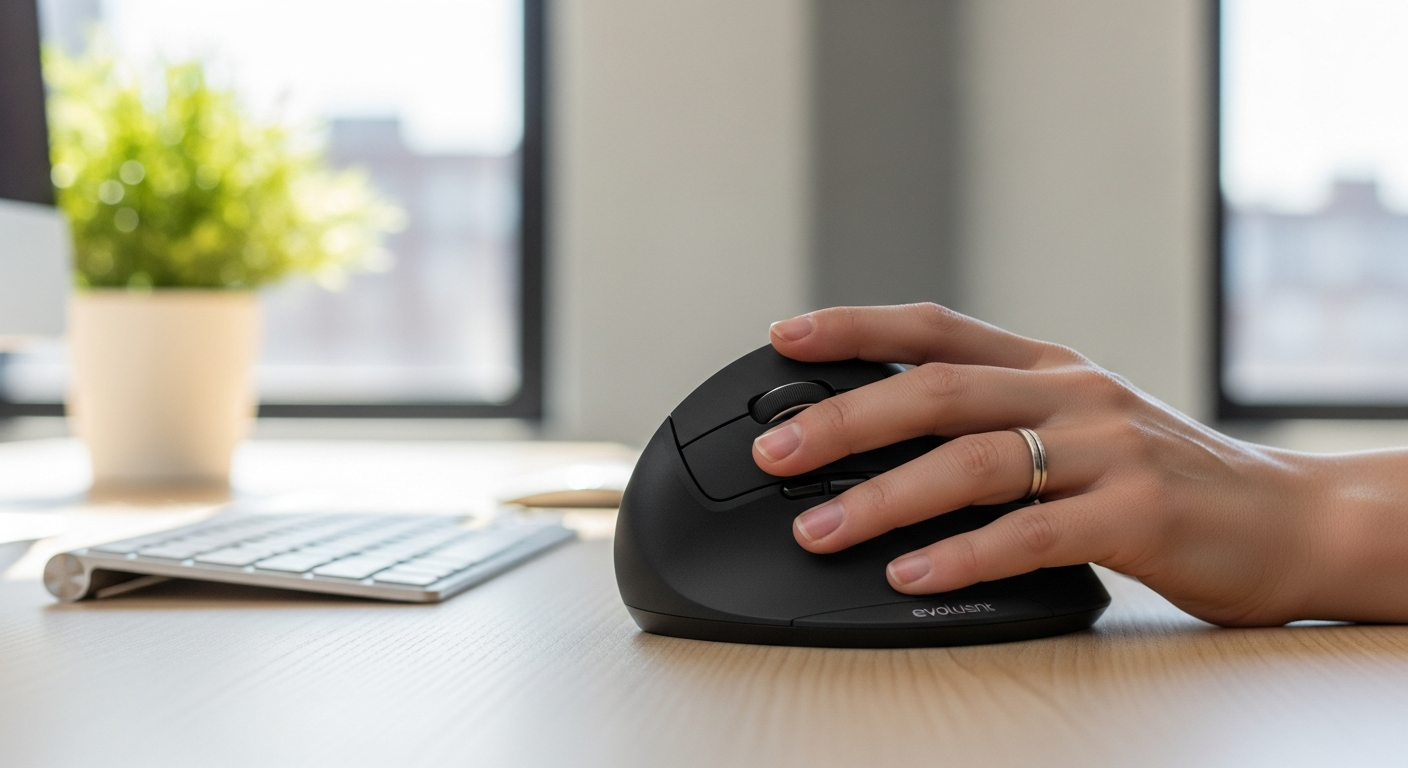
Evoluent VerticalMouse 4 Left
Best for: Maximum ergonomic relief, carpal tunnel
Angle: 70° | DPI: 800–2600
Price: ~$100 | Rating: ⭐⭐⭐⭐⭐
Check on Amazon →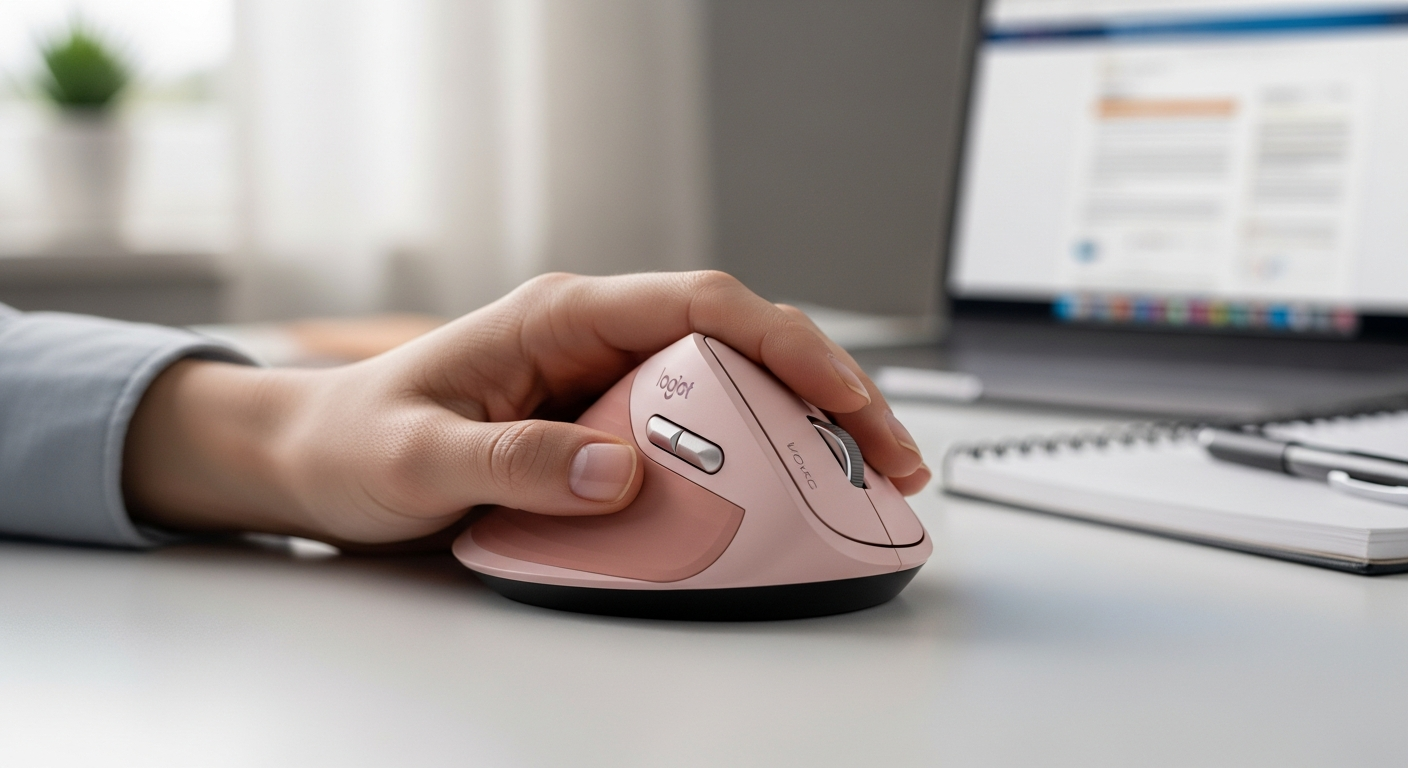
Logitech Lift Left Edition
Best for: Mac users, wireless, compact hands
Angle: 57° | DPI: 400–4000
Price: ~$70 | Rating: ⭐⭐⭐⭐½
Check on Amazon →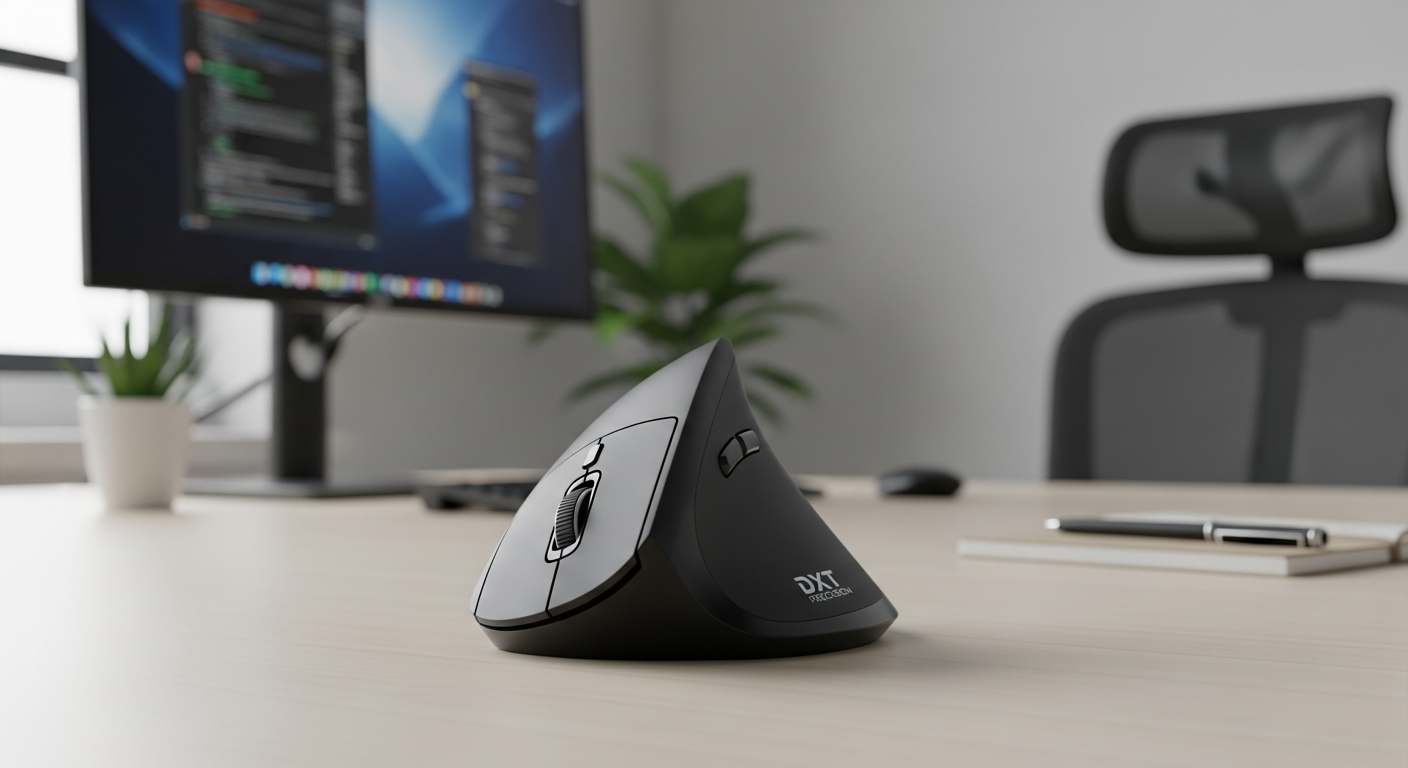
DXT Precision Mouse (Ambidextrous)
Best for: Alternating hands, designers, precision
Angle: 65° | DPI: 800–1800
Price: ~$95 | Rating: ⭐⭐⭐⭐½
Check on Amazon →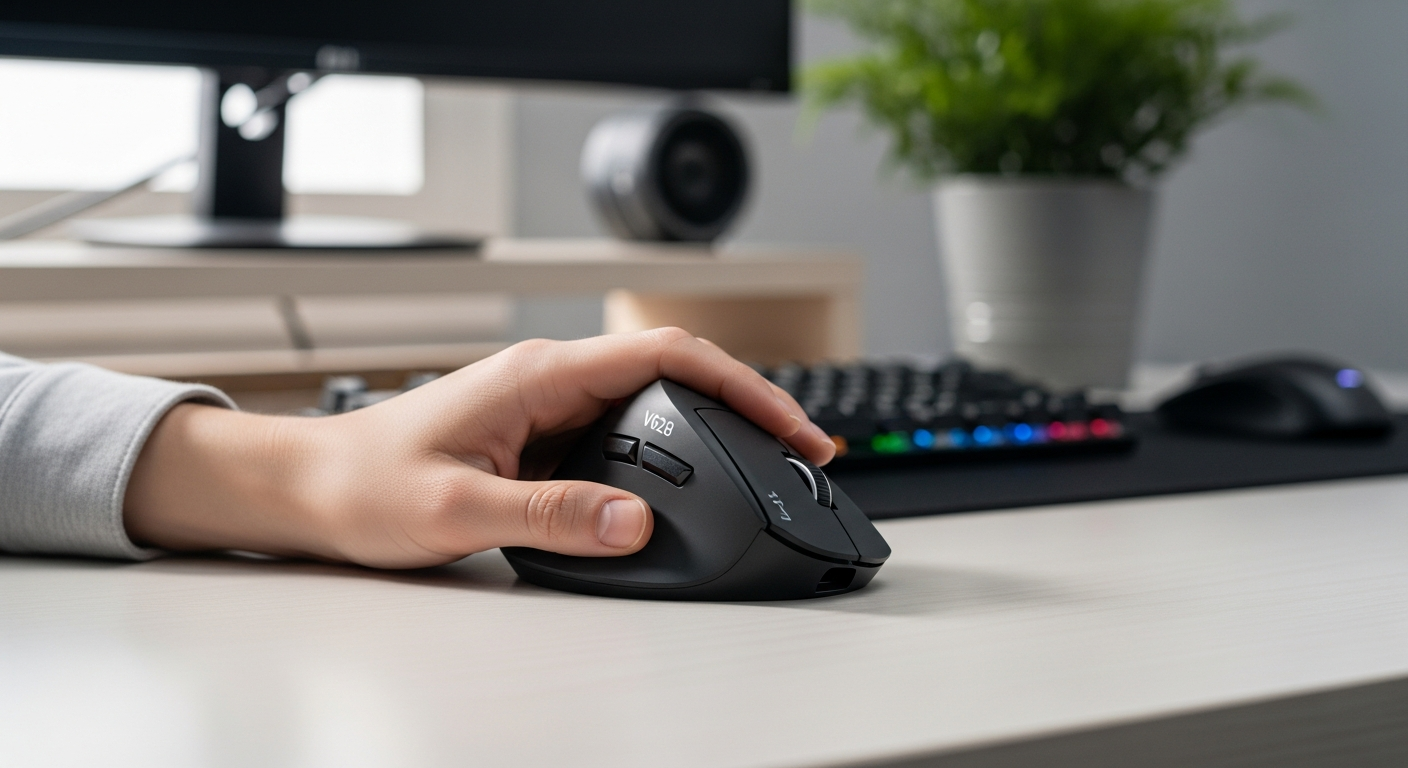
J-Tech Digital V628 Ambidextrous
Best for: Budget left-hand buyers
Angle: 57° | DPI: 600–2400
Price: ~$25 | Rating: ⭐⭐⭐⭐
Check on Amazon →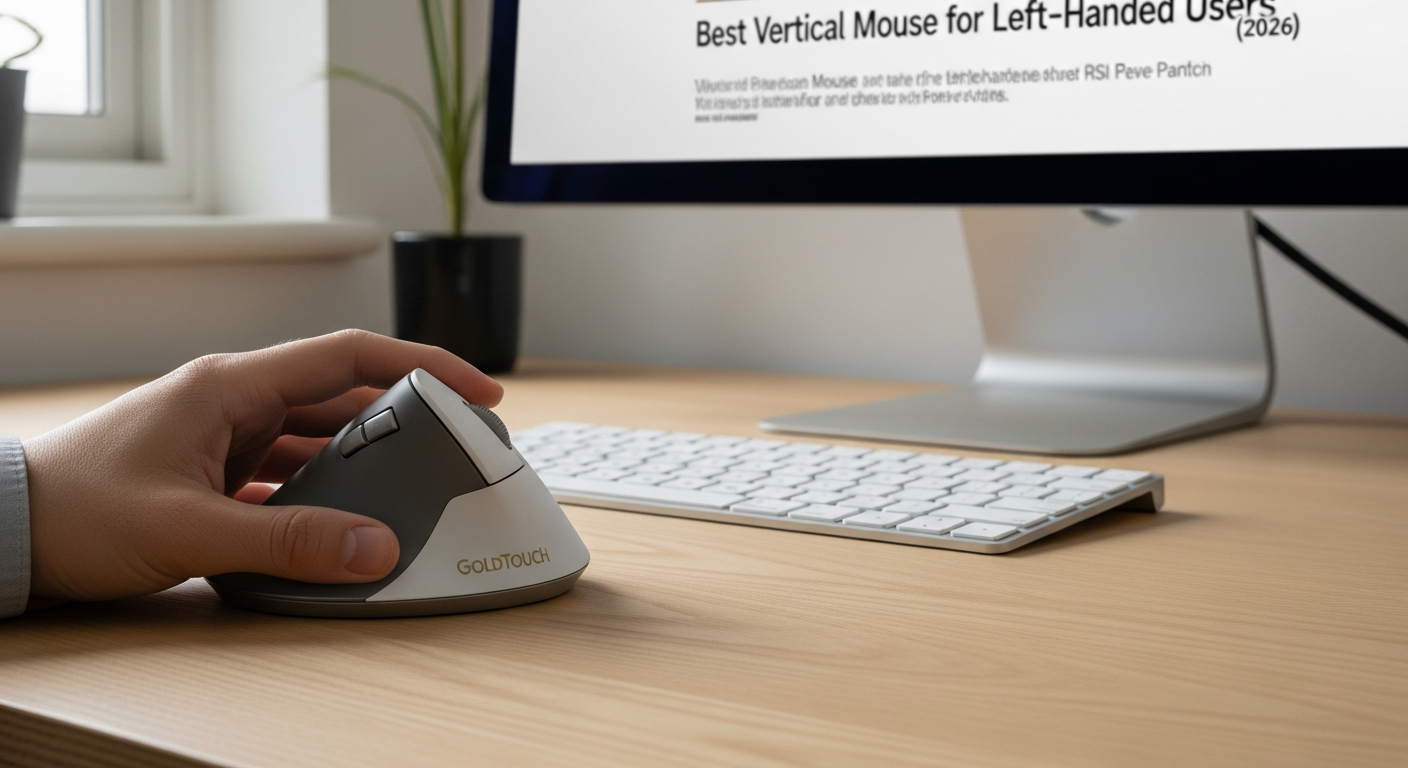
Goldtouch Semi-Vertical Mouse
Best for: Gradual transition, office use
Angle: 30° | DPI: 800–1600
Price: ~$55 | Rating: ⭐⭐⭐⭐
Check on Amazon →Detailed Reviews: Top 5 Picks
1. Evoluent VerticalMouse 4 Left — Best Dedicated Left-Hand Model
The Evoluent VerticalMouse 4 Left is the gold standard for dedicated left-hand ergonomic mice. Evoluent is one of the few manufacturers that takes left-handed ergonomics seriously, producing a mirror image of their flagship VM4 right-hand model with the same quality, angle, and button layout — just optimized for the left hand.

The 70-Degree Angle Advantage
The Evoluent VM4 Left uses a 70-degree grip angle — steeper than the 57-degree standard used by most vertical mice (including the Logitech MX Vertical). This additional angle provides more aggressive pronation reduction:
| Mouse | Grip Angle | Pronation Reduction |
|---|---|---|
| Standard flat mouse | 0° | 0% |
| Logitech MX Vertical | 57° | ~57% |
| DXT Precision | 65° | ~65% |
| Evoluent VM4L | 70° | ~70% |
For left-handed users with diagnosed carpal tunnel syndrome or significant forearm pain, that extra 13 degrees over the MX Vertical can mean the difference between a manageable workday and continued pain. If you have been diagnosed with carpal tunnel in your left hand and have been told to reduce mouse usage, the VM4L provides the maximum mechanical intervention available in a standard mouse form factor.
Six Programmable Buttons
The VM4 Left has six programmable buttons — more than any other vertical mouse on this list. With Evoluent Mouse Manager software (Windows/Mac), you can assign custom functions to each button: copy, paste, undo, switch windows, application shortcuts, or media controls. For power users who want to minimize keyboard use, six buttons provides meaningful workflow customization.
The Thumb Support Design
The VM4 Left features a precisely positioned thumb rest contoured for left-hand thumb anatomy. Your thumb sits in a dedicated channel with the forward and back buttons immediately accessible. Unlike symmetric ambidextrous mice where thumb buttons feel slightly off, the VM4L's thumb positioning feels natural from the first use.
Connectivity Options
The Evoluent VM4 Left comes in:
- Wired USB version (~$100)
- Wireless 2.4 GHz version (~$130)
The wired version is the most reliable and recommended for users who want zero connectivity concerns. The wireless version offers freedom of movement but no Bluetooth — dongle only.
Limitations
- No Bluetooth (dongle or wired only)
- Steeper learning curve than 57° mice (2–3 weeks)
- Heavier than average at 148g
- No USB-C charging on wireless version
Check Evoluent VerticalMouse 4 Left on Amazon
Best for: Left-handed users with diagnosed carpal tunnel, RSI, or significant wrist pain. Power users who want maximum button customization. Users who use a mouse 6+ hours daily.
2. Logitech Lift Left Edition — Best Premium Wireless
The Logitech Lift Left Edition is Logitech's answer to the demand for a left-hand vertical mouse with their premium build quality and software ecosystem. It uses the same 57-degree angle as the MX Vertical, fits into the Logi Options+ software ecosystem, and is available in a compact size designed for small-to-medium hands.
Why Logitech Finally Did It Right
Logitech spent years selling the MX Vertical (right-hand only) while left-handed users begged for a left-hand version. The Lift is not a left-hand MX Vertical — it is a separate, purpose-designed product with a smaller form factor. But it delivers the Logitech quality and software integration that left-handers have been waiting for.
Logi Options+ Integration
The Lift Left works with Logi Options+ on macOS and Windows, providing:
- Per-app button customization
- DPI adjustment from 400–4000
- Scroll direction and speed controls
- Compatibility with Logitech Flow (cross-computer cursor sharing)
- macOS gesture support via the gesture button
For Mac users specifically, the Lift Left is the best left-hand option. No other left-hand vertical mouse offers native macOS software integration.
Connectivity
The Lift Left uses Bolt receiver (2.4 GHz) or Bluetooth — the same multi-device system as the MX Vertical. Pair it with up to three devices and switch with a button press. USB-C rechargeable.
Size Note
The Lift has a smaller grip width than the VM4 — approximately 68mm versus 75mm. For left-handed users with medium or small hands, this is an advantage. For users with large hands (hand width over 3.5 inches), the fit may be tight.
Check Logitech Lift Left Edition on Amazon
Best for: Left-handed Mac users. Users who want multi-device Bluetooth. Left-handers with small-to-medium hand size.
3. DXT Precision Mouse — Best Ambidextrous for Precision
The DXT Precision Mouse is the best true ambidextrous option for left-handed users who want both ergonomic benefit and the ability to alternate hands. Its pen-grip design and symmetric body work identically in either hand — no configuration needed, just pick it up and use it.
For left-handed graphic designers and CAD users, the DXT delivers pen-grip precision that matches the ergonomic benefit of dedicated left-hand models while providing finer cursor control than any palm-grip vertical mouse.
We cover the DXT in detail in our ergonomic mouse buying guide. For left-handers who alternate between their dominant and non-dominant hand to reduce cumulative strain, the DXT is unmatched — no other vertical mouse enables this strategy without changing hardware.
Check DXT Precision Mouse on Amazon
Best for: Left-handed designers and CAD users. Anyone using the alternating-hand RSI strategy. Users coming from a pen tablet who want familiar grip ergonomics.
4. J-Tech Digital V628 Ambidextrous — Best Budget Left-Hand Option
The J-Tech Digital V628 Ambidextrous is the only affordable left-hand-compatible vertical mouse worth recommending. At ~$25, it provides a symmetric 57-degree body that works in either hand, 4-level DPI switching (600–2400), and 2.4 GHz wireless — all for about one-quarter the cost of the Evoluent VM4L.
The Budget Trade-off
The J-Tech V628 Ambidextrous does not have a sculpted thumb rest for the left hand. It has side buttons on BOTH sides of the mouse — one set for right-hand use, one for left-hand use. The button you are not using becomes an accidental press risk until you learn to avoid it. This is the primary ergonomic compromise of budget symmetric designs.
Build quality is functional but not premium — ABS plastic, basic sensor, 125 Hz polling. Battery life is 3–4 months on 1 AA battery.
For first-time left-handed vertical mouse users who want to test the form factor before investing $100+, the J-Tech V628A provides the proof of concept at minimum cost.
Check J-Tech Digital V628 Ambidextrous on Amazon
Best for: Budget-conscious left-handed users. First-time vertical mouse buyers. Anyone testing whether left-hand vertical ergonomics work for their workflow before investing in a premium model.
5. Goldtouch Semi-Vertical Mouse — Best Gradual Transition
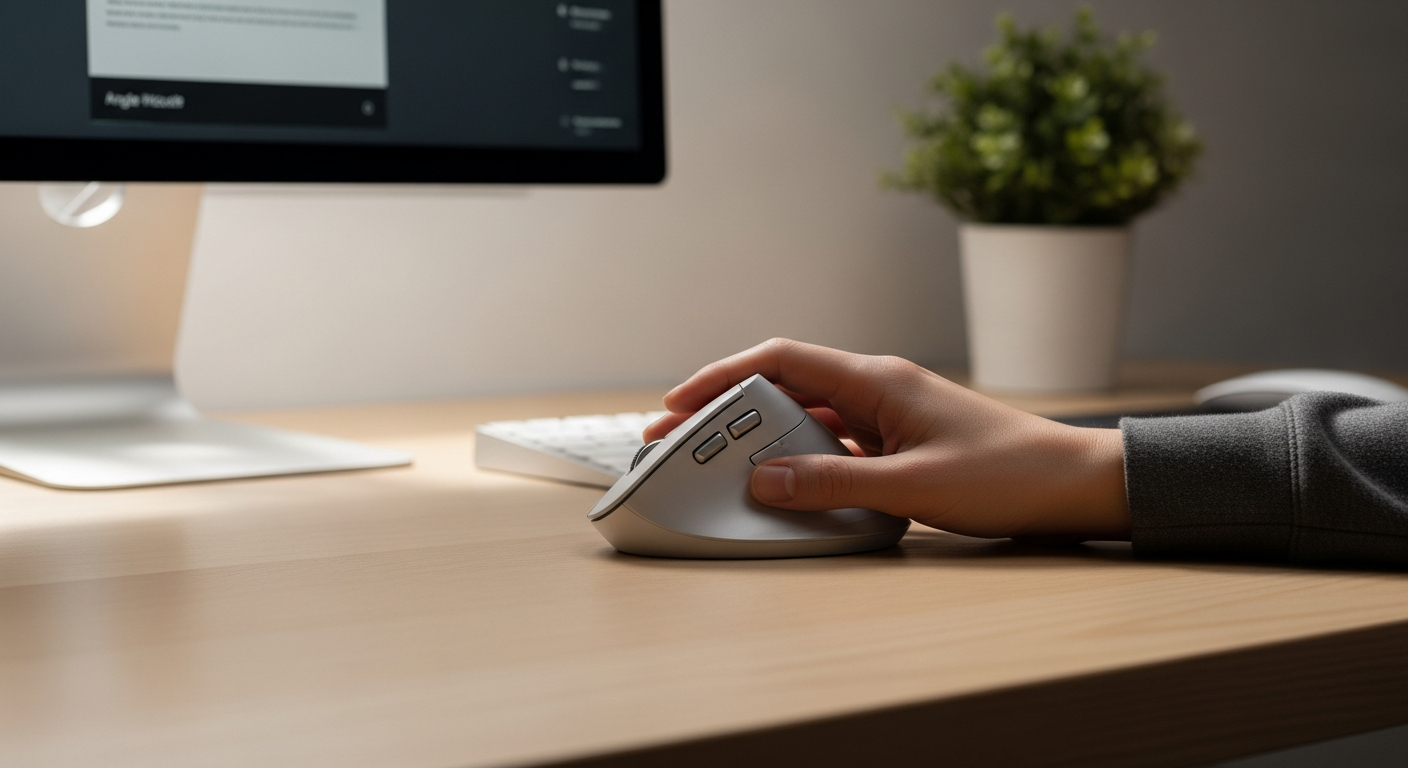
The Goldtouch Semi-Vertical Mouse is an ambidextrous design with a 30-degree angle — halfway between a flat mouse and a full vertical. For left-handed users who find the full 57–70 degree vertical grip too radical a change, the Goldtouch offers a gentler introduction to vertical ergonomics.
The Gradual Approach
Not every left-handed user needs a 70-degree Evoluent immediately. The Goldtouch's 30-degree tilt provides meaningful pronation reduction (approximately 30%) with almost no adaptation period. You can use it from day one without the learning curve that accompanies full vertical mice.
After 2–3 weeks on the Goldtouch, most users find transitioning to a 57-degree mouse straightforward. Consider it a stepping stone if the full vertical angle feels too aggressive initially.
Check Goldtouch Semi-Vertical Mouse on Amazon
Best for: Left-handed users new to ergonomic mice who want minimal adaptation period. Office workers who want gradual change. Users with mild discomfort who do not yet need maximum pronation relief.
Ergonomics for Left-Handed Mouse Users
The Biomechanics Are Identical
Left-handed users benefit from vertical mouse ergonomics for exactly the same reasons as right-handed users. The underlying problem — forearm pronation during mouse use — occurs in both hands. When you grip a standard flat mouse with your left hand:
- Your forearm rotates inward (pronation)
- The radius crosses over the ulna
- The carpal tunnel compresses
- Forearm muscles (pronator teres, pronator quadratus) remain engaged throughout use
- Over hours, this sustained engagement causes fatigue, aching, and eventual strain injury
A left-handed vertical mouse corrects this by rotating your left hand to the handshake position (thumb on top), allowing the left forearm to rest in a neutral, unpronated position.
Left-Handed Desk Setup
Optimizing your desk for left-hand vertical mouse use involves the same principles as right-hand setup, mirrored:
| Element | Right-Hand Setup | Left-Hand Setup |
|---|---|---|
| Mouse position | Right of keyboard | Left of keyboard |
| Elbow angle | 90°, right side | 90°, left side |
| Mouse height | Same level as keyboard | Same level as keyboard |
| Reaching distance | Mouse within forearm reach | Mouse within forearm reach |
| Mouse pad orientation | Right side of desk | Left side of desk |
The Numpad Problem for Left-Handers
Left-handed users often move the mouse to the left of the keyboard. On a standard full-size keyboard with a numpad on the right, this means the mouse is directly adjacent to the keyboard — an ideal close reach. If you use a tenkeyless (TKL) or smaller keyboard, there is extra space on the left but also on the right. Choose the side that keeps your left elbow at 90 degrees without shoulder raising.
The Alternating-Hand Strategy
Left-handed users who use the alternating-hand strategy — switching between left and right hands throughout the day — benefit enormously from an ambidextrous vertical mouse like the DXT or J-Tech V628A. Here is a sample rotation:
| Time Block | Active Hand | Notes |
|---|---|---|
| 9:00–11:00 AM | Left (dominant) | Morning focus work |
| 11:00 AM–1:00 PM | Right | Left hand rests |
| 1:00–3:00 PM | Left | Afternoon peak productivity |
| 3:00–5:00 PM | Right | Left hand gets afternoon rest |
Over a week, each hand accumulates roughly half the repetitive load. This is the most effective RSI prevention strategy available short of voice control.
Carpal Tunnel Prevention for Left-Handed Computer Users
Left-handed users who spend significant time at a computer face similar carpal tunnel risks as right-handers. If you are experiencing left-hand tingling, numbness, or nighttime wrist pain, understanding the risk factors and preventive strategies is essential.
For dedicated left-hand carpal tunnel prevention for left-handed users, resources exist specifically for this demographic. The combination of a properly fitted left-hand vertical mouse and an optimized desk setup provides the most comprehensive mechanical protection available.
Key Prevention Strategies
1. Choose the Right Angle
For prevention (no current symptoms): 57-degree models (Logitech Lift Left, J-Tech V628A) provide excellent protection with a shorter adaptation period.
For active symptoms or diagnosed carpal tunnel: 70-degree models (Evoluent VM4 Left) provide maximum pronation reduction. Consult your occupational therapist or physician before making significant ergonomic changes if you have a diagnosed condition.
2. Minimize Reaching
Position your left-hand mouse as close to your left side as possible without raising your shoulder. The maximum comfortable reach for a mouse is approximately 6 inches from the keyboard. For every inch further, shoulder, forearm, and wrist strain increases.
3. Take Micro-Breaks
The most ergonomic mouse in the world cannot prevent RSI if you use it for 4 hours without rest. The 20-20-20 approach:
- Every 20 minutes: 20 seconds of rest
- Every 2 hours: 5 minutes of hand stretching
4. Wrist Stretches for Mouse Users
- Prayer stretch: press palms together at chest height, slowly lower hands until wrist stretch is felt
- Wrist circles: slow circular rotations in both directions, 10 repetitions each
- Finger fans: spread fingers wide, hold 5 seconds, then close tightly, hold 5 seconds
Buying Guide: Key Features for Left-Handers
1. True Left-Hand Design vs "Works With Left Hand"
Be careful about product descriptions that say "suitable for left-handed users" or "can be used left-handed." These usually describe symmetric mice, not true left-hand ergonomic designs.
True left-hand dedicated models:
- Evoluent VerticalMouse 4 Left
- Logitech Lift Left Edition
True ambidextrous (works equally in either hand):
- DXT Precision Mouse
- J-Tech Digital V628 Ambidextrous
- Goldtouch Semi-Vertical
Right-hand only (DO NOT buy for left hand use):
- Logitech MX Vertical
- Anker Ergonomic Vertical Mouse
- Most budget vertical mice
2. Hand Size Measurement
Before purchasing, measure your left hand:
- Width: Lay left hand flat, measure across the widest knuckle point
- Length: Measure from tip of middle finger to wrist crease
| Left Hand Width | Recommended Models |
|---|---|
| Under 2.7" | J-Tech V628A, Goldtouch Semi-Vertical |
| 2.7"–3.2" | Logitech Lift Left, J-Tech V628A |
| 3.0"–3.5" | Evoluent VM4 Left, DXT Precision |
| Over 3.5" | Evoluent VM4 Left |
3. Connectivity Requirements
- Bluetooth needed (no USB dongle): Logitech Lift Left
- Multi-device pairing: Logitech Lift Left
- Simplest setup (plug and play): J-Tech V628A (dongle only)
- Wired for reliability: Evoluent VM4 Left (wired version)
4. Software Requirements
Most left-hand vertical mice work plug-and-play with no software needed. However:
- Logitech Logi Options+ (Lift Left): Unlocks full per-app customization, gestures, Flow
- Evoluent Mouse Manager (VM4 Left): Required for custom button programming
- No software needed: J-Tech V628A, Goldtouch
For Mac users, see our best vertical mouse for wireless connectivity guide which covers Mac-specific setup for left-hand mice.
5. Budget Tiers
| Budget | Best Option | Why |
|---|---|---|
| Under $30 | J-Tech Digital V628A | Only viable budget left-hand vertical option |
| $50–$80 | Logitech Lift Left | Best wireless + software for the money |
| $90–$110 | Evoluent VM4L | Maximum ergonomics, best dedicated left-hand design |
| Over $110 | Evoluent VM4L Wireless | Same as VM4L plus wireless freedom |
Left-Handed Gaming with a Vertical Mouse
Left-handed gamers face double the challenge: most games assume right-hand mouse use, and most vertical mice are right-hand only. The options:
Strategy and MMO gaming: The DXT Precision Mouse or J-Tech V628A work well for left-hand casual and strategy gaming. Low polling rate (125 Hz) is not an issue for these genres.
FPS gaming (non-competitive): Any left-hand vertical mouse works adequately. The reduced maximum DPI (typically 1600–2600) limits performance compared to dedicated gaming mice.
Competitive FPS: Left-handed competitive gamers typically use standard flat mice (some gaming brands make left-hand gaming mice). A vertical mouse's polling rate and DPI range are not designed for competitive FPS regardless of handedness.
For more on vertical mouse gaming suitability, see our best vertical mouse for gaming guide.
Frequently Asked Questions
Do they make left-handed vertical mice?
Yes — several manufacturers make left-handed vertical mice. The Evoluent VerticalMouse 4 Left is purpose-built for left-hand use. The Logitech Lift also comes in a left-hand edition. Ambidextrous models like the DXT Precision Mouse work equally in both hands.
Is the Evoluent VerticalMouse good for left-handers?
Yes — the Evoluent VerticalMouse 4 Left is specifically engineered as a mirror image of the right-hand VM4. It provides the steepest angle (70°) of any mainstream vertical mouse, six programmable buttons, and software customization. It is the best dedicated left-hand vertical mouse for users who need maximum ergonomic relief.
Can I use a regular vertical mouse with my left hand?
No — most vertical mice are physically shaped for right-hand grip only. The asymmetric body, thumb rest, and button placement make them impossible to use with the left hand in the correct orientation. Left-handed users need either a dedicated left-hand model or a true ambidextrous design.
What is the cheapest left-handed vertical mouse?
The J-Tech Digital V628 Ambidextrous at approximately $25 is the most affordable left-hand-compatible vertical mouse. The Logitech Lift Left at ~$70 is the cheapest dedicated left-hand premium model.
Does a vertical mouse help left-handed carpal tunnel sufferers?
Yes — the ergonomic benefit of reducing forearm pronation applies equally to left and right-handed users. For diagnosed left-hand carpal tunnel, the Evoluent VM4 Left at 70° provides maximum pronation reduction. Consult your physician or occupational therapist before making changes if you have a diagnosed condition.
Sources and Methodology
This guide evaluates left-handed and ambidextrous vertical mice based on ergonomic design, hand size compatibility, software features, and left-hand-specific usability.
Ergonomic References:
- OSHA: Computer Workstation eTool — ergonomic mouse positioning and forearm pronation — osha.gov
- NIOSH: Ergonomics and Musculoskeletal Disorders — cdc.gov/niosh
- Research on carpal tunnel pressure reduction at varying forearm rotation angles
Product References:
- Evoluent VerticalMouse 4 Left specifications — evoluent.com
- Logitech Lift specifications — logitech.com
- DXT Precision Mouse specifications — dxtmouse.com
- Pricing reflects typical US retail at time of publication (March 2026)
Methodology:
- "Left-hand ergonomics" assessments based on biomechanical fit: thumb rest position, button accessibility for left hand, grip contour
- Dedicated left-hand models evaluated against their right-hand equivalents for parity of ergonomic benefit
- Ambidextrous models evaluated for symmetric button access and neutral grip positioning for left-hand use
- This guide provides ergonomic product information, not medical advice
- We may earn a commission at no extra cost to you; affiliate relationships do not influence our recommendations
Internal links referenced:
- Ergonomic Mouse Buying Guide
- Best Wireless Vertical Mouse
- Best Vertical Mouse for Gaming