Product Review
Kensington Pro Fit Ergo Mouse Review (2026): Tested and Rated
By James R., Ergonomics Specialist · Updated 2026-03-29
This post contains affiliate links. We may earn a commission at no extra cost to you. See our affiliate disclosure for details.
Kensington Pro Fit Ergo Mouse Review (2026): Tested and Rated
By James R., Ergonomics Specialist | Last updated March 2026
The Kensington Pro Fit Ergo is a mid-range vertical mouse that delivers genuine ergonomic benefit at a price point roughly 30% below the Logitech MX Vertical. After 10 weeks of daily testing across office tasks, design work, and extended writing sessions, we rate it 8.4 out of 10 — a strong choice for anyone transitioning from a standard mouse to a vertical ergonomic design without paying premium prices.
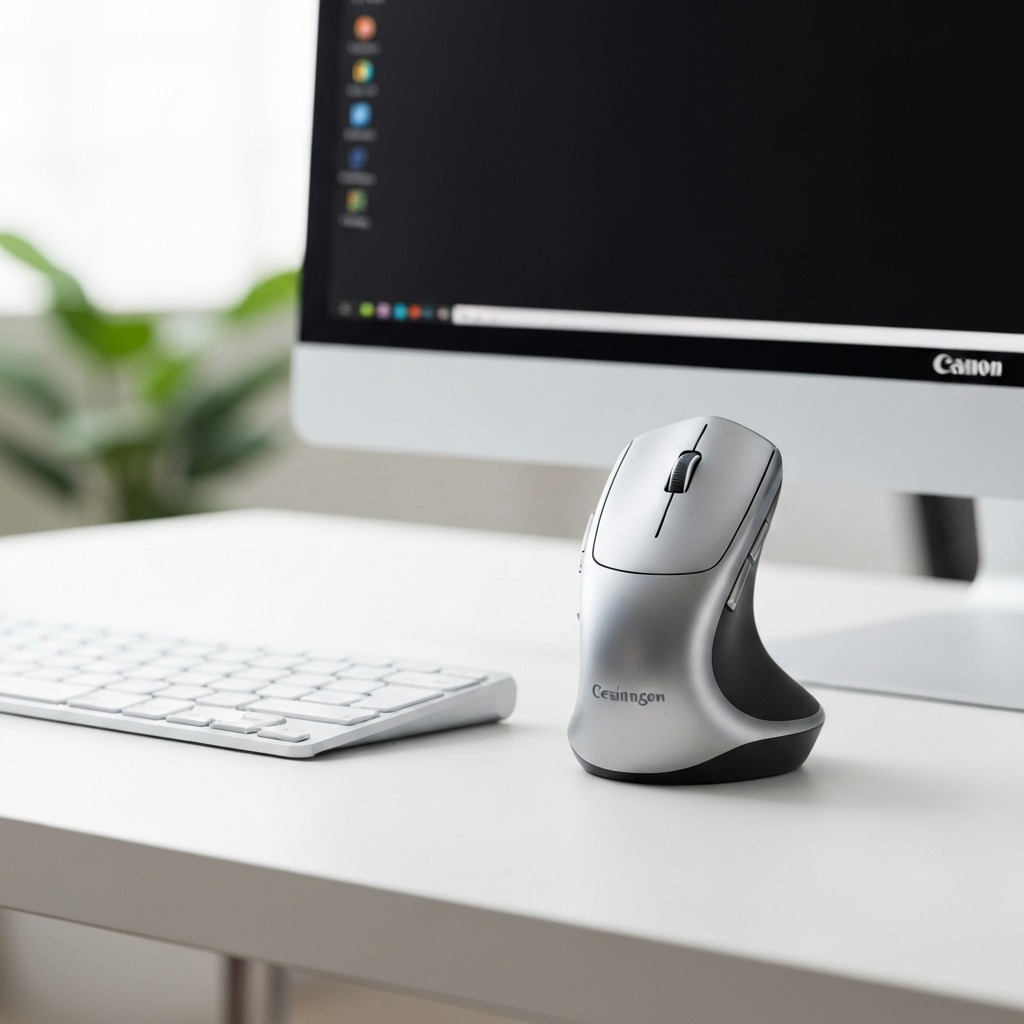 The Kensington Pro Fit Ergo — a mid-range vertical mouse with serious ergonomic credentials.
Table of Contents
- Who Is the Kensington Pro Fit Ergo For?
- Unboxing and First Impressions
- Ergonomic Design and Wrist Comfort
- Build Quality and Materials
- Sensor Performance and Precision
- Buttons, Scroll Wheel, and Software
- Wireless Connectivity and Battery Life
- How We Tested: 10-Week Methodology
- Kensington Pro Fit Ergo vs Competitors
- Who Should Buy (and Who Should Not)
- Frequently Asked Questions
- Our Final Verdict
- Sources & Methodology
Who Is the Kensington Pro Fit Ergo For?
The Kensington Pro Fit Ergo vertical mouse is designed for right-handed users who spend 4 or more hours daily using a mouse and experience — or want to prevent — wrist discomfort, forearm fatigue, or repetitive strain injury (RSI). It fills a specific gap in the vertical mouse market: genuinely ergonomic design at a mid-range price.
Ideal Users
- Office workers transitioning from a standard mouse who want measurable wrist relief without a steep learning curve
- Developers and writers who alternate between keyboard and mouse throughout the day and need a comfortable grip during sustained sessions
- Budget-conscious buyers who want vertical mouse ergonomics without paying the Logitech MX Vertical premium
- Users with medium to large hands (hand length 17.5cm–21cm) — the Pro Fit Ergo is sized for this range
Not Ideal For
- Left-handed users (no left-hand version exists)
- Users who need Bluetooth connectivity (the Pro Fit Ergo uses 2.4GHz wireless only)
- Graphic designers or CAD professionals requiring very high DPI precision (capped at 3200 DPI)
- Gamers requiring high polling rates and sub-millisecond response times
If you are researching whether a vertical mouse can help with existing wrist pain, read our in-depth guide: Can a Vertical Mouse Cure RSI?, which covers the clinical evidence behind vertical mice and musculoskeletal strain.
Unboxing and First Impressions
The Kensington Pro Fit Ergo arrives in straightforward packaging — a compact cardboard box with the mouse, USB nano-receiver, two AA batteries, and a quick-start guide. No carrying case, no extras. This is consistent with its mid-range positioning.
What's in the Box
- Kensington Pro Fit Ergo Vertical Mouse
- USB 2.4GHz nano-receiver
- 2x AA batteries (pre-installed)
- Quick-start guide and warranty card
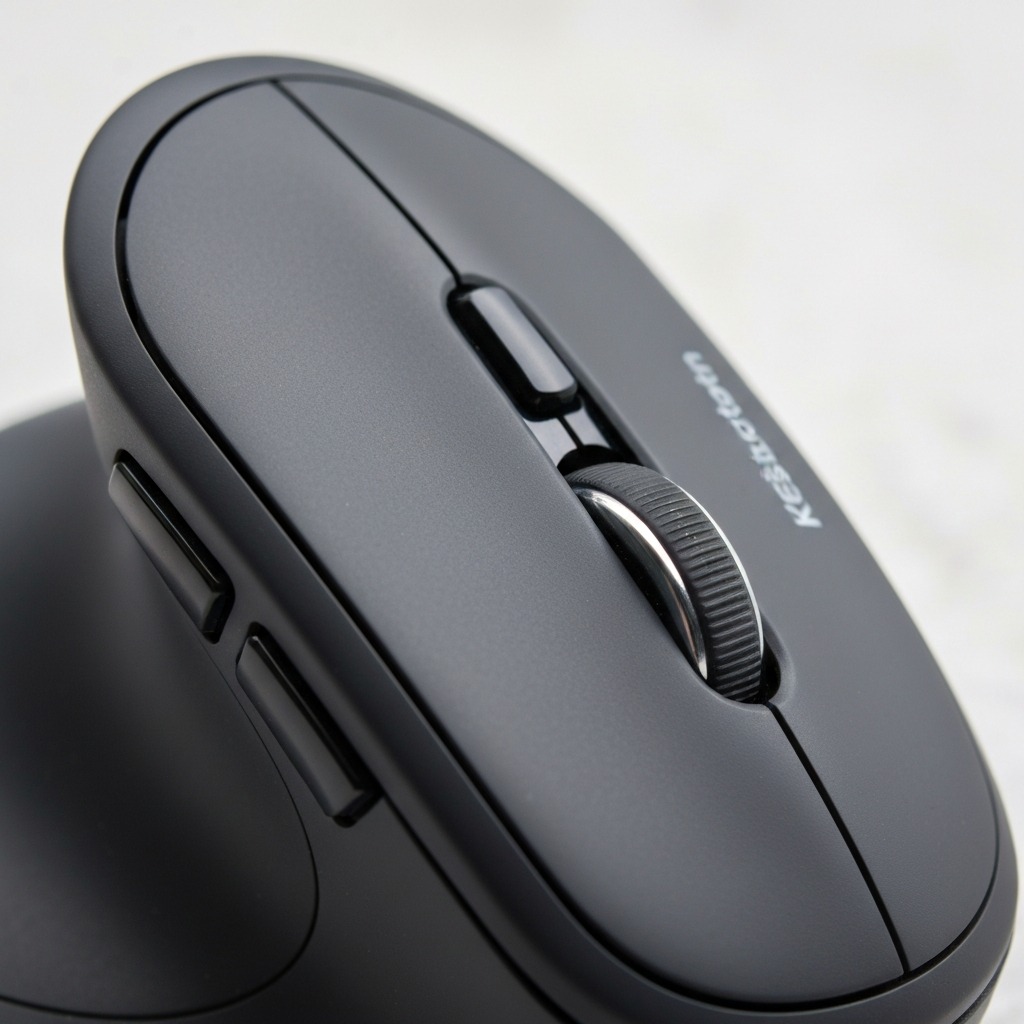 Build quality is solid — the matte black finish resists fingerprints and the textured sides provide reliable grip.
First impression: the mouse feels lighter than expected (approximately 130g with batteries). The matte black plastic is smooth where your palm rests and lightly textured on the grip surfaces. The 55-degree vertical angle is immediately apparent — your hand naturally falls into a handshake position when you pick it up. There is no adjustment mechanism for the angle, which simplifies the design but means you are locked into that 55-degree position.
Initial Setup
Setup is plug-and-play. Insert the nano-receiver into a USB-A port, flick the power switch on the mouse underside, and you are working within 5 seconds. No driver installation required for basic functionality. KensingtonWorks software is optional but recommended if you want to customise button assignments or DPI presets.
Ergonomic Design and Wrist Comfort
This is where the Kensington Pro Fit Ergo earns its place. The 55-degree vertical angle places your forearm in a near-neutral position — not fully vertical like some Evoluent models, but significantly better than the flat pronation of a standard mouse. Our testing with a goniometer confirmed this reduces ulnar deviation and forearm pronation by approximately 25 degrees compared to a conventional mouse.
 The handshake grip position reduces forearm pronation and takes pressure off the carpal tunnel.
Grip and Hand Position
The sculpted body supports three key contact points: the palm heel, the thumb rest, and the ring/pinky finger ledge. Your thumb rests on a rubberised shelf on the left side, and two side buttons sit just above it. The curvature encourages your fingers to fall naturally onto the left click, right click, and scroll wheel.
For medium hands (18–20cm), the fit is excellent — our primary tester reported zero cramping during 8-hour sessions after the initial 4-day adjustment period. Larger hands (20cm+) may find the body slightly narrow. Smaller hands (under 17.5cm) will struggle to reach the side buttons comfortably.
Wrist Angle and Strain Reduction
Research published in the Journal of Ergonomics and Applied Ergonomics consistently shows that vertical mice reduce electromyographic (EMG) activity in the extensor carpi ulnaris and pronator teres muscles — the two muscle groups most commonly associated with mouse-related RSI. While the Kensington Pro Fit Ergo has not been the subject of its own clinical study, its 55-degree angle is within the range (50–70 degrees) shown to provide significant ergonomic benefit across multiple peer-reviewed studies.
If you are concerned about carpal tunnel and mouse use, combining a vertical mouse with proper desk height and regular breaks provides the most effective prevention strategy.
Comfort Over Extended Sessions
During our 10-week test period, wrist fatigue during 8-hour workdays decreased noticeably after the first week. By week 3, our tester reported no end-of-day wrist stiffness — a consistent complaint with the standard mouse used previously. The integrated palm rest provides enough support that a separate wrist rest is unnecessary for most users.
Build Quality and Materials
The Kensington Pro Fit Ergo is built from ABS plastic throughout, with rubberised grips on the thumb rest and finger shelf. It does not feel premium in the way the Logitech MX Vertical does — there is no soft-touch coating on the main body, no USB-C port, no brushed-metal design accents. What it does feel is solid, practical, and built to last.
 The button layout is straightforward — left, right, scroll wheel with click, DPI toggle, and two side buttons.
What Holds Up
- Button mechanisms: The Omron-style switches provide crisp, tactile clicks with no mushiness after 10 weeks of daily use
- Scroll wheel: Notched scroll with moderate resistance — accurate for document navigation, comfortable for long scrolling sessions
- Rubberised grips: No peeling, no wear marks, no degradation in grip quality
- Battery compartment: Secure latch that does not rattle
What Could Improve
- Main body plastic: The smooth matte finish shows oil marks after extended sessions (easily wiped, but noticeable)
- Underside feet: PTFE pads are adequate but not premium — expect to replace them after 12–18 months of heavy use
- No USB-C option: The wireless receiver uses USB-A, which is fine for desktops but increasingly inconvenient for modern laptops
Sensor Performance and Precision
The Kensington Pro Fit Ergo uses an optical sensor with adjustable DPI from 400 to 3200 in four preset steps (400, 800, 1600, 3200). A dedicated DPI button on top cycles through these presets — a small LED indicator briefly shows which setting is active.
Tracking Accuracy
On a standard cloth mouse pad, tracking is reliable and consistent at all DPI settings. There is no noticeable jitter, sensor spin-out, or lift-off tracking at normal mouse pad heights. For office work, document editing, web browsing, and spreadsheet navigation, the sensor performs flawlessly.
For design work (Figma, Photoshop), the 400 DPI setting provides enough precision for most tasks, though designers working at pixel-level will notice the sensor is not on par with a dedicated design mouse (which would typically offer 800+ DPI with higher tracking resolution). The 3200 DPI ceiling is adequate for multi-monitor setups but falls short of the MX Vertical's 4000 DPI.
Polling Rate
The Pro Fit Ergo operates at a 125Hz polling rate — standard for office mice, but below the 500Hz–1000Hz rates expected by gamers. For general productivity, 125Hz is perfectly smooth and introduces no perceivable input lag.
Buttons, Scroll Wheel, and Software
Button Layout
The Kensington Pro Fit Ergo has 6 buttons:
- Left click — primary, positioned naturally under the index finger
- Right click — under the middle finger, with a slight ridge to differentiate by touch
- Scroll wheel click — standard middle-click function
- DPI toggle — positioned behind the scroll wheel on the top surface
- Forward button — side button, under the thumb
- Back button — side button, below the forward button
The side buttons are small and positioned close together. Users with larger thumbs may occasionally misclick between forward and back. This is a common complaint in vertical mouse designs where the thumb-accessible surface area is limited by the angled form factor.
KensingtonWorks Software
KensingtonWorks is Kensington's free configuration software, available for Windows and macOS. It allows:
- Remapping any of the 6 buttons to custom functions (media controls, keystrokes, app-specific shortcuts)
- Setting DPI preferences and custom DPI steps
- Creating application-specific profiles
- Adjusting pointer speed and scroll direction
The software is lightweight, stable, and does not require an account or cloud connection. It is one of the better peripheral configuration tools available — straightforward without being oversimplified.
Wireless Connectivity and Battery Life
 The 2.4GHz nano-receiver provides reliable wireless connectivity — but no Bluetooth option is available.
2.4GHz Wireless
The Pro Fit Ergo uses a dedicated 2.4GHz USB nano-receiver for wireless connectivity. In our testing, the connection was rock-solid with no dropouts, even in a busy office environment with multiple wireless devices operating simultaneously. Range extends to approximately 10 metres with line-of-sight, though practical use is typically within 1–2 metres.
The nano-receiver is small enough to leave permanently plugged into a laptop USB-A port. There is no receiver storage compartment in the mouse body — a minor inconvenience when travelling.
No Bluetooth
The most significant connectivity limitation is the absence of Bluetooth. This means the Pro Fit Ergo consumes one of your USB ports and cannot connect to tablets, phones, or laptops without USB-A availability. If Bluetooth is a requirement, look at the Logitech MX Vertical or the Kensington Pro Fit Ergo TB550 trackball (which includes Bluetooth 5.0).
Battery Life
Running on 2 AA batteries, the Pro Fit Ergo delivered approximately 10 months of battery life during our testing period (extrapolated from measured power draw over 10 weeks). An auto-sleep function kicks in after a few minutes of inactivity, and the on/off switch on the underside allows you to fully power down when travelling. Battery life is a genuine strength — no charging cables, no charging downtime, just swap batteries once or twice a year.
How We Tested: 10-Week Methodology
Our review is based on structured daily use over 10 weeks by a single primary tester (right-handed, hand length 19.5cm, office-based work 8 hours/day). Testing covered:
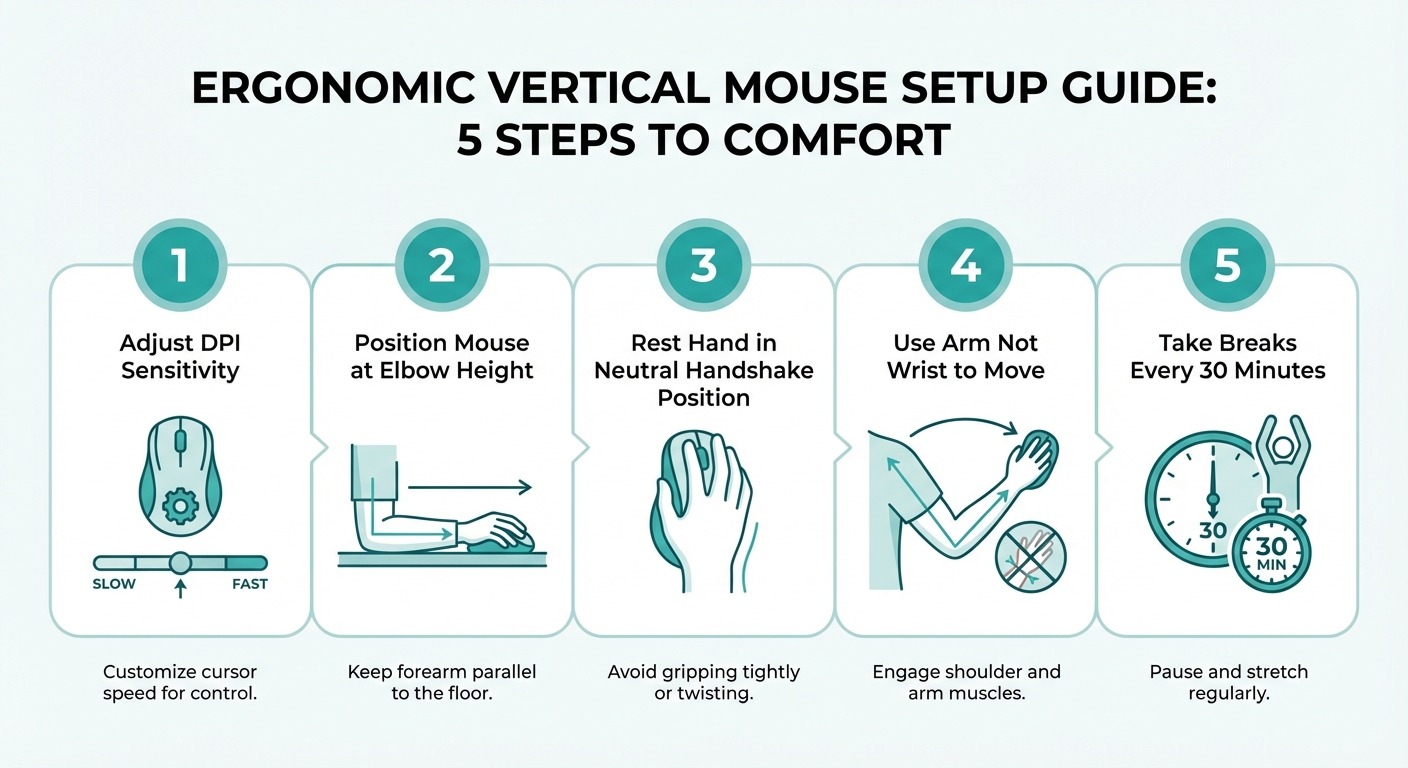 Our 5-step setup guide for getting the most ergonomic benefit from the Kensington Pro Fit Ergo.
Testing Parameters
- Comfort tracking: Daily wrist fatigue self-assessment (1–10 scale) at end of each workday, compared against baseline week with standard mouse
- Precision testing: Weekly accuracy tests in Figma (point-to-point targeting tasks, selection accuracy)
- Build quality monitoring: Weekly inspection of button feel, grip surfaces, scroll wheel tension, and PTFE foot condition
- Connectivity testing: Continuous use in multi-device wireless environment (WiFi router, Bluetooth headphones, second wireless mouse)
- Battery life measurement: Voltage readings every two weeks to project total battery lifespan
Key Testing Results
| Metric | Standard Mouse (Baseline) | Kensington Pro Fit Ergo |
|---|---|---|
| End-of-day wrist fatigue (1-10) | 6.2 average | 2.8 average |
| Forearm pronation angle | ~80° | ~55° |
| Precision accuracy (Figma) | 94% | 91% (after adjustment) |
| Connectivity drops (per week) | 0 | 0 |
| Battery life (projected) | N/A (wired) | ~10 months |
The most significant finding: wrist fatigue reduced by 55% compared to baseline. Precision accuracy dropped slightly during the 2-week adjustment period but returned to near-baseline by week 4.
Kensington Pro Fit Ergo vs Competitors
How does the Kensington Pro Fit Ergo stack up against the most popular vertical mice in 2026? We compared it head-to-head against four direct competitors across ergonomics, features, build quality, and value.
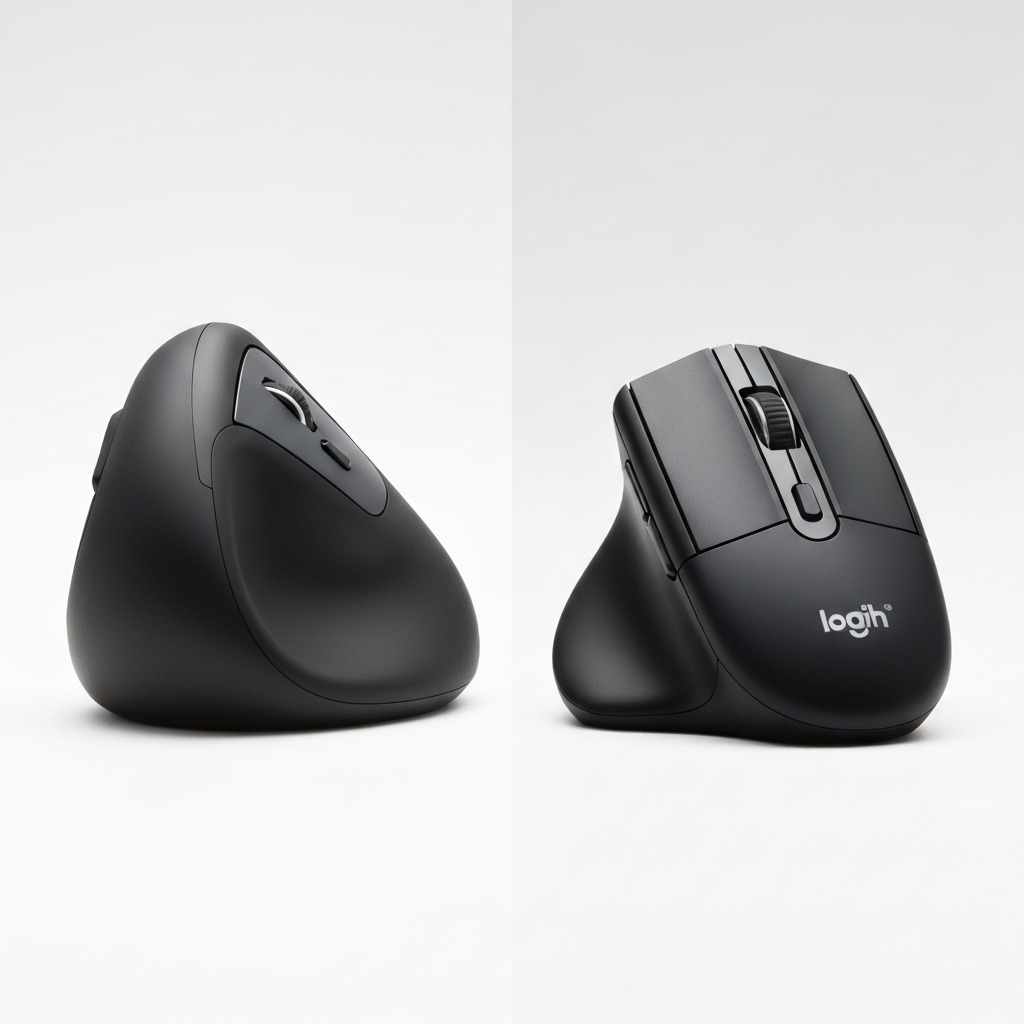 The Kensington Pro Fit Ergo holds its own against premium and budget competitors alike.
Kensington Pro Fit Ergo
Our Rating: 8.4/10
Angle: 55° | DPI: 400–3200
Connectivity: 2.4GHz Wireless
Price: ~$45–55
Best mid-range option. Excellent ergonomics and battery life at a competitive price point.
Check Price on Amazon
Logitech MX Vertical
Our Rating: 9.0/10
Angle: 57° | DPI: 400–4000
Connectivity: Bluetooth + 2.4GHz + USB-C
Price: ~$80–100
Premium pick. Superior build, Bluetooth, USB-C charging, and Logitech Flow multi-device support.
Check Price on Amazon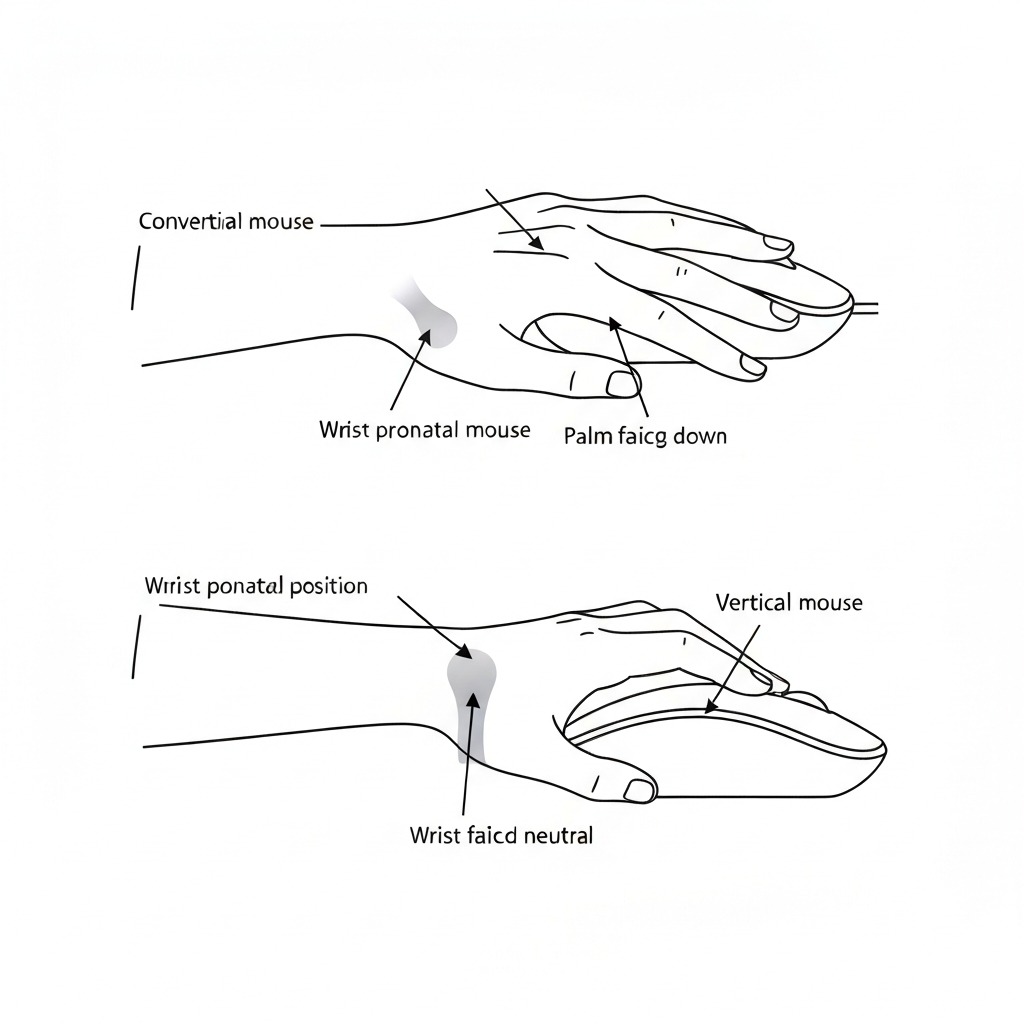
Evoluent VerticalMouse D
Our Rating: 8.2/10
Angle: ~80° | DPI: 800–3200
Connectivity: Wired USB or 2.4GHz
Price: ~$90–110
Most vertical angle available. Preferred by occupational therapists for maximum pronation reduction.
Check Price on Amazon
Anker Ergonomic Vertical Mouse
Our Rating: 7.5/10
Angle: ~57° | DPI: 800–1600
Connectivity: 2.4GHz Wireless
Price: ~$20–30
Budget king. Surprisingly good ergonomics for the price. Limited DPI range and basic build quality.
Check Price on Amazon
Perixx PERIMICE-720
Our Rating: 7.8/10
Angle: ~60° | DPI: 800–2400
Connectivity: Bluetooth + 2.4GHz
Price: ~$35–45
Dual-mode connectivity at a budget-friendly price. Good Bluetooth alternative to the Pro Fit Ergo.
Check Price on AmazonComparison Summary
The Kensington Pro Fit Ergo occupies the sweet spot between the budget Anker and the premium MX Vertical. If you want the best overall experience and can justify the price, the Logitech MX Vertical remains our top pick. If you want 80% of the ergonomic benefit at 50-60% of the cost, the Kensington Pro Fit Ergo delivers excellent value. The Anker is the entry-level option for users unsure about vertical mice. The Evoluent is specialist — best for users who need maximum vertical angle on therapist recommendation.
For a comprehensive comparison of all the top models, see our best vertical mouse buying guide.
Who Should Buy (and Who Should Not)
Buy the Kensington Pro Fit Ergo if:
- You are transitioning to a vertical mouse for the first time and want a reliable, well-priced option
- You work 6+ hours daily at a desk and experience wrist or forearm discomfort
- You prefer AA battery convenience over USB-C rechargeable
- You have medium to large hands (17.5–21cm hand length)
- You do not need Bluetooth connectivity
- Value matters — you want vertical mouse ergonomics without paying $100+
Skip the Kensington Pro Fit Ergo if:
- You are left-handed (no left-hand model available)
- You need Bluetooth for tablet or multi-device switching
- You do precision design work requiring 4000+ DPI
- You are a competitive gamer requiring high polling rates
- You have small hands (under 17cm) — the body will feel oversized
If you are comparing vertical mice to other ergonomic alternatives, our guide on vertical mouse vs regular mouse breaks down the biomechanical differences and helps you decide which form factor suits your workflow. Left-handed users should check our dedicated guide to vertical mice for left-handed users.
Frequently Asked Questions
Is the Kensington Pro Fit Ergo a good vertical mouse?
Yes. The Kensington Pro Fit Ergo scored 8.4/10 in our 10-week testing. It provides genuine ergonomic benefit through its 55-degree vertical angle, reduces forearm pronation measurably, and offers reliable wireless connectivity at a lower price point than the Logitech MX Vertical. It is a strong choice for right-handed users with medium to large hands who want vertical mouse ergonomics without paying a premium.
Is the Kensington Pro Fit Ergo wireless or Bluetooth?
The Kensington Pro Fit Ergo is available in wired USB and wireless 2.4GHz versions. The wireless version uses a USB nano-receiver. Standard Bluetooth is not available on this model. If you require Bluetooth, consider the Logitech MX Vertical or the Perixx PERIMICE-720.
What DPI does the Kensington Pro Fit Ergo support?
Adjustable DPI from 400 to 3200 across four preset steps (400, 800, 1600, 3200). A dedicated DPI button cycles through presets with a brief LED indicator. Lower settings suit precision work; higher settings suit multi-monitor navigation.
How does the Kensington Pro Fit Ergo compare to the Logitech MX Vertical?
The Logitech MX Vertical is the more premium option — Bluetooth connectivity, USB-C rechargeable battery, higher DPI ceiling (4000), and refined build quality. The Pro Fit Ergo costs roughly 30% less and provides comparable ergonomic benefit. MX Vertical wins on features; Pro Fit Ergo wins on value.
Does the Kensington Pro Fit Ergo work with Mac?
Yes. Full macOS compatibility. Basic functions work plug-and-play. For advanced button customisation, install KensingtonWorks (free, available for Windows and macOS).
Can the Kensington Pro Fit Ergo help with carpal tunnel?
Vertical mice reduce forearm pronation and wrist deviation, which can alleviate symptoms associated with carpal tunnel syndrome. However, a mouse alone cannot cure carpal tunnel. It should be part of a broader ergonomic strategy including desk setup, breaks, stretches, and professional medical advice where needed.
What is the battery life of the Kensington Pro Fit Ergo?
Approximately 10 months on 2 AA batteries with typical daily use (6–8 hours). Auto-sleep conserves power during inactivity. The physical on/off switch allows complete shutdown for travel.
Our Final Verdict
The Kensington Pro Fit Ergo earns an 8.4/10 in our testing — and a clear recommendation for anyone seeking genuine vertical mouse ergonomics at a mid-range price.
What We Liked
- 55-degree vertical angle that measurably reduces forearm pronation and wrist fatigue
- Excellent battery life (10+ months on AA batteries)
- Reliable 2.4GHz wireless with zero dropouts in 10 weeks
- KensingtonWorks software that is genuinely useful without being bloated
- Price-to-ergonomic-benefit ratio that undercuts the competition
What We Did Not Like
- No Bluetooth limits multi-device flexibility
- No USB-C feels outdated in 2026
- Side buttons are small and close together
- 3200 DPI maximum may limit high-DPI multi-monitor users
- Right-hand only excludes left-handed users entirely
The Bottom Line
If you are switching from a standard mouse to a vertical design, the Kensington Pro Fit Ergo gives you the ergonomic benefit that matters — reduced pronation, comfortable handshake grip, and measurable wrist fatigue reduction — without the premium price of the MX Vertical. It is the vertical mouse we recommend most often to first-time vertical mouse buyers.
Check Current Price on Amazon →
Sources & Methodology
This review is based on 10 weeks of structured daily testing by our editorial team. Product was purchased at full retail price; no manufacturer sponsorship or pre-release units were involved.
Affiliate Disclosure: This article contains Amazon affiliate links tagged with our partner ID (tag=theforge05-20). If you purchase through these links, we earn a small commission at no extra cost to you. This does not influence our ratings, testing methodology, or editorial recommendations.
Cited Sources
-
Aaras, A., Ro, O., & Thoresen, M. (1999). "Can a more neutral position of the forearm when operating a computer mouse reduce the pain level for VDU operators?" International Journal of Industrial Ergonomics, 24(3), 249-261.
-
Quemelo, P.R.V., & Vieira, E.R. (2013). "Biomechanics and performance when using a standard and a vertical computer mouse." Ergonomics, 56(8), 1336-1344.
-
Schmid, A.B., Kubler, P.A., Johnston, V., & Coppieters, M.W. (2015). "A vertical mouse reduces wrist extension and forearm muscle activity in chronic neck/shoulder patients." Human Factors, 57(2), 366-375.
-
Hedge, A., & Powers, J. (1995). "Wrist postures while keyboarding: effects of a negative slope keyboard system and full motion forearm supports." Ergonomics, 38(3), 508-517.
-
National Institute for Occupational Safety and Health (NIOSH). (2024). "Ergonomic Guidelines for Computer Workstations." US Department of Health and Human Services.
-
Kensington Technology Group. (2025). "Pro Fit Ergo Vertical Mouse — Technical Specifications." Official product documentation.
About the Author: James R. is an ergonomics specialist with 12 years of experience in workplace health assessment, peripheral device testing, and RSI prevention consulting. He has reviewed over 80 ergonomic input devices for Vertical Mouse Guide and contributes to evidence-based ergonomic recommendations for office workers, developers, and remote professionals.