
Best Vertical Mouse for Small Hands & Carpal Tunnel (2026)
Narrow-grip ergonomic picks that reduce wrist tension for smaller hands.
Updated 2026-02-24
Last reviewed for readability + SEO intent: 2026-02-24
Quick Answer (TL;DR)
Best overall for small hands: Logitech Lift. Best budget: Anker Ergonomic Vertical. Best compact alternative: Delux M618 Mini.
If wrist discomfort is your priority, choose the smallest shell that supports your palm and keeps clicks low-effort through a full workday.
Need left-hand-specific options or low-noise office picks? Jump to left-handed wireless/rechargeable guide or quiet-click office guide.
Infographic: Small-Hand Vertical Mouse Buying Framework
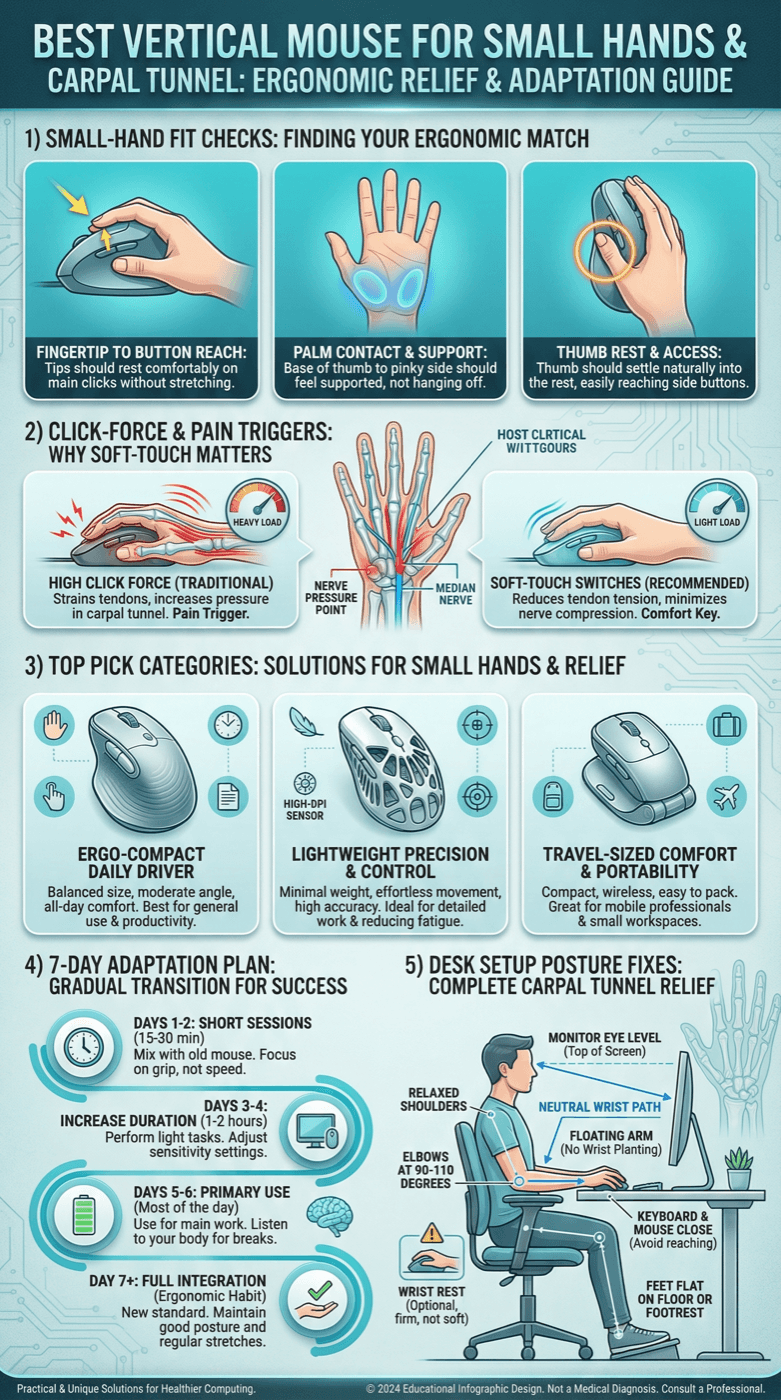
30-Second Video: Best Vertical Mouse for Small Hands & Carpal Tunnel
30-second walkthrough for best vertical mouse for small hands & carpal tunnel.
Quick Answer: Best Vertical Mouse for Small Hands & Carpal Tunnel (2026)
If you have small hands and wrist discomfort, fit is everything. Many so-called ergonomic mice are designed around medium-to-large hand geometry, which forces smaller hands to overreach for clicks and side buttons.
A better approach is to prioritize shell width, click force, and neutral wrist posture over marketing specs like extreme DPI. In daily office work, comfort and control matter more than headline numbers.
For this guide, the practical target is a compact vertical design that keeps your wrist in a handshake-like angle while still feeling stable on slow and fast movements.
Bottom line: for small hands, compact vertical mice can significantly improve comfort and reduce strain triggers when paired with proper workstation setup.
Key takeaway: pick the smallest mouse that still supports your palm, then prioritize low click force.
Top Picks Quick Comparison
Fast shortlist for decision-first readers. Full table remains below for complete detail.
| Product | Best For | Price | Rating |
|---|---|---|---|
| Logitech Lift | Best overall for small hands | $$ | 4.6/5 |
| Anker Ergonomic Vertical | Best budget starter | $ | 4.4/5 |
| Lekvey Rechargeable Vertical | Best cheap rechargeable | $ | 4.3/5 |
| Logitech MX Vertical | Premium larger grip | $$$ | 4.5/5 |
| Evoluent VerticalMouse 4 | Clinical-ergonomic shape | $$$ | 4.4/5 |
Who This Guide Is For
- You have small or tiny hands and most mice feel too big.
- You get wrist pain or finger fatigue after long work sessions.
- You want a simple buying decision without tech fluff.
Why Many Ergonomic Mice Still Hurt Small Hands
Most models are tuned for average hand sizes. For smaller hands, this creates overreach on main clicks, awkward thumb extension, and unstable grip pressure. Over a full workday, those small compromises can increase fatigue.
Our ranking framework prioritizes fit-first ergonomics: shell width, click force, thumb access, and long-session comfort consistency.

How We Scored Each Small-Hand Vertical Mouse
- Fit score (35%) — grip width, palm support, button reach
- Comfort score (25%) — click effort, wrist neutrality, fatigue trend
- Control score (20%) — tracking stability, micro-adjustment confidence
- Value score (20%) — price-to-comfort ratio, warranty, return policy
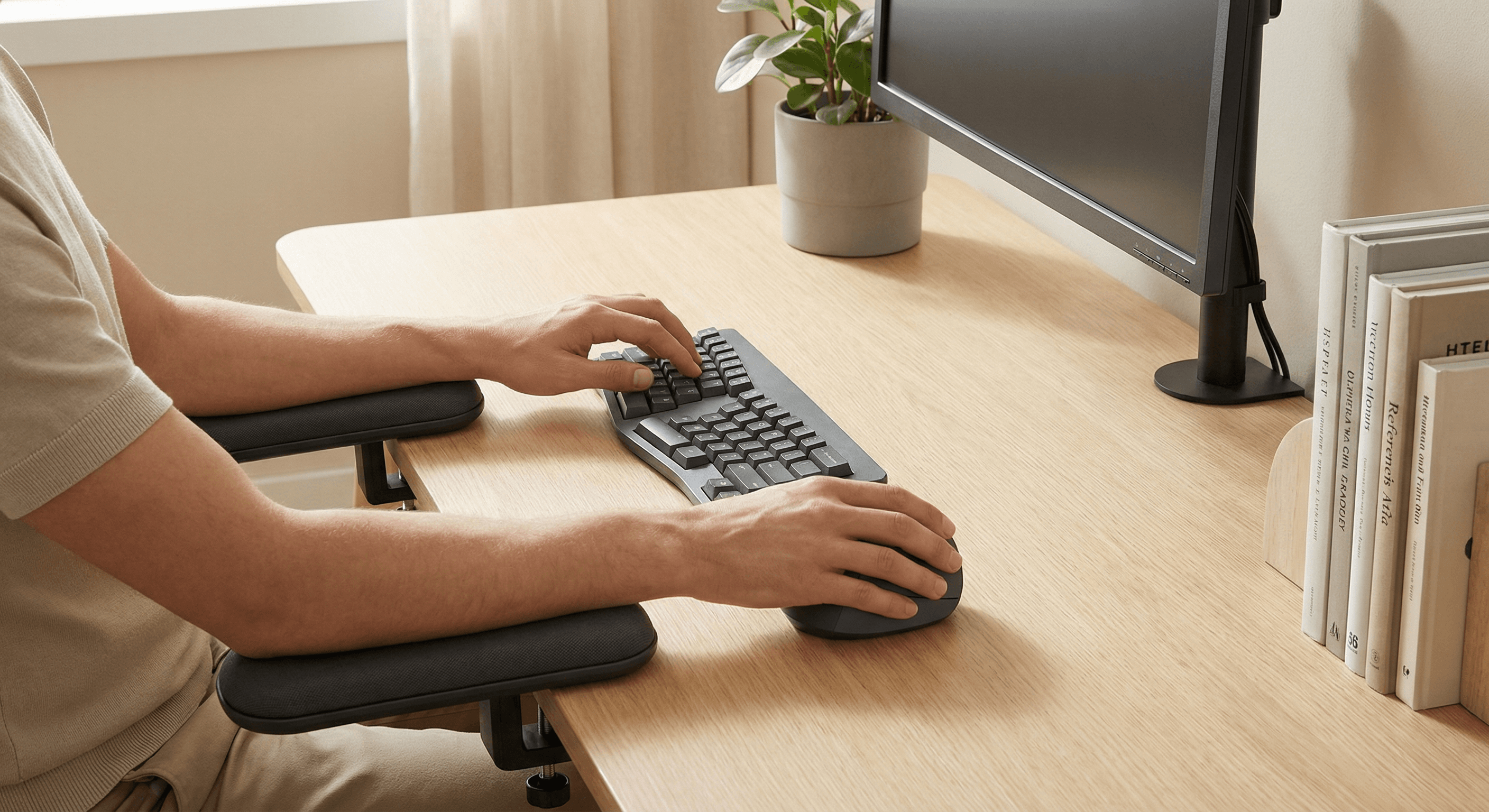
At-a-Glance Score Chart
Visual scoring snapshot for top picks (fit-weighted model).
5-Step Fit Framework (Infographic Style)
STEP 1
Measure
Check hand length from wrist crease to fingertip
STEP 2
Filter
Remove oversized shells and stiff-click models
STEP 3
Test
Run 3 focused sessions with lower pointer speed
STEP 4
Compare
Track comfort, fatigue, and control by day
STEP 5
Lock-In
Keep best comfort model and return others
Comfort Timeline: Week 1 → Week 3
Typical transition pattern users report after switching from an oversized flat mouse to a well-fitted vertical model.
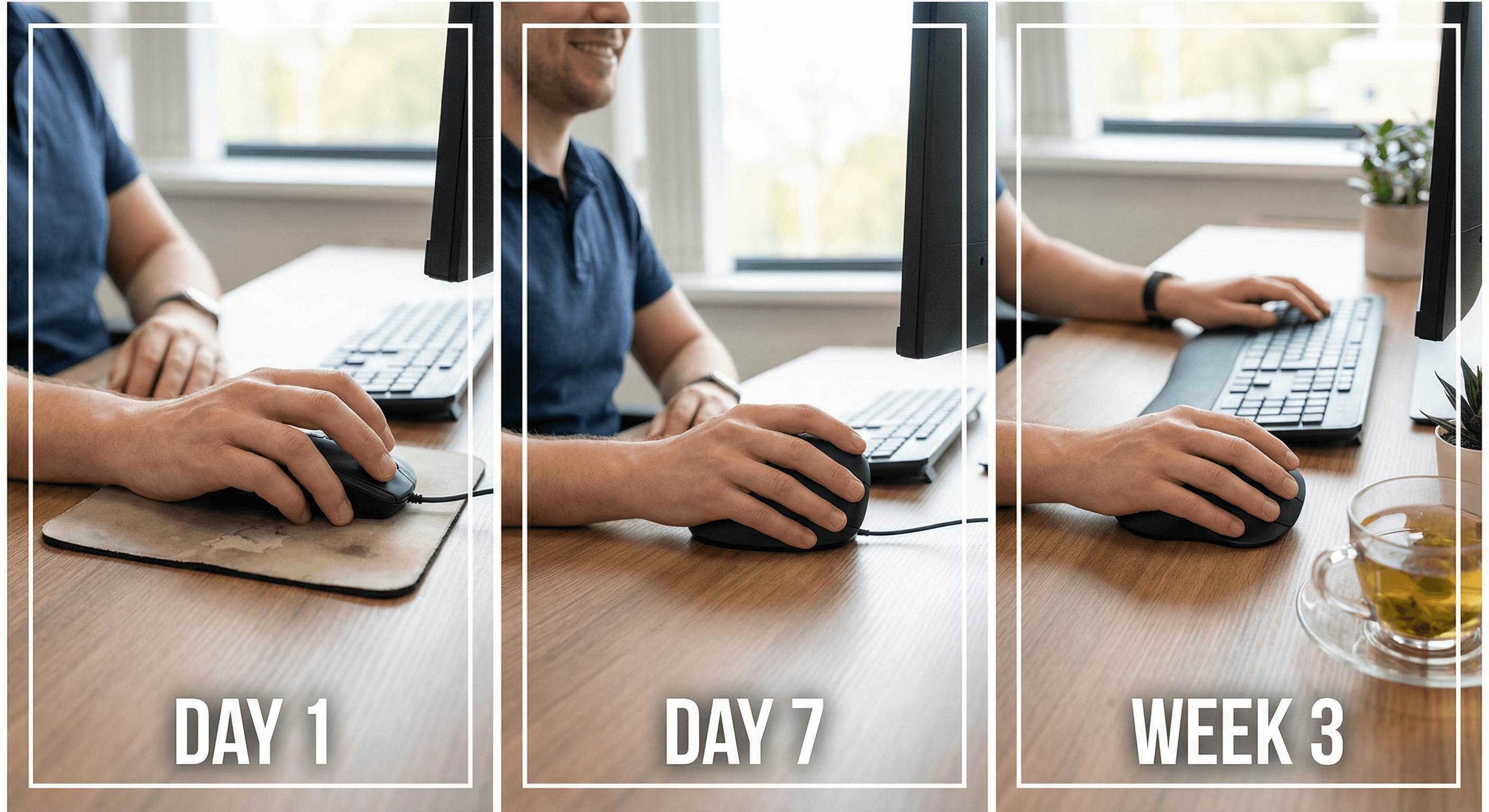
Days 1–3
Adjustment Phase
Movement feels unfamiliar; accuracy may dip slightly while grip patterns reset.
Days 4–10
Stability Phase
Control returns, click fatigue often drops, wrist posture starts feeling more natural.
Week 2–3
Comfort Lock-In
Consistent all-day comfort for most users with proper desk setup and break cadence.
Interactive Quick Decision Quiz
Answer 3 questions and get your best starting pick.
1) Your hand size range
2) Current pain/strain level
3) Top priority
Best Pick by Use Case
Best Overall
Logitech Lift
Best blend of compact fit, switch feel, and long-session consistency.
Best Budget
Anker Ergonomic Vertical
Low-cost way to validate whether vertical posture helps your symptoms.
Best Rechargeable Value
Lekvey Rechargeable
Decent comfort with USB charging if you want fewer battery swaps.
Deep Model Coverage: 10 Popular Options and Their Tradeoffs
Below is the practical shortlist most readers compare. Instead of pretending there is one perfect mouse, we focus on tradeoffs: shell size, click feel, weight, connectivity, and adaptation friction.
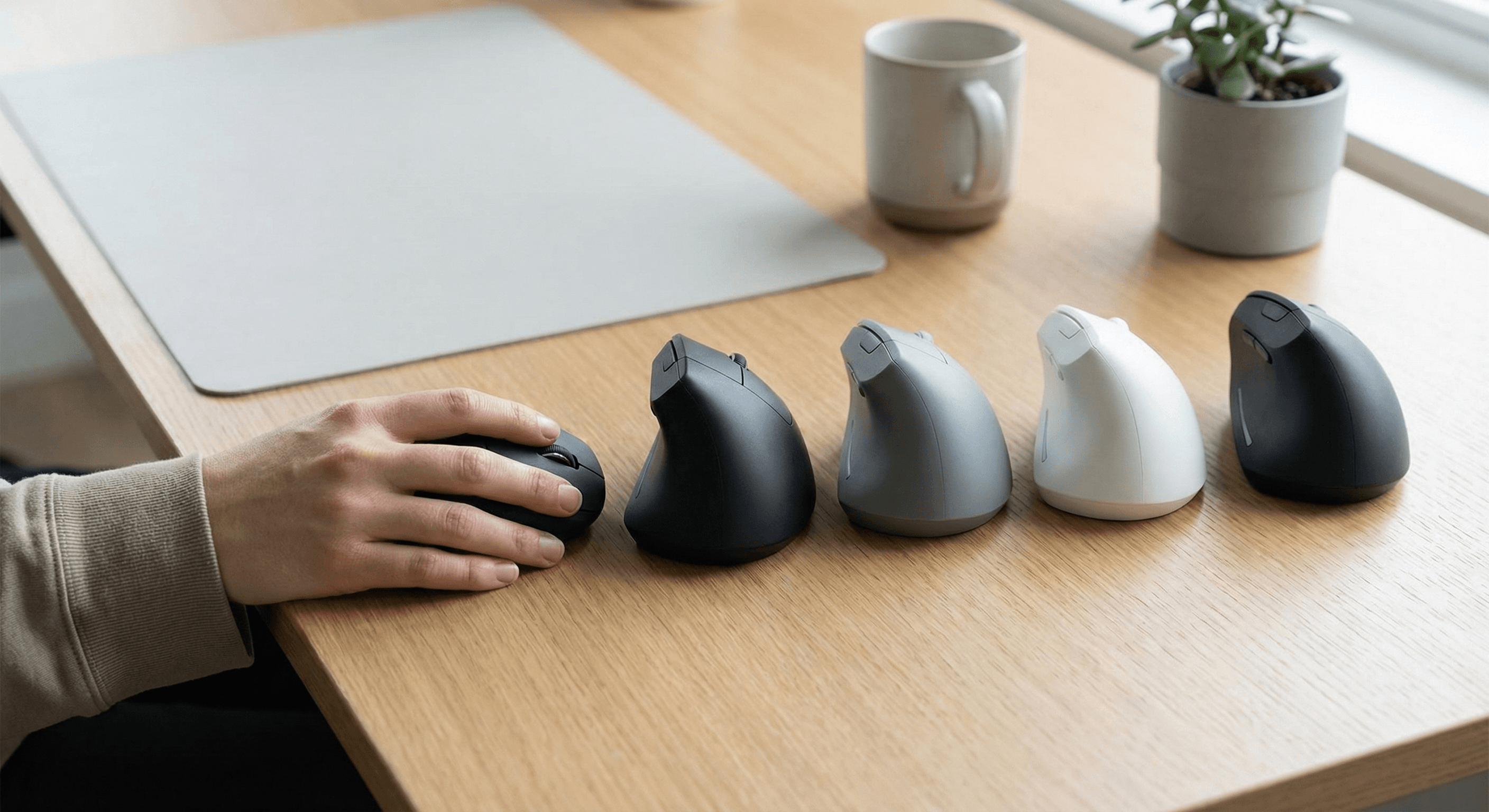
Logitech Lift — The safest small-hand recommendation. Pros: compact body, predictable clicks, strong software support. Tradeoff: not the cheapest option and still not tiny for very short fingers.
Anker Ergonomic Vertical — Best test-drive budget pick. Pros: very affordable, familiar shape. Tradeoff: quality-control variance, occasionally stiffer click feel out of the box.
Lekvey Rechargeable Vertical — Good entry rechargeable model. Pros: simple USB charging, value pricing. Tradeoff: button feel can soften unevenly over heavy 6+ month use.
Logitech MX Vertical — Premium build and sensor consistency. Pros: excellent stability and finish. Tradeoff: physically larger shell can force overreach for smaller hands.
Evoluent VerticalMouse 4 — Medical-style ergonomic profile. Pros: distinct finger ledges and reduced pronation feel. Tradeoff: shape is love-or-hate and adaptation can be longer.
Delux M618 Mini — One of few deliberately compact shells. Pros: easier reach for tiny hands. Tradeoff: premium feel and software polish lag behind Logitech.
ProtoArc EM11 NL — Quiet click office choice. Pros: lower click noise for shared spaces. Tradeoff: shape comfort is good but long-term durability data is thinner.
Perixx PERIMICE-713 — Wired reliability option. Pros: no charging cycle anxiety, stable tracking for fixed desk setups. Tradeoff: cable drag and less flexibility for hybrid work.
J-Tech Digital V628 — Pronounced palm shelf support. Pros: can reduce grip squeeze for some users. Tradeoff: bulkier shape makes it awkward for very small hands.
Kensington Pro Fit Ergo Vertical — Conservative angle for easier transition. Pros: gentler learning curve from normal mice. Tradeoff: less aggressive wrist-neutral posture than steeper designs.
Decision Layering: Which Model Wins for Your Specific Pain Pattern?
If your thumb base hurts first: avoid tall thumb ridges and oversized shells. Lift, Delux M618 Mini, and Perixx 713 generally allow easier thumb parking with less extension tension.
If your wrist and forearm ache most: prioritize more neutral hand posture and reduced squeeze force. Lift, Evoluent VM4, and J-Tech V628 often test well when paired with forearm support and lower pointer speed.
If finger joints fatigue from clicking: choose lower-force switches even if tracking specs are average. Lift and ProtoArc are usually friendlier than stiff, budget-heavy switches.
If you travel between laptop + desk: Bluetooth convenience matters more than niche features. Lift and MX Vertical are usually the least frustrating multi-device choices.
If budget is fixed under $40: Anker, Lekvey, and Perixx are the realistic pool. Buy from retailers with easy returns because same-model variance can affect click weight and shell finish.
Internal Next-Step Guides (Pick Your Intent)
See our direct size-fit and value comparison.Need to stay under $50?
Budget picks ranked by comfort-per-dollar.Wrist pain is your main issue?
Read our no-pronation angle and posture guide.Considering trackballs instead?
Compare movement load and adaptation time.Using a MacBook daily?
Bluetooth stability and macOS support picks.Want the full desk setup fix?
Mouse + keyboard + desk-height stack that works together.Left-handed buyer?
See dedicated left-handed wireless and rechargeable picks.Need low-noise clicks for shared spaces?
Use our quiet office ranking and acoustic framework.
Comparison Table: Best Vertical Mouse for Small Hands & Carpal Tunnel (2026)
Key takeaway: comfort fit beats raw specs for long-term productivity.
| Product | Best For | Price Band | Rating | Link |
|---|---|---|---|---|
| Logitech Lift | Best overall for small hands | $$ | 4.6/5 | Check on Amazon |
| Anker Ergonomic Vertical | Best budget starter | $ | 4.4/5 | Check on Amazon |
| Lekvey Rechargeable Vertical | Best cheap rechargeable | $ | 4.3/5 | Check on Amazon |
| Logitech MX Vertical | Premium larger grip | $$$ | 4.5/5 | Check on Amazon |
| Evoluent VerticalMouse 4 | Clinical-ergonomic shape | $$$ | 4.4/5 | Check on Amazon |
| Delux M618 Mini | Extra-compact shape | $$ | 4.1/5 | Check on Amazon |
| ProtoArc EM11 NL | Quiet office use | $$ | 4.4/5 | Check on Amazon |
| Perixx PERIMICE-713 | Small-hand wired reliability | $ | 4.2/5 | Check on Amazon |
| J-Tech Digital V628 | Palm shelf support | $$ | 4.3/5 | Check on Amazon |
| Kensington Pro Fit Ergo Vertical | Conservative vertical angle | $$ | 4.2/5 | Check on Amazon |
Who Should Buy (and Who Should Skip)
Buy if you:
- Have small hands and feel cramped on larger ergonomic mice
- Work 5+ hours/day on a mouse-heavy workflow
- Need lower click force and better thumb reach
Skip if you:
- Need ultra-fast competitive gaming precision only
- Prefer very flat mice and zero adaptation period
- Use fingertip grip with high sensitivity exclusively
FAQ (People-Also-Ask Style, In Depth)
Can a vertical mouse cure carpal tunnel syndrome?
No. A mouse can reduce common aggravators like pronation stress and grip tension, but it does not treat nerve compression by itself. Treat this as one lever in a bigger plan: posture, keyboard placement, workload pacing, and clinical advice when symptoms persist.
How long does it take to get used to a vertical mouse?
Most office users feel awkward for 2–5 days and mostly stable by day 7–10. If accuracy still feels poor after two weeks, the shape is probably wrong for your hand size or your pointer speed is too high during adaptation.
What matters more than DPI for wrist comfort?
Fit, click force, and motion control at normal desktop speeds. High DPI doesn’t help if the shell forces overreach or if the clicks are stiff enough to trigger finger strain by mid-afternoon.
Bluetooth or USB dongle: which is better for pain-sensitive work?
For pure stability, 2.4GHz dongles still win in many busy wireless environments. Bluetooth is great for clean travel setups; just confirm wake latency and cursor consistency on your specific laptop.
What if two models feel almost identical on day one?
Use a 5-day comparison log: morning comfort, afternoon fatigue, and evening soreness. The better long-session mouse usually reveals itself by day 3–5, especially when workloads include drag/drop and spreadsheet-heavy tasks.
What hand size counts as “small” for mouse fitting?
As a practical buying heuristic, under ~17cm wrist-crease-to-middle-fingertip usually benefits from compact shells first. People with narrow palms may also need smaller width even if finger length is average.
What vertical angle should beginners start with?
Around 57° is a reliable baseline for many users because it reduces pronation without feeling extreme. Steeper or more sculpted designs can work better for pain, but they often demand longer adaptation.
Are trackballs better than vertical mice for tendonitis or carpal tunnel?
They can be, especially if arm movement is a major trigger. But trackballs often require more thumb/finger retraining, so many users do better starting with a well-fitted vertical mouse and moving to trackball only if symptoms remain.
Can you game with a vertical mouse if you have small hands?
Casual and strategy games are usually fine. For high-level FPS play, most users still prefer conventional mice for rapid flick mechanics; a dual-mouse setup is often the best compromise.
Should I use a mouse wrist rest?
Usually, light forearm support is safer than loading body weight directly into the wrist. If you use a rest, keep contact gentle and avoid compressing the carpal tunnel area during clicks.
How quickly should pain improve after switching?
Some people feel early relief in the first week, but consistent improvements often take 2–4 weeks because tissue irritability and movement habits need time to settle. If symptoms worsen quickly, stop and reassess fit immediately.
What is the single most important buying rule?
Size fit before features. A correctly sized, medium-spec mouse almost always beats a premium oversized model for real-world pain-aware productivity.
Editorial Method + Safety Notes
- Method: ranking is weighted by fit (35%), comfort (25%), control (20%), and value (20%) for small-hand use cases.
- Scope: this is a buyer guide, not a medical diagnosis. Persistent numbness/tingling should be assessed by a licensed clinician.
- Update policy: we revise recommendations when major model revisions, pricing shifts, or availability changes alter value.
What Real Users Commonly Report
Across Reddit and forum threads, repeated patterns are: oversized mice causing thumb strain, stiff clicks worsening flare-ups, and major comfort gains after switching to smaller shells.
Final Verdict
For small hands and carpal tunnel-sensitive workflows, prioritize size fit and click effort first. Feature count is secondary. A correctly-sized vertical mouse with lower force clicks will usually outperform a premium oversized model in real-world comfort.
Note: Amazon links may be affiliate links and can generate commissions at no extra cost to you.