
Best Quiet-Click Vertical Mouse for Office Work
The best silent or low-noise vertical mice for open offices, calls, libraries, and shared home workspaces.
Updated 2026-02-25
Quick Answer (TL;DR)
Best overall quiet office pick: Logitech Lift. Best value: ProtoArc EM11 NL. Best premium: Logitech MX Vertical.
For open offices, prioritize low click sharpness plus ergonomic fit; quietness without comfort fails by hour six.
Need left-handed models or small-hand fit-first picks? See left-handed guide and small-hands guide.
Infographic: Quiet-Click Office Selection Framework
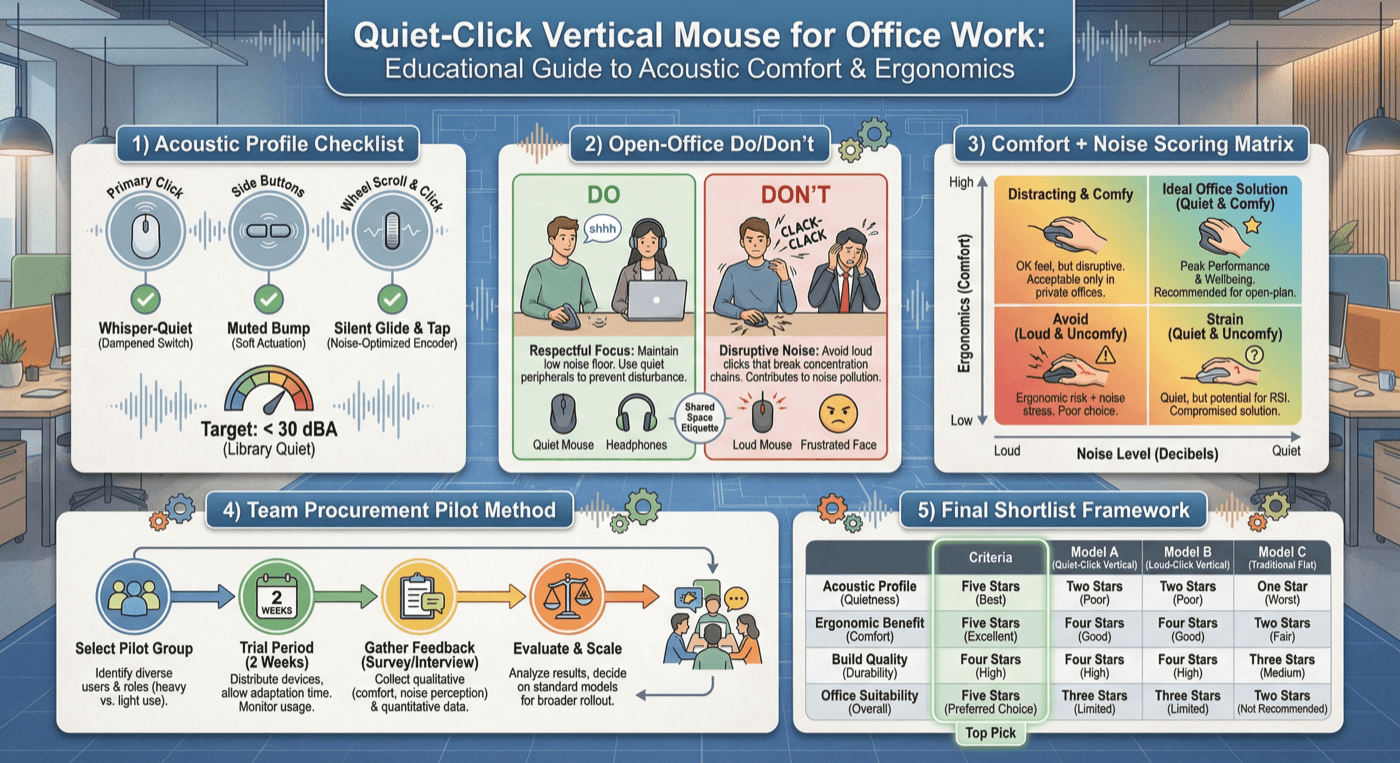
30-Second Video: Best Quiet-Click Vertical Mouse for Office Work
30-second walkthrough for best quiet-click vertical mouse for office work.
Quick Answer: Best Quiet-Click Vertical Mouse for Office Work
A quiet click is not just about being polite in an open office. It also changes perceived fatigue during long workdays.
Many mice advertised as silent only mute primary buttons while scroll wheels and side switches stay loud.
Our recommendation stack favors balanced office behavior: low acoustic profile, low click force, and reliable connectivity.
For procurement decisions, we also factor deployment friction and practical replacement availability.
Key takeaway: pick the smallest mouse that still supports your palm, then prioritize low click force.
Top Picks Quick Comparison
Fast shortlist for decision-first readers. Full table remains below for complete detail.
| Product | Best For | Price | Rating |
|---|---|---|---|
| Logitech Lift | Best overall quiet office pick | $$ | 4.6/5 |
| ProtoArc EM11 NL | Best quiet value for hybrid teams | $$ | 4.4/5 |
| Logitech MX Vertical | Best premium build + low click fatigue | $$$ | 4.5/5 |
| Anker Wireless Vertical | Best sub-$35 starter | $ | 4.3/5 |
| Delux M618 Plus | Best feature-rich budget quiet option | $$ | 4.2/5 |
Why Quiet-Click Quality Matters More Than Most Teams Realize
In shared offices, repetitive click noise becomes cognitive friction. It distracts nearby teammates, bleeds into calls, and adds subtle stress over long project cycles. Quiet-click vertical mice solve two productivity constraints at once: lower acoustic disruption and improved ergonomic posture.
But not all “silent” labels are equal. Some models dampen only left/right clicks while scroll-wheel detents and side buttons remain loud. Others feel overly mushy, reducing confidence during spreadsheet-heavy or design workflows. This guide focuses on complete office behavior, not marketing claims.
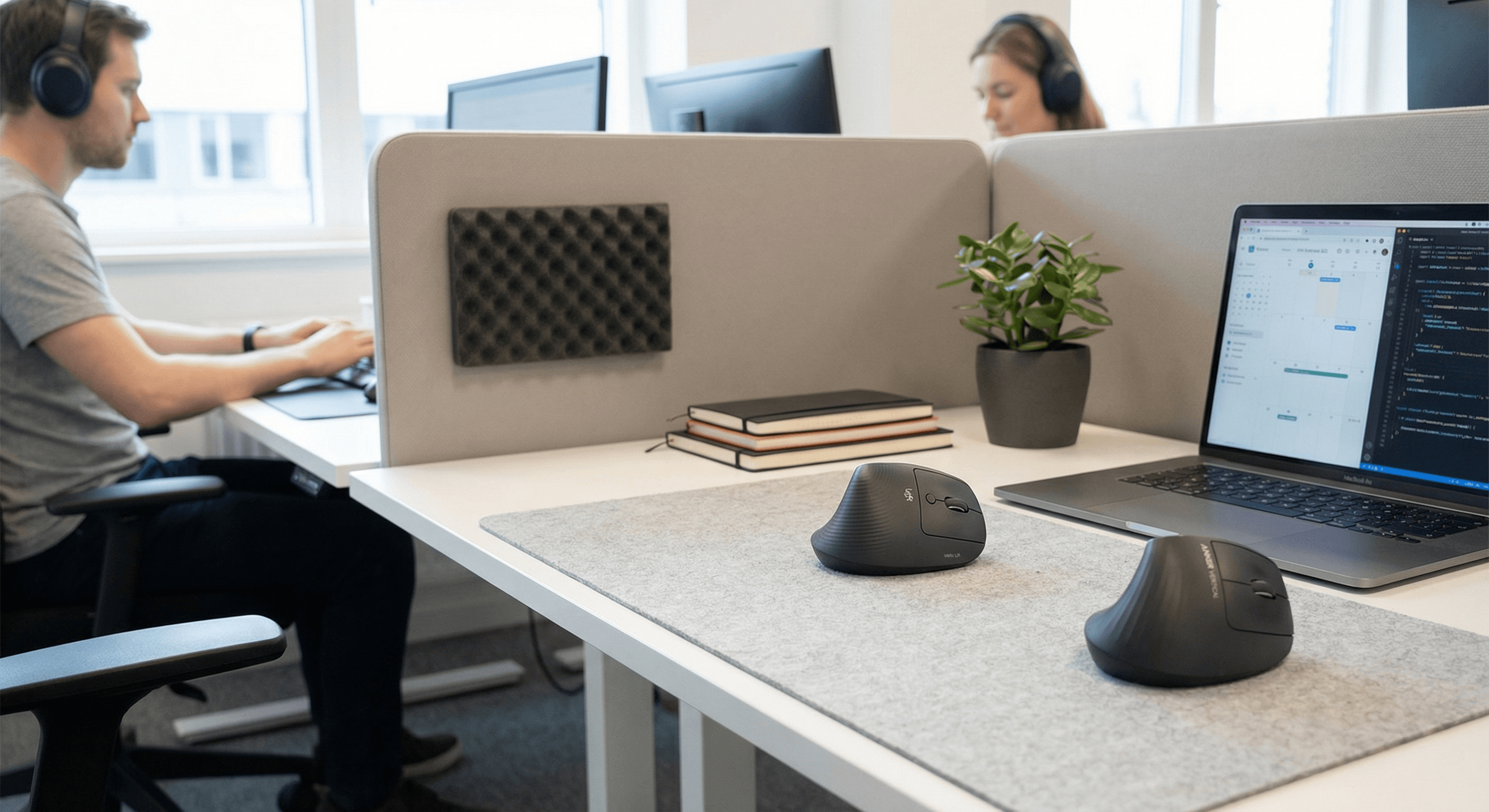
Office Noise Methodology: How We Rank Quiet Vertical Mice
We rank quiet office mice using a blended score designed for real teams: acoustic profile 30%, ergonomic endurance 30%, workflow reliability 20%, value and durability 20%. Acoustic profile includes primary-click volume character, side-button consistency, and scroll wheel resonance. Endurance measures fatigue trends across prolonged use.
- Acoustic profile: not just loudness, but sharpness and perceived annoyance in quiet rooms.
- Comfort endurance: fatigue progression after repeated click-heavy tasks.
- Reliability: wake speed, dropouts, and consistent input during calls/screenshares.
- Ownership value: pricing, switch stability, support ecosystem.
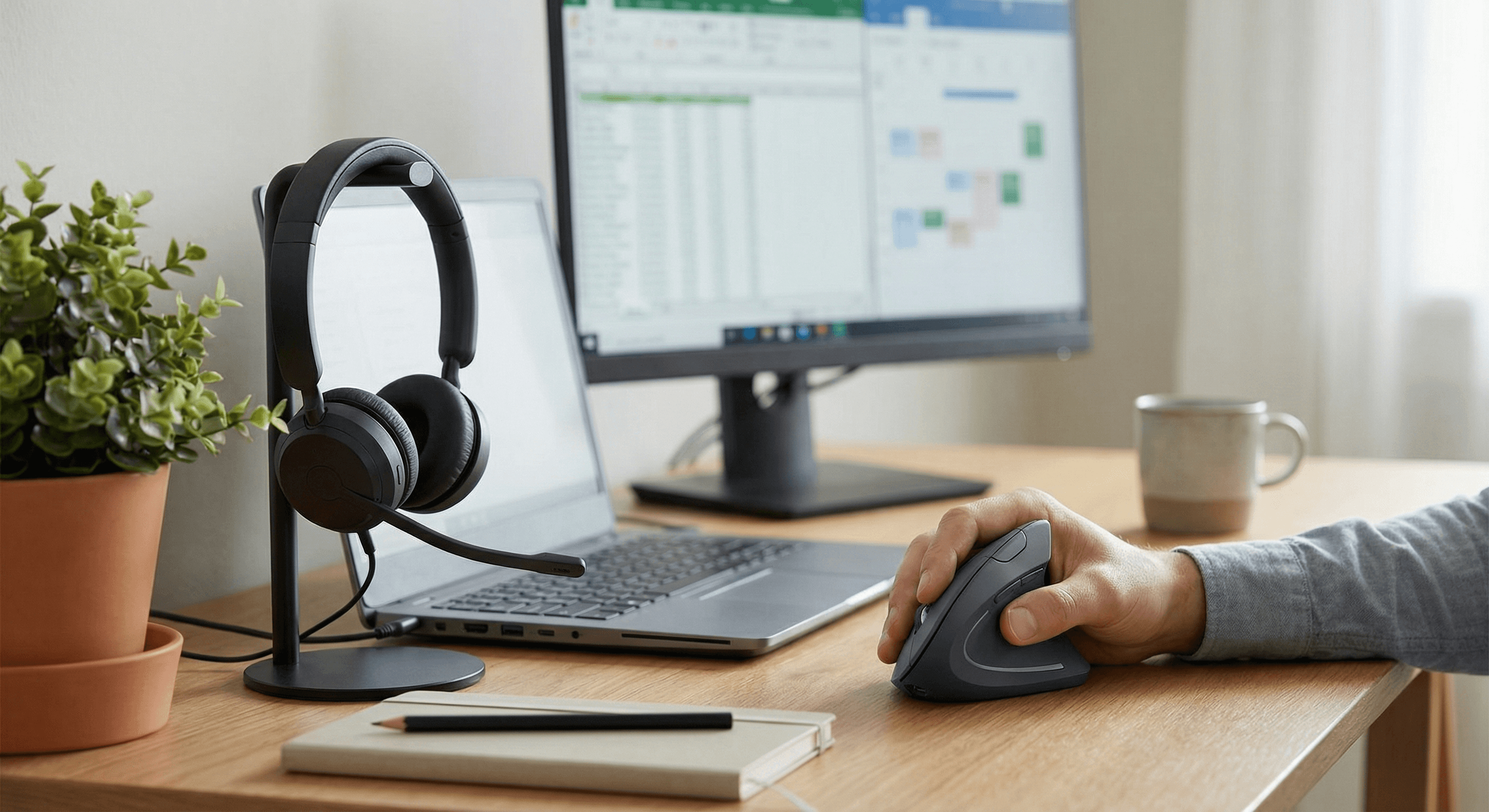
10 Quiet Vertical Mice: Detailed Tradeoffs for Office Buyers
Logitech Lift: strongest all-round quiet comfort with low click effort and broad software support. Tradeoff: mid-tier pricing.
ProtoArc EM11 NL: good low-noise profile and attractive value. Tradeoff: less proven long-term switch consistency than top-tier brands.
Logitech MX Vertical: premium build and stable control with relatively subdued click character. Tradeoff: larger shell and higher price.
Anker Wireless Vertical: affordable entry into quiet ergonomics. Tradeoff: QC variance and occasional stiffer switch feel.
Delux M618 Plus: feature-rich budget contender. Tradeoff: not the quietest scroll behavior in silent offices.
Perixx PERIMICE-718: dependable wired consistency for fixed desks. Tradeoff: cable drag and less mobility.
Lekvey Rechargeable Vertical: low-cost rechargeable convenience. Tradeoff: long-term feel can soften under heavy usage.
Kensington Pro Fit Ergo Vertical: easy transition shape with moderate acoustic profile. Tradeoff: not the quietest primary switch compared with dedicated silent models.
Nulea M501: tri-mode flexibility at low cost. Tradeoff: consistency depends on unit quality and environment.
J-Tech Digital V628: strong palm shelf support for larger hands. Tradeoff: moderate click/noise footprint compared with top quiet picks.

Buyer Framework: Match Noise Target to Work Pattern
Open office + many neighbors: prioritize the lowest sharpness profile even if price is higher. Hybrid/home office: balance quietness with comfort and reliability. Call-center or support teams: side-button and scroll noise consistency matters almost as much as left/right click volume.
If you do heavy spreadsheet operations, choose a model with crisp but dampened feedback. If your day is document navigation + meetings, the softest click profile usually wins. Never trade posture quality for silence alone; ergonomic mismatch will erase productivity gains.
Mistakes Teams Make When Buying Quiet Office Mice in Bulk
Mistake 1: only checking unit price. Cheap models can look efficient in procurement spreadsheets but create hidden cost through reduced comfort, inconsistent clicks, and higher replacement rates.
Mistake 2: validating noise on one surface only. Desk materials change perceived acoustics. Always test on your team’s real desk mats and table finishes before standardizing purchases.
Mistake 3: forgetting side-button and wheel behavior. Many workers use browser navigation, spreadsheets, and timeline tools where non-primary inputs matter heavily. If those controls are loud, “silent” claims collapse in practice.
Mistake 4: no adaptation support. When teams switch from flat mice to vertical shells, short adaptation guidance improves acceptance and reduces false-negative feedback in week one.
Mistake 5: ignoring hand-size variance across teams. A single “best” model may fail for users at either size extreme. A two-model policy often creates better comfort and retention outcomes than one-size purchasing.
Procurement playbook: shortlist two quiet models, run a seven-day pilot with mixed roles, capture comfort + perceived noise ratings, and standardize only after cross-team confirmation.
Use-Case Playbook: Quiet Mouse by Team Environment
Open-plan offices: choose the lowest perceived sharpness profile, not just the lowest measured click loudness. Sharp tonal clicks travel farther psychologically and become distracting even at similar decibel levels.
Hybrid work + shared home spaces: prioritize switch softness plus wake reliability. You need smooth transitions between focused solo sessions and quick collaboration windows without noisy interruptions.
Meeting-heavy operations teams: side-button behavior matters because browser navigation and tab management occur constantly while microphones are active. Quiet primary clicks alone are not enough.
Finance/legal/admin workflows: repeated spreadsheet navigation amplifies both ergonomic and acoustic flaws. Pick models with controlled wheel acoustics and stable click resistance over long sessions.
Support and service desks: reliability outranks advanced customization. A quiet mouse that randomly drops connection during call handling costs more productivity than a slightly louder but dependable alternative.
Across all environments, combine quiet-click hardware with ergonomic desk setup: forearm support, sensible pointer speed, and periodic micro-breaks. Noise and discomfort are multiplicative, not isolated variables.
Implementation Guide for Managers: Standardizing Quiet Mice Across Teams
If you are equipping a team, treat quiet mouse selection like a controlled rollout rather than an impulse purchase. Begin with a two-model pilot that spans hand sizes and job functions. Use one premium low-noise candidate and one value candidate to identify the practical cost-to-comfort break point.
Pilot for seven business days. Collect structured feedback: perceived click noise during shared focus time, end-of-day hand fatigue, wake reliability, and subjective confidence in cursor control. Include at least one call-heavy user and one spreadsheet-heavy user in the sample. Their requirements expose weak points quickly.
After pilot week, adopt a tiered standard instead of one universal model. For most organizations, a two-option policy works best: one default quiet model for average hands and one alternative for larger hands or different grip styles. This reduces ergonomic mismatch without exploding procurement complexity.
Document onboarding guidance: adaptation expectations for vertical posture, ideal desk positioning, and how to report discomfort early. Minor guidance dramatically improves adoption outcomes and lowers return rates.
Finally, set a review cadence. Reassess every 6 to 12 months based on replacement rates, noise complaints, and comfort tickets. Quiet hardware standards should evolve as switch technology and model availability change.
Quiet Office FAQ (People-Also-Ask Style)
What is the quietest vertical mouse for office work?
For most users, Logitech Lift and ProtoArc EM11 NL are top quiet performers with practical comfort. Final choice depends on hand size and click feel preference.
Are silent mice less durable?
Not inherently, but low-cost silent switches can lose consistency faster. Brand quality and switch design matter more than the word “silent.”
Why do some silent mice still sound loud?
Because only primary buttons are dampened. Scroll wheels, side switches, and shell resonance can still create noticeable noise.
Should I prioritize quietness or ergonomics first?
Ergonomics first, then quietness. The best office mouse is both low-noise and comfortable through full-day workloads.
Is wired quieter than wireless?
Not necessarily. Noise profile is switch and housing dependent. Wired can help reliability but does not guarantee lower acoustics.
How can I test quietness quickly?
Test in a silent room: 30 rapid primary clicks, 20 side clicks, and three fast scroll bursts. Note perceived sharpness, not just volume.
Can a quiet vertical mouse reduce fatigue?
Yes, when paired with proper fit. Lower click force and neutral wrist posture can reduce cumulative strain.
What office teams benefit most from quiet mice?
Customer support, finance analysts, legal admin, operations teams, and anyone in call-heavy environments.
Do I need software customization for office use?
Not always. Basic reliable behavior beats complex profiles for most productivity workflows.
How often should office mice be replaced?
Typically every 2 to 4 years depending on usage intensity and switch consistency.
Acoustic Reality Check: What Buyers Miss in Quiet-Mouse Reviews
Most user reviews describe a mouse as “quiet” without context. But quietness depends on room acoustics, desk surface, click speed, and microphone sensitivity. A model that feels silent on a padded desk can sound sharp on laminated surfaces in open offices.
Perceived annoyance matters more than raw volume. High-frequency click edges are often more distracting than lower, softer clicks, even when measured loudness is similar. That is why tonal character appears repeatedly in our ranking logic.
Scroll-wheel behavior is another hidden variable. Some wheels are quiet at slow movement but become chattery during rapid document navigation. If your team performs fast scrolling in dashboards, review wheel acoustics explicitly.
Side-button tuning also matters in modern workflows. Browser navigation, tab switching, and CRM actions can create repetitive side-click noise that undermines “silent” claims when teams work in shared spaces.
Finally, quietness must survive time. Lower-cost switch assemblies can begin soft, then become sharper as components wear. For long-term office value, prioritize models with stronger consistency reputations rather than only day-one impression.
Bottom line: true quiet-office quality is a systems question—switch design, shell resonance, wheel behavior, and real desk context all matter. Buy accordingly.
90-Day Office Deployment Plan (For Individuals or Teams)
Days 1-14: calibration period. Start by lowering pointer speed slightly and using the mouse in your heaviest click workflows. Track noise perception in your real environment: open desk areas, quiet rooms, and on-call situations. Minor discomfort in the first 2-3 days is normal when adapting to vertical posture, but persistent strain indicates fit mismatch.
Days 15-30: stabilization period. Keep one consistent setup and avoid switching between old and new mouse repeatedly. Frequent swapping slows adaptation and confuses comfort feedback. Evaluate click confidence, accidental clicks, and scroll precision under deadline pressure.
Days 31-60: productivity validation. Compare measurable outcomes: reduced noise complaints, fewer hand-fatigue reports, and stable output on repetitive tasks. If noise quality is good but fatigue remains high, switch to a better-fit shell before abandoning the quiet-mouse strategy.
Days 61-90: standardization and maintenance. Lock in model choice, document preferred settings, and monitor switch consistency. For teams, create simple replacement rules so staff can request alternative size options without friction.
This phased approach prevents common misreads where users reject a good model too early or keep a poor model too long. Quiet-office procurement should be evidence-led, not impulse-led.
If your organization is piloting multiple models, use a shared scorecard with four metrics: perceived noise, end-of-day fatigue, connection reliability, and task confidence. Track weekly and choose the model that performs best across all four, not just one.
Internal Links for Layered Intent
See WFH-focused wireless ergonomic picks.Budget-constrained team purchase?
Compare sub-$50 comfort options.Developer workflow heavy clicks?
Long-session picks for coding workloads.Need full desk-stack fixes?
Mouse + keyboard + desk-height strategy.Small hands and wrist sensitivity?
Use our compact-fit ranking and adaptation checklist.Need true left-handed ergonomics?
See left-handed wireless vs rechargeable tradeoffs.
Final Verdict: Quiet Office Buyers
A truly office-grade quiet vertical mouse must pass three tests: low acoustic sharpness, stable all-day comfort, and reliable workflow behavior. Buy the quietest model you can use for eight hours without grip compensation.
For teams, standardize on two quiet models rather than one universal option whenever possible. That small flexibility dramatically reduces mismatch complaints and improves adoption, while keeping procurement and IT support manageable.
If your environment is extremely quiet (libraries, legal floors, shared recording spaces), run a final desk-surface sound check before full rollout. Material resonance can change perceived click sharpness enough to alter purchasing decisions.
Methodology disclaimer: rankings reflect buyer-focused ergonomic and acoustic criteria, not laboratory medical claims.
Comparison Table: Best Quiet-Click Vertical Mouse for Office Work
Key takeaway: comfort fit beats raw specs for long-term productivity.
| Product | Best For | Price Band | Rating | Link |
|---|---|---|---|---|
| Logitech Lift | Best overall quiet office pick | $$ | 4.6/5 | Check on Amazon |
| ProtoArc EM11 NL | Best quiet value for hybrid teams | $$ | 4.4/5 | Check on Amazon |
| Logitech MX Vertical | Best premium build + low click fatigue | $$$ | 4.5/5 | Check on Amazon |
| Anker Wireless Vertical | Best sub-$35 starter | $ | 4.3/5 | Check on Amazon |
| Delux M618 Plus | Best feature-rich budget quiet option | $$ | 4.2/5 | Check on Amazon |
| Perixx PERIMICE-718 | Best wired quiet consistency | $ | 4.2/5 | Check on Amazon |
| Lekvey Rechargeable Vertical | Best cheap rechargeable quiet pick | $ | 4.3/5 | Check on Amazon |
| Kensington Pro Fit Ergo Vertical | Best conservative shape for transitions | $$ | 4.2/5 | Check on Amazon |
| Nulea M501 | Best tri-mode quiet workflow | $ | 4.1/5 | Check on Amazon |
| J-Tech Digital V628 | Best large-palm shelf with moderate noise | $$ | 4.2/5 | Check on Amazon |
Note: Amazon links may be affiliate links and can generate commissions at no extra cost to you.